Review with Eva
Everything we found on 2 November, with the evidence and progress in one place.
The direction we agreed
Balance reliability fixes with one compelling board workflow: one piece, several useful outfits.
The review's decisions are agreed direction. Details remain open to challenge.
T-13 is complete. T-15 and T-05 have delivered subsets with explicit open follow-ups. Five findings are verified; nine before/after comparisons show the changes. Rotation, countdown, recognition and denser metadata/physical-phone review remain open. This is the isolated v2 preview, with native fixture and release smoke evidence.
Eight areas to work through
Open an area to see its tickets. Each finding keeps its original ID.
Reliable capture
One garment becomes one piece, with the right front and back.
2 tickets, 0 verifiedWardrobe information
Trust the garment types, colours and pictures behind every suggestion.
2 tickets, 0 verifiedFinding your way
Find a piece quickly and keep your place when you go back.
4 tickets, 1 verifiedEveryday interface
Make editing and everyday actions clear and easy to reach.
2 tickets, 0 verifiedGallery understanding
Find the right person and match the clothes they already own.
2 tickets, 0 verifiedBoard editor
Make arranging, adding and saving an outfit comfortable on a phone.
4 tickets, 0 verifiedOutfits and templates
Turn one real piece into several useful, editable outfits.
2 tickets, 0 verifiedSpeed and sharing
Improve loading, wardrobe analysis and device-specific behaviour.
3 tickets, 0 verifiedHow to read this tracker
Original drafts preserve the review's requests and priorities. Code-review notes explain what already exists and what needs investigation. “Verified” requires recorded evidence; a local fix, a deployed fix and Eva's acceptance are different things.
Code reviewed at d73475c. This document does not assert that the recorded bugs were reproduced on today's preview.
Ticket desk
Open a ticket for progress, related findings, code notes and the complete original draft.
T-01Make guided capture dependableNot started
What the code review adds
Front/back pairing already exists. The camera can reinterpret an expected back as a new front based on the model’s same-garment answer. Stillness, pairing and foreground selection need separate checks; the exact recorded failure has not been reproduced.
Code pointers
apps/web/src/page/HeldCamera.ts:253packages/server/src/capture/Processing.ts:43packages/server/src/capture/Garments.ts:189
Progress
Work has not started. This draft is awaiting planning.
Owner: Unassigned. Updated 2026-11-03.
No acceptance evidence recorded yet.
Acceptance checklist
- Open
Pair
FrontandBackcaptures into a single piece: When the guided camera captures a frame while inBackmode, associate that image as theback_imageof the pendingFrontcapture (grouped as a single review card withFront | Backpreview inTo review | Styld, and saved as a singleWardrobepiece withFront | Backtoggle pills). Never create two separateWardrobepieces from aFront+Backcapture pair. - Open
Reject dark / occluded / low-variance frames before stillness countdown: Compute frame mean luminance and edge/texture variance in the camera loop; if the camera is covered, resting on a bed/table (near-black or uniform blur), or no garment contour is inside the framing box, do not trigger
"Looking...", do not start the shutter countdown, and do not advance theFront/Backstate machine. - Open
Require motion transition between
FrontandBack: After capturingFront, require a non-trivial visual change / motion event (the user actually moving/flipping the garment) before arming stillness detection forBack, preventing the same unflipped side from being captured twice. - Open
Single-foreground garment extraction in
"Hold pieces up": When the capture source is"Hold pieces up"(or"Lay pieces out"), restrict segmentation to the single primary foreground garment held within the framing guides (max_pieces = 1per guided frame) and ignore background closet garments and the holder's own worn clothes.
Read the complete original ticket draft
Fix broken Add clothes ("Hold pieces up" & "Lay pieces out") Front/Back guided scanner, black-frame auto-captures, and background/body clothing segmentation (F-48, F-51)
- Priority: P0 — Eva explicitly concluded
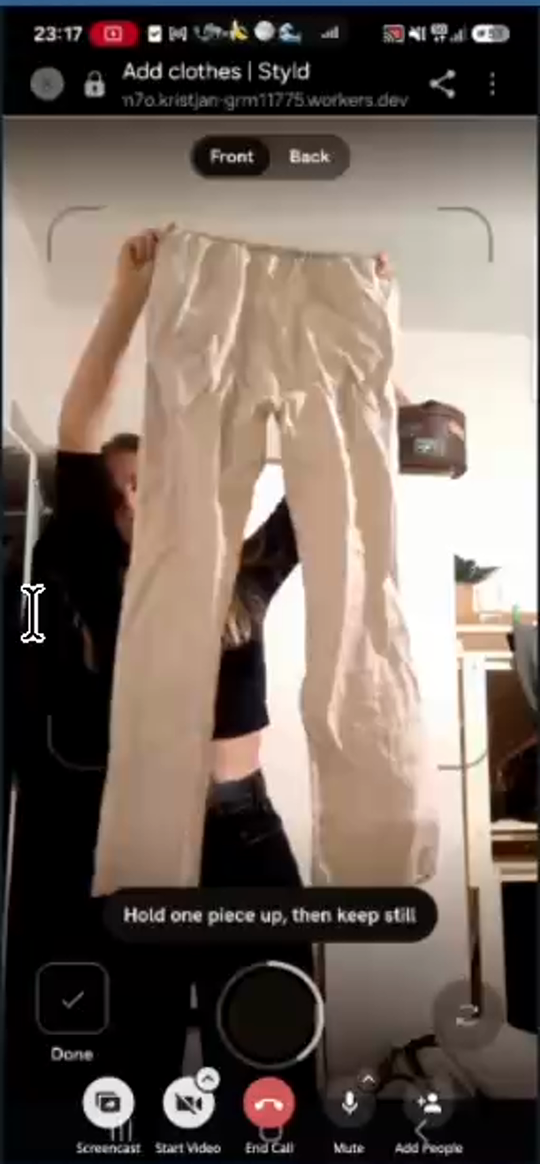
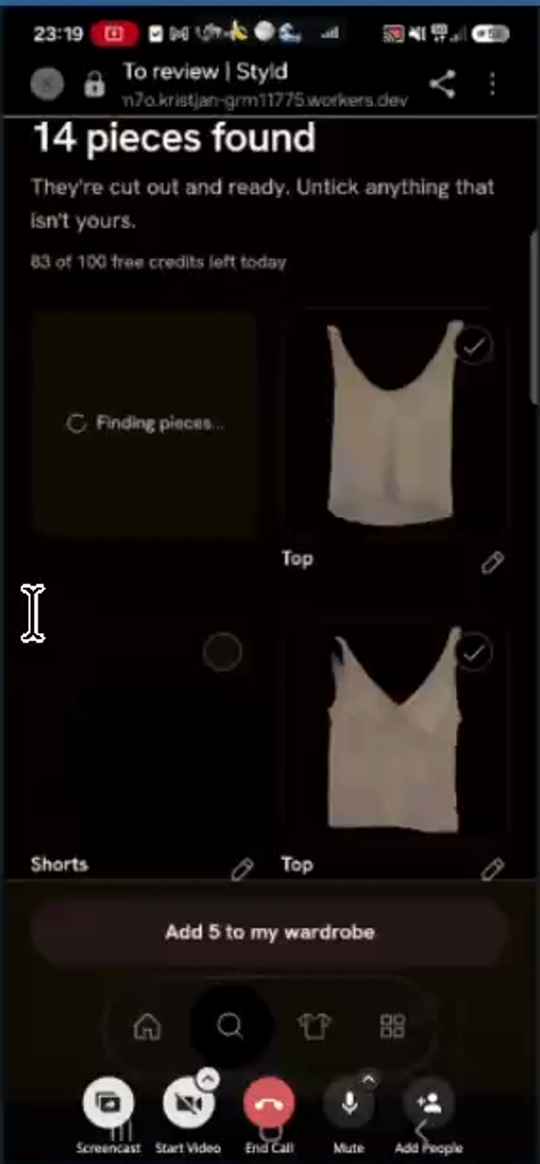
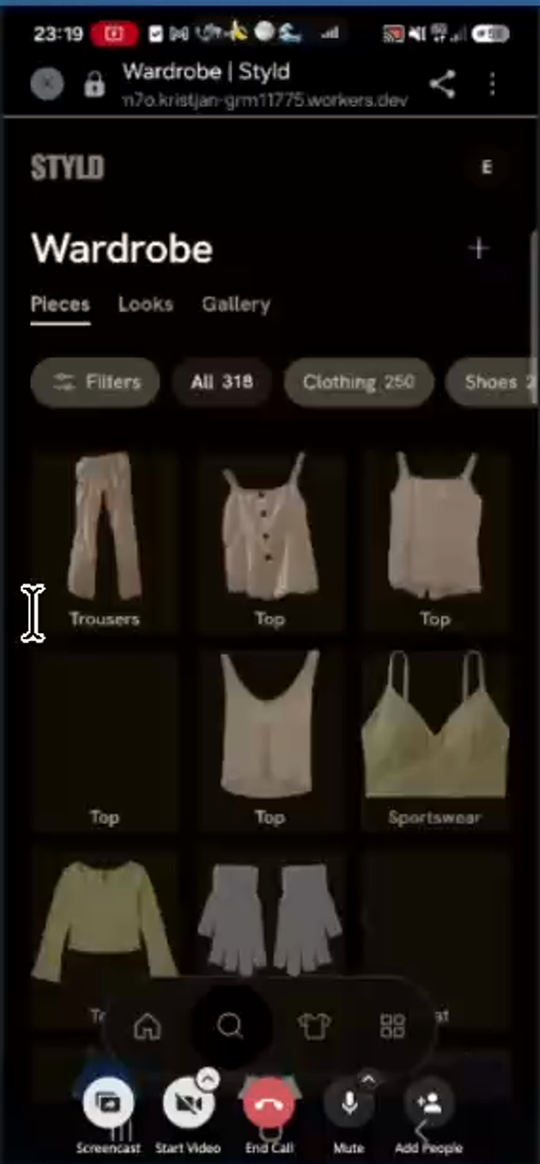
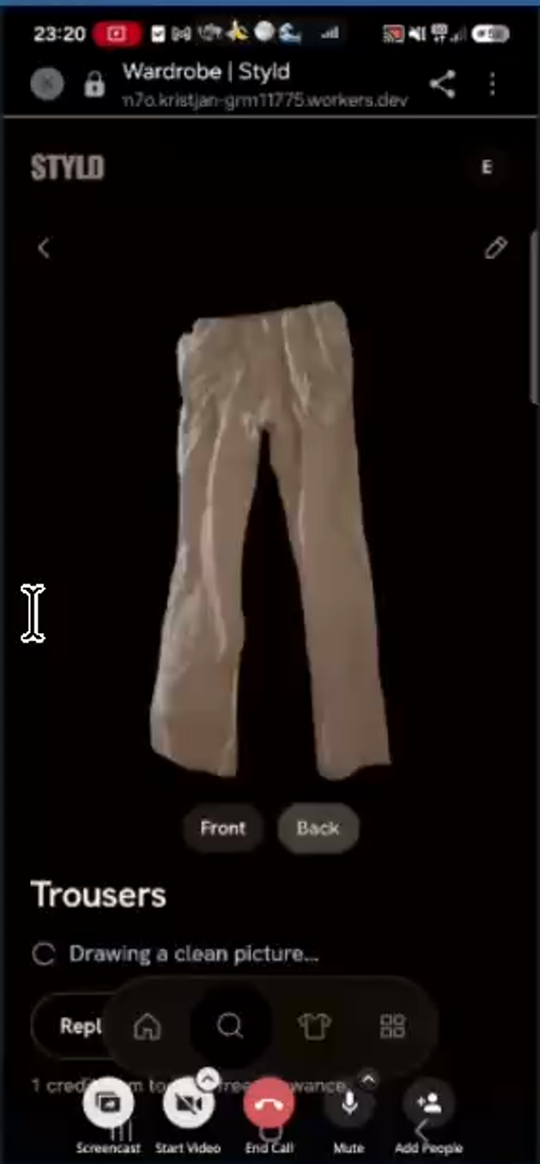
"Tako da ta funkcija ne deluje"("So this function does not work") after 4 consecutive tests: the guided scanner fails to attachBackphotos toFrontpieces (creating 2–3 separate duplicate"Top"items inWardrobeor saving the front image into bothFrontandBackslots), auto-captures pitch-black frames when the phone rests on the bed ("Trousers / Top — Needs a better look"), and cuts out the user's own worn clothes and background closet coats (14 pieces foundfor 3 held-up items). - Affected Routes & UI Components:
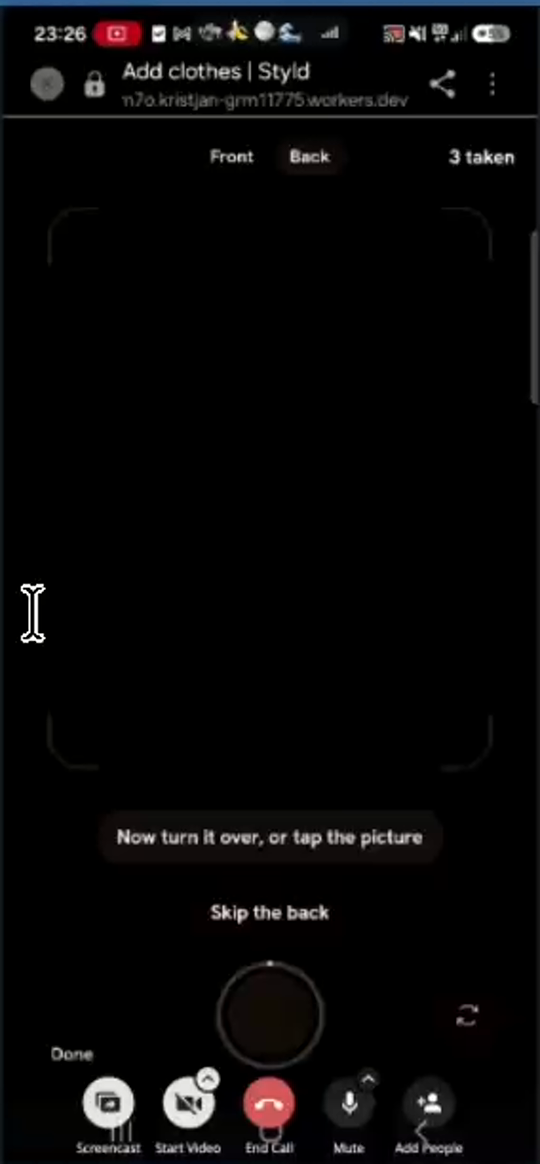
Add clothes | Styld-> Guided camera modes ("Hold pieces up — Your camera takes each one"and"Lay pieces out — Your camera takes each one from above")- Camera state machine: top pill toggle (
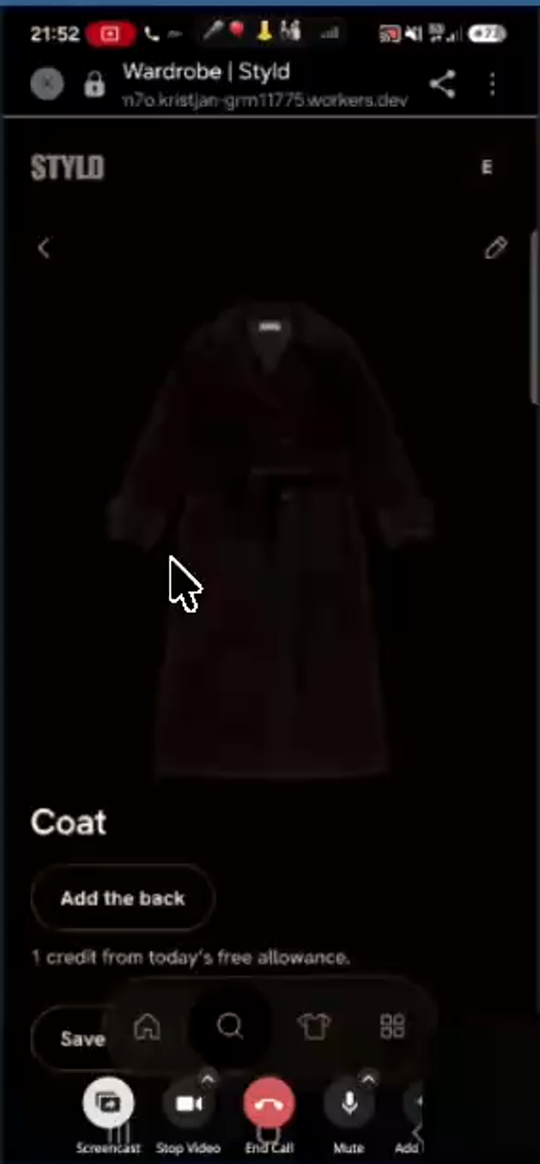
Front|Back), bottom instruction pill ("Hold one piece up, then keep still"/"Lay one piece flat, then take your hands away"->"Now show its back, or tap the picture"/"Now turn it over, or tap the picture"),"Skip the back"button,"Looking..."badge,"Got it. Show the next piece"toast,"N taken"top-right counter,"Done"bottom-left button. To review | Styld("N pieces found / They're cut out and ready. Untick anything that isn't yours.","Finding pieces..."cards,"No clothes found in a photo. [Remove]","Add N to my wardrobe"button).Wardrobe | Styldpiece detail view (Front|Backtoggle pills vs."Add the back"button).
- Root Causes Observed on Screen (
eva5styld.mp405:31–15:35):- Broken
Front+Backpairing inTo reviewandWardrobe:- In Test 1 (
Hold pieces up,05:31–09:30), Eva held up 3 garments (beige trousers, white buttoned top, white camisole top).To reviewticked 5 items (Add 5 to my wardrobe): 1Trousersitem (where tappingFrontandBackshowed the exact same front photo because the second shutter fired before she finished turning the trousers) and 4 separate standalone"Top"items (front of buttoned top, back of buttoned top, front of camisole, back of camisole—each saved as its own separate wardrobe piece with an"Add the back"button). - In Test 2 (
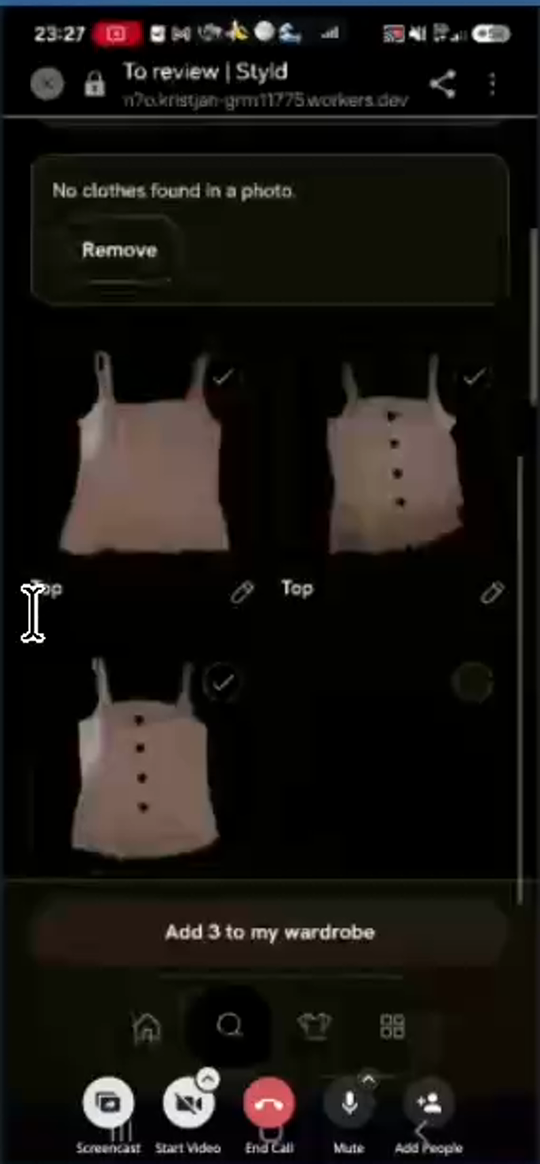
Hold pieces up,09:34–11:18), Eva carefully scanned 1 cream buttoned top (1 takenon Front at09:50, then turned it around for2 takenon Back at09:54). Even though the camera UI stepped fromFronttoBack,To review | Styld(10:35) created two separate checked"Top"cards (Add 2 to my wardrobe), and saving added two separate"Top"pieces toWardrobe(All 320), neither having aBackattached (11:00–11:08). - In Tests 3 & 4 (
Lay pieces out,13:03–15:35), scanning 1 cream buttoned top flat on the bed again produced 2–3 separate"Top"cards inTo review(Add 2 to my wardrobeat13:54,Add 3 to my wardrobeat15:23).
- In Test 1 (
- Pitch-black camera frames auto-captured when phone is set down on the bed:
- In
"Lay pieces out", the user needs both hands to flip the garment and arrange it neatly on the bed, so she sets the phone face-down on the bedsheet (13:07–13:12,13:20–13:24,14:15–14:28,14:42–14:48). - Because a phone resting on a bed is completely still (
0motion delta between frames), the stillness detector immediately triggers"Looking..."and auto-captures a pitch-black photo ("2 taken"at13:22,"3 taken"at14:44). - Worse, this black frame advances the
Front/Backstate machine (consuming theBackslot so the actual back photo is captured as theFrontof a new piece!) AND the segmentation backend cuts out the black rectangle as a solid-black garment ("Trousers — Needs a better look"at14:55,"Top"at15:11).
- In
- Worn clothing and background closet segmentation in
"Hold pieces up":- When Eva stands in front of her open closet holding up a piece (
05:31–06:20,09:34–10:00), the multi-item segmentation model extracts the black top/trousers/shorts she is wearing on her own body and coats hanging in the closet behind her, inflatingTo reviewto"14 pieces found"(with 9+ dark"Trousers / Coat / Jeans / Shorts — Needs a better look"cards) and causing"Finding pieces..."spinners to sit at the top of the grid for ~90 seconds while cards jump around.
- When Eva stands in front of her open closet holding up a piece (
- Broken
- Acceptance Criteria:
- Pair
FrontandBackcaptures into a single piece: When the guided camera captures a frame while inBackmode, associate that image as theback_imageof the pendingFrontcapture (grouped as a single review card withFront | Backpreview inTo review | Styld, and saved as a singleWardrobepiece withFront | Backtoggle pills). Never create two separateWardrobepieces from aFront+Backcapture pair. - Reject dark / occluded / low-variance frames before stillness countdown: Compute frame mean luminance and edge/texture variance in the camera loop; if the camera is covered, resting on a bed/table (near-black or uniform blur), or no garment contour is inside the framing box, do not trigger
"Looking...", do not start the shutter countdown, and do not advance theFront/Backstate machine. - Require motion transition between
FrontandBack: After capturingFront, require a non-trivial visual change / motion event (the user actually moving/flipping the garment) before arming stillness detection forBack, preventing the same unflipped side from being captured twice. - Single-foreground garment extraction in
"Hold pieces up": When the capture source is"Hold pieces up"(or"Lay pieces out"), restrict segmentation to the single primary foreground garment held within the framing guides (max_pieces = 1per guided frame) and ignore background closet garments and the holder's own worn clothes.
- Pair
T-02Repair classification and image orientationNot started
What the code review adds
Separate imported-data repair from future classifier quality. The importer starts with coarse fallback types and attempts to refine them. Preserve user corrections during any later repair. Orientation needs source-image comparison; a screenshot alone does not locate the cause.
Code pointers
tools/import-v1/Mapping.ts:38packages/server/src/wardrobe/Work.ts:21
Progress
Work has not started. This draft is awaiting planning.
Owner: Unassigned. Updated 2026-11-03.
No acceptance evidence recorded yet.
Acceptance checklist
- Open
Add orientation detection/correction in the cutout pipeline (and a manual
Rotate 90°/180°button in the piece Edit screen) and fix upside-down cutouts in the wardrobe dataset. - Open
Re-run/upgrade the garment classifier prompt & schema so
BagsandTops & T-shirtsare never used as catch-all fallback buckets; accurately route swimwear/bikini tops toSwimwear, gym/ski gear toSportswear, pajama bottoms toLoungewear & nightwear, scarves toScarves, and gloves/socks/headbands to their properAccessoriessubcategories. - Open
Weight primary color extraction by garment surface area so small sole trims or logos do not override the dominant garment color.
Read the complete original ticket draft
Audit and fix AI garment categorization, color tagging, and upside-down legacy cutouts across Wardrobe (F-08, F-09)
- Priority: P0 — Core AI recommendations (
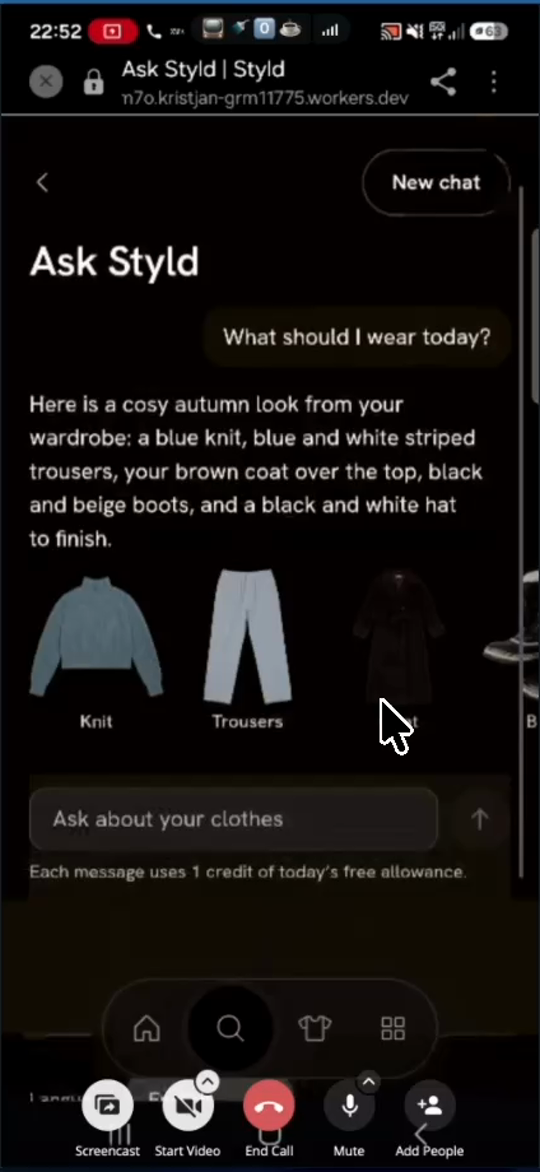
Today,Ask Styld, andBoards) are actively broken because ~20% of tops, 8/22 bags, ski pants, and pajama bottoms are misclassified (causing Styld to recommend striped pajama pants, snow boots, and formal wedding dresses for everyday/travel looks). - Specific Misclassifications & Orientation Bugs Observed (
eva.styld1.mp409:05–20:37,eva3.mp430:55–33:25):- 180° Upside-Down Cutouts:
- Multiple bikini tops in
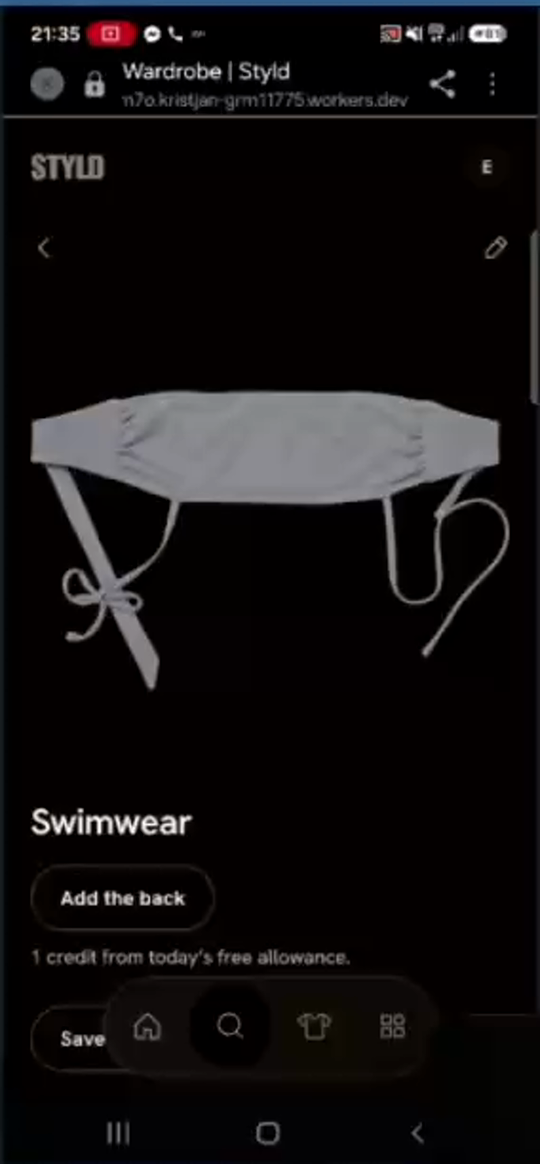
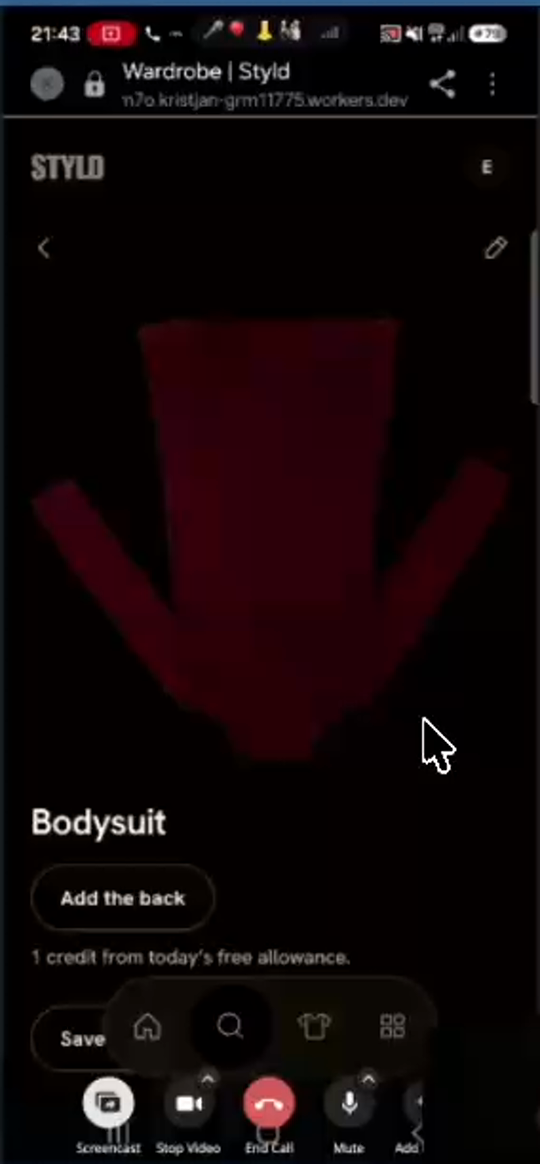
Swimwear(09:06–09:38, e.g., white bandeau bikini top with tie straps pointing downward infig05a) and a red sleeveless mini dress (16:23–16:57,fig06) are stored upside-down (180° rotated). Because the red dress is upside down, the AI classifier misidentified its skirt hem + straps as aBodysuit(Bodysuits 1).
- Multiple bikini tops in
Tops & T-shirts 49(~20% error rate):- Out of 49 items in
Tops & T-shirts, Eva counted 10 misclassified items: 4 bikini tops (Swimwear), 5 gym/sport tops (Sportswear), and 1 knit scarf (Scarves).
- Out of 49 items in
Trousers 29(ski pants & pajamas mixed into everyday trousers):- Red waterproof ski trousers (
15:19) were placed inTrousersinstead ofSportswear. - Light-blue and white striped drawstring pajama bottoms (
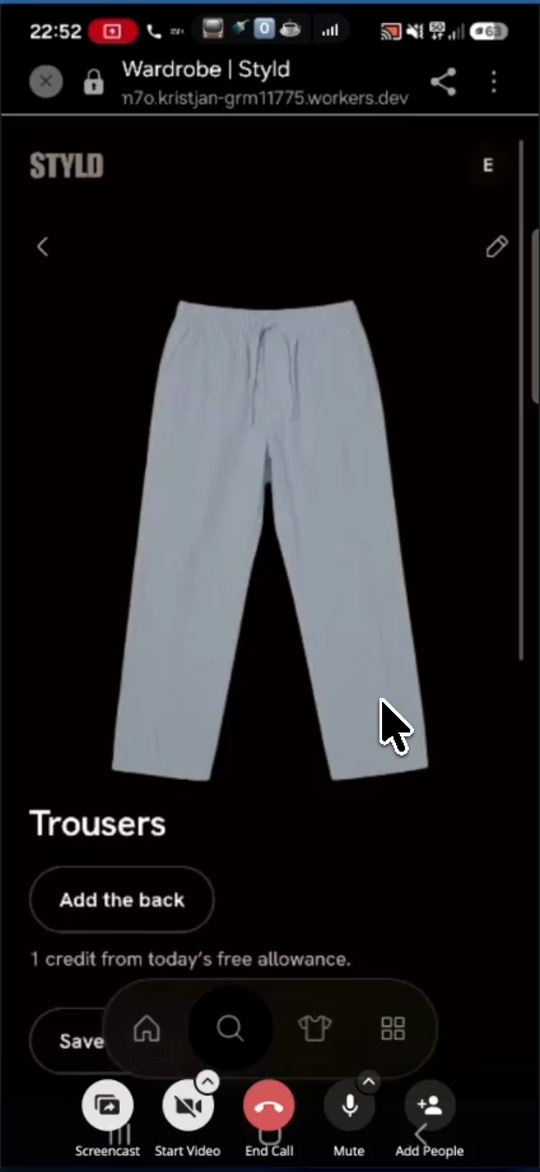
eva3.mp430:55–31:58,fig21b,fig21c) were classified as everydayTrousersinstead ofLoungewear & nightwear, causingAsk Styld("What should I wear today?") to recommend wearing striped pajama bottoms with a brown coat and snow boots!
- Red waterproof ski trousers (
Accessories -> Bags 22(used as a fallback dump bucket):- 8 non-bag items were dumped into
Bags: 3 pairs of winter mittens/gloves (e.g., grey fingerless gloves in row 1 col 3 offig01), 3 hairbands/headbands (obroč,trak za lase), 1 knit hood-hat with attached mittens, and 1 pair of white Nike crew socks. - Under
Hats 16, a tiny decorative lapel pin/brooch was classified as aHat(20:08).
- 8 non-bag items were dumped into
- Color Tagging Error on Footwear:
- Sorel winter snow boots that are ~90% black with a thin white/beige rubber sole trim (
eva3.mp431:05, visible infig21ccarousel right edge) were tagged and described by AI as"black and beige boots".
- Sorel winter snow boots that are ~90% black with a thin white/beige rubber sole trim (
- 180° Upside-Down Cutouts:
- Acceptance Criteria:
- Add orientation detection/correction in the cutout pipeline (and a manual
Rotate 90°/180°button in the piece Edit screen) and fix upside-down cutouts in the wardrobe dataset. - Re-run/upgrade the garment classifier prompt & schema so
BagsandTops & T-shirtsare never used as catch-all fallback buckets; accurately route swimwear/bikini tops toSwimwear, gym/ski gear toSportswear, pajama bottoms toLoungewear & nightwear, scarves toScarves, and gloves/socks/headbands to their properAccessoriessubcategories. - Weight primary color extraction by garment surface area so small sole trims or logos do not override the dominant garment color.
- Add orientation detection/correction in the cutout pipeline (and a manual
T-03Recognise the right person and clothesNot started
What the code review adds
Gallery extraction currently considers the whole photo. Matching already exists, but uses at most six candidates within an outfit slot, ranked by colour and recency. Subject selection, candidate retrieval and rendering should be investigated separately.
Code pointers
packages/server/src/capture/Garments.ts:208packages/server/src/photos/Finding.ts:41packages/server/src/capture/Policy.ts:78
Progress
Work has not started. This draft is awaiting planning.
Owner: Unassigned. Updated 2026-11-03.
No acceptance evidence recorded yet.
Acceptance checklist
- Open
Foreground subject selection: In
Galleryoutfit analysis, detect the primary foreground person (largest bounding box / most central / closest to camera) and restrict garment extraction strictly to that person's bounding region. - Open
Preserve true dark garment colors: Fix the alpha-mask compositing / image normalization / CSS filter issue that turns dark brown and black garments into white/grey cutouts in
GalleryandYour pieces. - Open
Automatic wardrobe matching: Compare each extracted garment embedding/attributes against the user's existing
Wardrobeitems; auto-link high-confidence matches (or show the top matching wardrobe piece with a 1-tap confirm) instead of defaulting every item to"Not in your wardrobe yet".
Read the complete original ticket draft
Fix Gallery person & garment detection to target the foreground user, auto-match existing wardrobe pieces, and stop inverting dark items to white (F-16, F-17, F-18)
- Priority: P0 — The
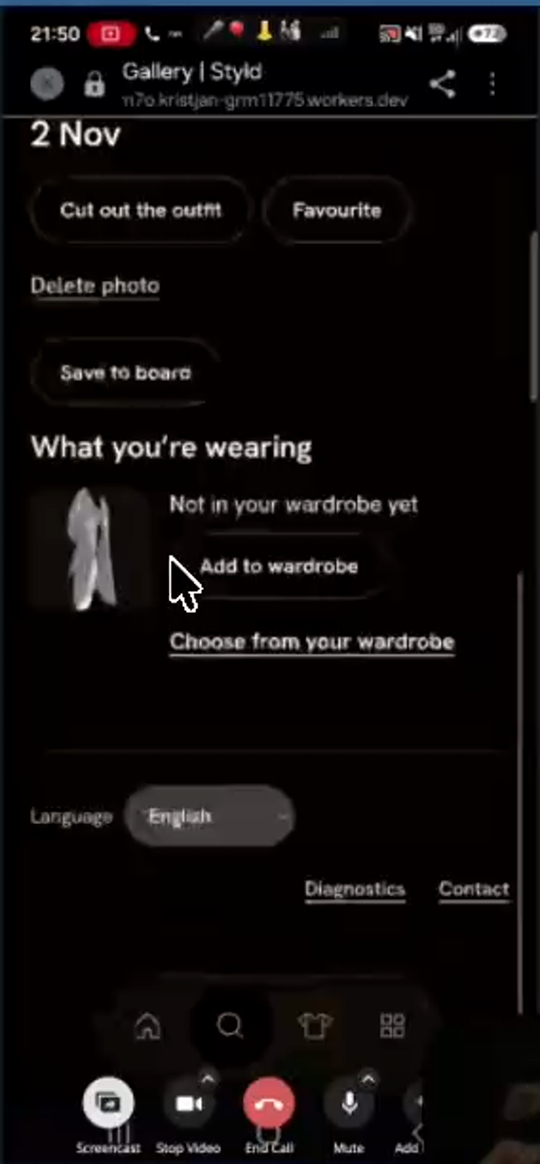
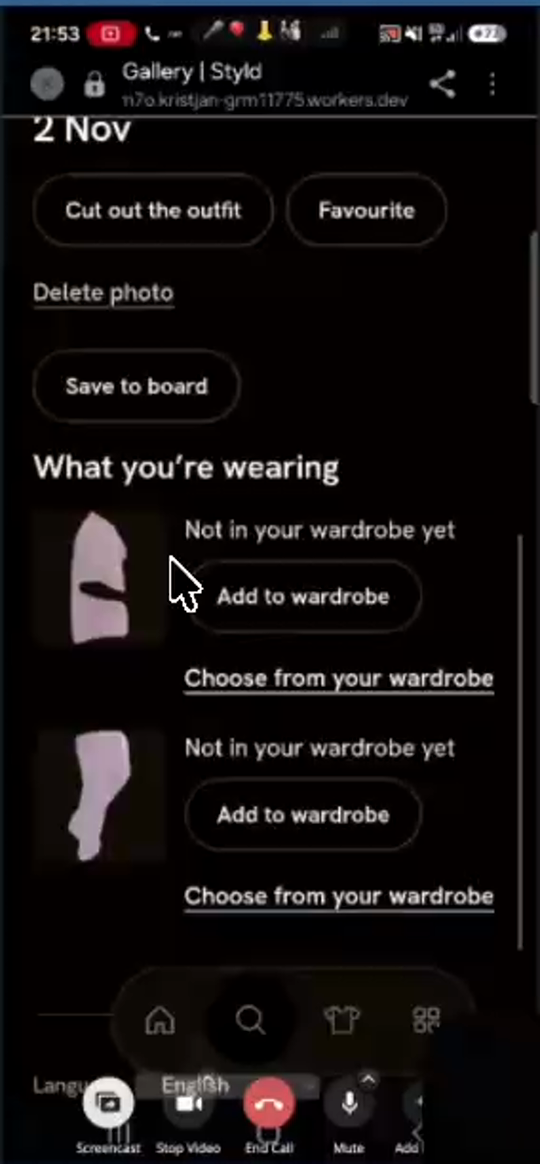
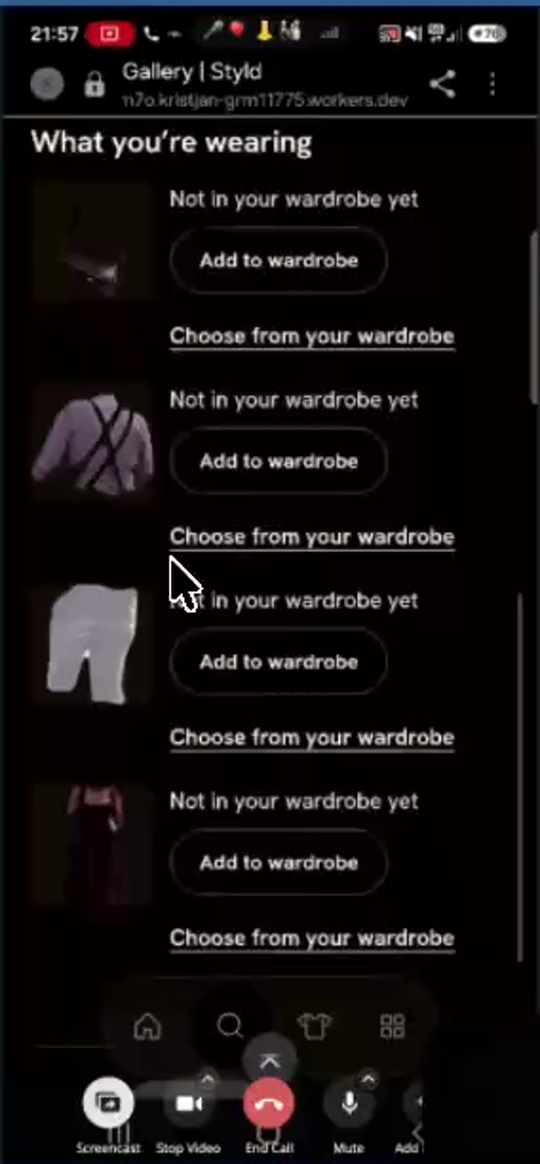
Galleryfeature is currently unusable in testing because it extracts clothing from random background bystanders instead of Eva in the foreground, turns her dark brown suede coat and black items into white ghost cutouts, and fails to link items that already exist in her wardrobe. - Specific Failures Observed (
eva.styld1.mp423:28–35:35):- Background Bystander Extraction (
F-18):- Carnival photo (
27:08–27:43,fig09a): Eva stands in the right foreground holding cotton candy; the AI completely ignored her and extracted the black t-shirt and dark pants of a random man in a baseball cap standing in the background (What you're wearing-> 2 cutouts of the man's clothes). - Oktoberfest photo (
30:36–31:06,fig09b): Eva stands centered in the foreground in a burgundy/pink patterned dress holding a pretzel; the AI ignored her dress and cross-body bag and extracted the lilac shirt with suspenders and white shorts/lederhosen of an older man in the background plus a background woman's dirndl!
- Carnival photo (
- White/Grey Color Inversion on Dark Cutouts (
F-17):- Cypress-alley photo (
24:08–26:45,fig08avs.fig08b): Eva's dark brown suede belted coat is cut out underWhat you're wearingas a bright white/light-grey ghost silhouette (fig08a). Even after Eva manually linked it viaChoose from your wardrobeto her actual dark brown coat (fig08b), the thumbnail next toCoaton the Gallery page still rendered white/grey. - Board editor
Your piecesstrip (29:54–30:06,fig10b): Dark/black tops and dresses in theYour piecesbottom strip also appear washed-out/white.
- Cypress-alley photo (
- Failure to Detect All Worn Items & Failure to Match Existing Wardrobe (
F-16):- In Photo 1 (
24:15), Eva is wearing 4 items that are all in her wardrobe (dark brown coat, pullover, top, shoes); Styld only found the coat and marked it"Not in your wardrobe yet". - In Photo 4 (hedge-alley dress photo,
32:41), Eva's patterned dress, brown bag, and black sandals are all in her wardrobe; Styld only detected the dress and sandals and marked both"Not in your wardrobe yet", causing Eva to accidentally re-add a duplicate dress to her wardrobe (34:16).
- In Photo 1 (
- Background Bystander Extraction (
- Acceptance Criteria:
- Foreground subject selection: In
Galleryoutfit analysis, detect the primary foreground person (largest bounding box / most central / closest to camera) and restrict garment extraction strictly to that person's bounding region. - Preserve true dark garment colors: Fix the alpha-mask compositing / image normalization / CSS filter issue that turns dark brown and black garments into white/grey cutouts in
GalleryandYour pieces. - Automatic wardrobe matching: Compare each extracted garment embedding/attributes against the user's existing
Wardrobeitems; auto-link high-confidence matches (or show the top matching wardrobe piece with a 1-tap confirm) instead of defaulting every item to"Not in your wardrobe yet".
- Foreground subject selection: In
T-04Make board layering predictableNot started
What the code review adds
Layer controls already update z-order. Darken blending and bringing an item forward when it is pressed are plausible contributors to confusing overlap. Reproduce before changing the ordering algorithm; a combined control is a separate design choice.
Code pointers
apps/web/src/page/Board/Table.styles.ts:8apps/web/src/page/Board/Gestures.ts:11packages/protocol/src/Placement.ts:54
Progress
Work has not started. This draft is awaiting planning.
Owner: Unassigned. Updated 2026-11-03.
No acceptance evidence recorded yet.
Acceptance checklist
- Open
Fix the collage canvas layer ordering state so items render strictly in their array/z-index order and newly added items default to the top layer.
- Open
Replace the two separate
↑and↓buttons in the object toolbar with one combined Front/Back toggle/cycle button (matching the single⇄flip button) so tapping it brings the selected item to the front or sends it to the back (bring to front/send to back).
Read the complete original ticket draft
Fix non-functional layer up/down (z-index) controls in Board collage editor and combine into a single front/back toggle button (F-36, F-37)
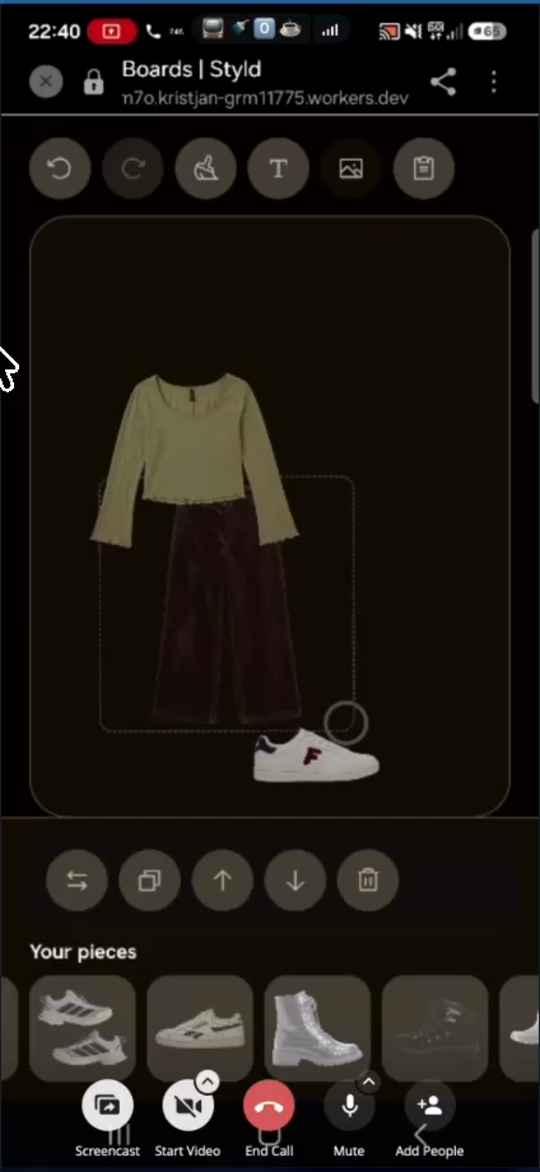
- Priority: P0 — Tapping the layer up/down arrow buttons in the collage editor currently does nothing at all, leaving items trapped in broken z-order layers when assembling outfits on a board.
- Affected Component & Observed Bug (
eva3.mp418:55–21:18,fig20):- In
Boards | Styldcollage editor, selecting an item on the canvas displays 5 circular action buttons below the canvas: Flip Horizontal (⇄), Duplicate (❐), Layer Up (↑), Layer Down (↓), and Delete (🗑). - When Eva placed a green long-sleeve top and burgundy wide-leg trousers on the canvas (
fig20), the trousers rendered underneath the top even though she added the trousers second. Tapping↑and↓repeatedly had zero effect on the canvas stacking order. Later, white Fila sneakers rendered on top of all items while black boots rendered underneath all items (20:46).
- In
- Acceptance Criteria:
- Fix the collage canvas layer ordering state so items render strictly in their array/z-index order and newly added items default to the top layer.
- Replace the two separate
↑and↓buttons in the object toolbar with one combined Front/Back toggle/cycle button (matching the single⇄flip button) so tapping it brings the selected item to the front or sends it to the back (bring to front/send to back).
T-05Give the camera clear timing and controlsIn progress
What the code review adds
Clear Finish and upload-source labels are small improvements. A visible cancellable countdown and a safe transition between sides belong to the capture state machine, not just its appearance. Current stillness settles in roughly 0.6–1 second before checking the frame.
Code pointers
apps/web/src/capture/Stillness.ts:24apps/web/src/page/HeldCamera.ts:253
Progress
Partial delivery: guided cameras are first, library upload is explicit, the taken count finishes scanning, and Finish is prominent. Native acceptance confirms front/back photos survive finishing and reach review. Countdown, longer flipping delay and no-garment/face recognition changes remain open. The file picker remains subject to OS behavior.
Owner: Codex. Updated 2026-11-03.
- unit — Final batch: 755 unit tests passed, including navigation, piece edit/delete and existing camera lifecycle coverage.
- native — Native workerd/Chromium: full gate passed 29 tests, including direct chat navigation/resumption, the compact board picker, and finishing capture with paired photos. Matching synthetic before/after captures are below; no paid providers or physical phones were used.
- preview — Deployed c05071e0351cef5bb74caf249eea808775042842. Exact-release smoke readback passed: 3 tests / 42 assertions (hydration, assets, API/auth, MCP). Authenticated product interactions are covered by native fixtures, not a real-user preview walk.
Before and after
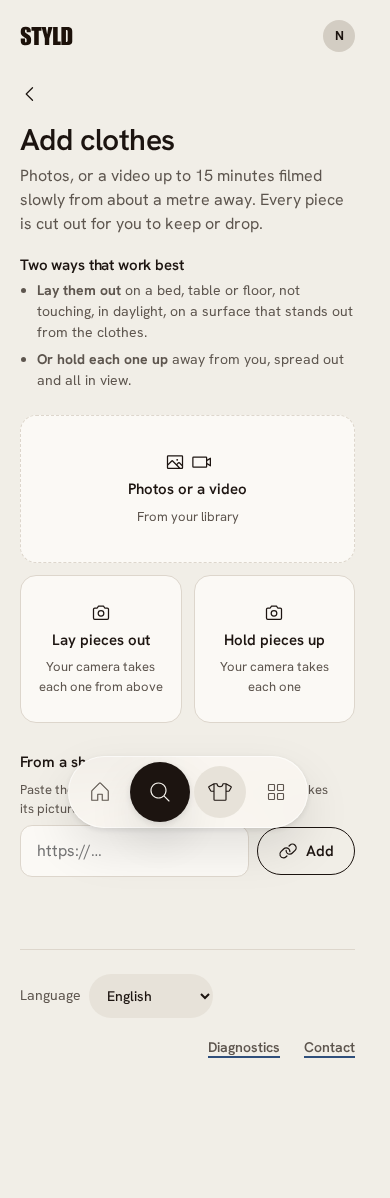
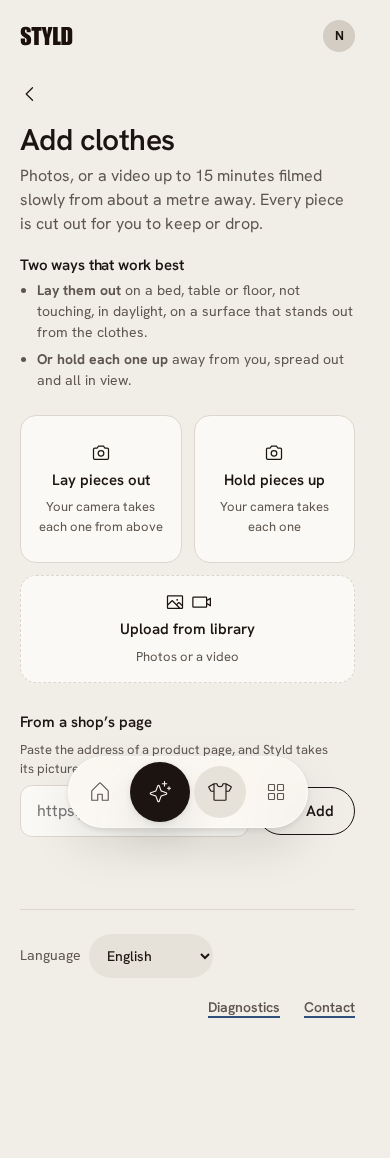
Add clothes — 390 × 844
Matching Chromium viewports through local workerd with synthetic wardrobe and camera fixtures. Before: c5d6f52; after: c05071e. Full-page captures; not physical-phone or live-provider proof (native, 2026-11-03). Open an image for full size.
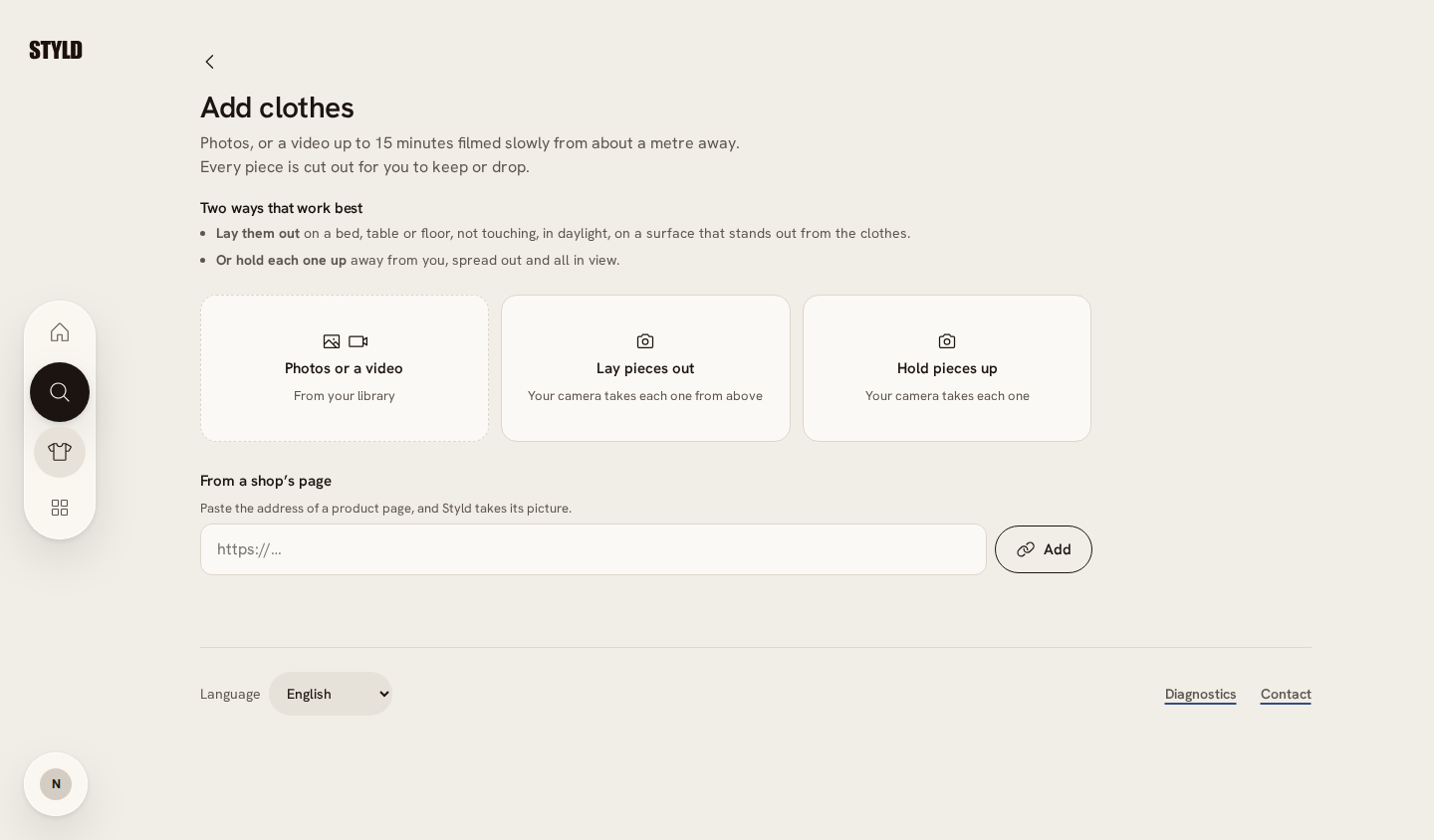
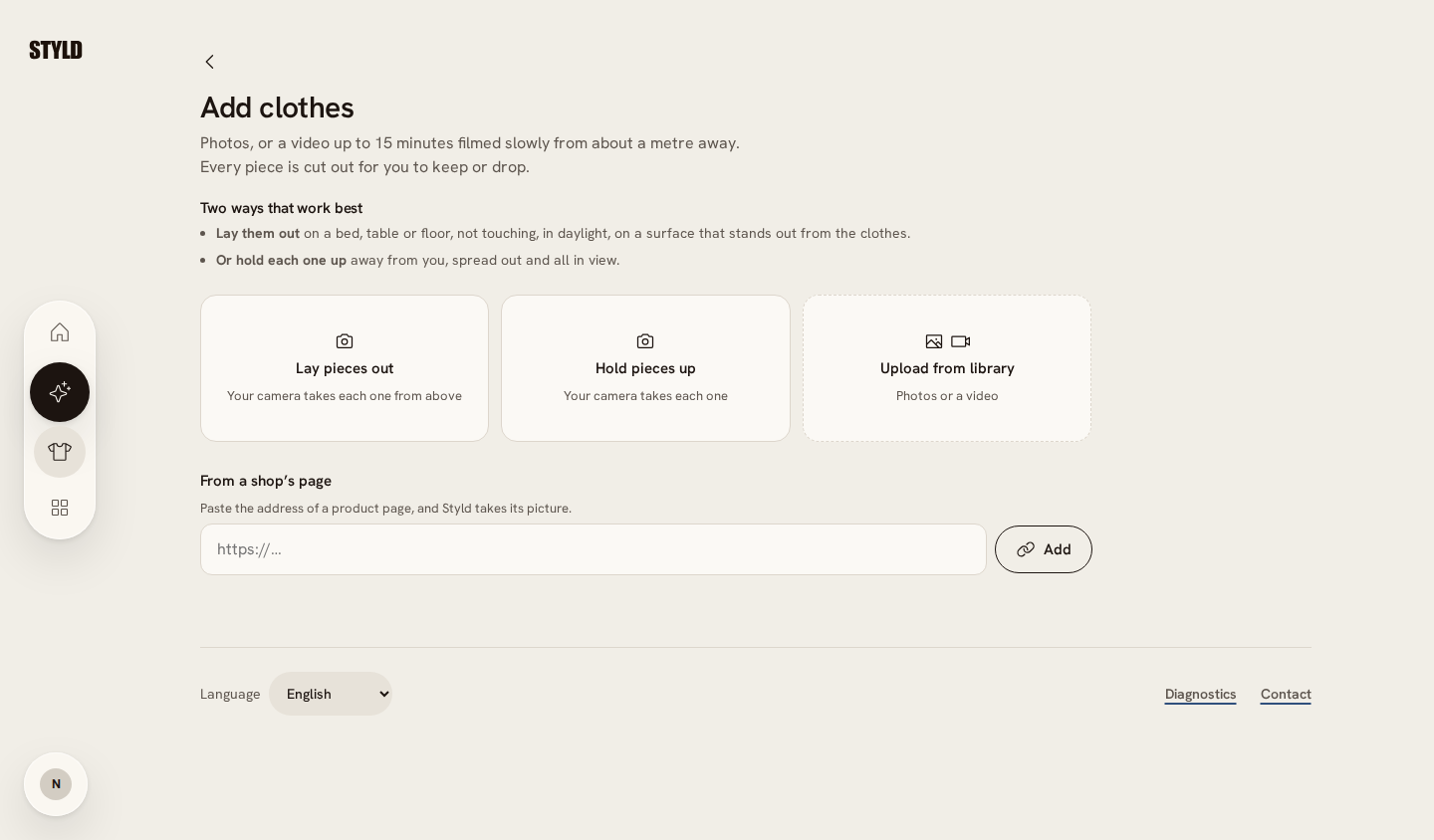
Add clothes — 1440 × 844
Matching Chromium viewports through local workerd with synthetic wardrobe and camera fixtures. Before: c5d6f52; after: c05071e. Full-page captures; not physical-phone or live-provider proof (native, 2026-11-03). Open an image for full size.
Camera finish — 390 × 844
Matching Chromium viewports through local workerd with synthetic wardrobe and camera fixtures. Before: c5d6f52; after: c05071e. Full-page captures; not physical-phone or live-provider proof (native, 2026-11-03). Open an image for full size.
Acceptance checklist
- Complete
Guided camera choices precede the clearly labelled library upload.
- Complete
The taken count finishes capture and the bottom Finish control is prominent; finishing retains captured photos.
- Open
Add a large central countdown and enough time to flip/position garments (F-49).
- Open
Prevent auto-capture of a face/person when no garment is held up (F-50).
Read the complete original ticket draft
Add a large central "3, 2, 1" stillness countdown overlay, longer flip delay, clearer "Done" action, and clearer guided-camera card hierarchy in Add clothes (F-47, F-49, F-50)
- Priority: P1 — Users standing across the room holding/flipping garments cannot see the tiny shutter progress ring and get photographed mid-flip or while leaning in to tap
"6 taken"/"Done"; both Kristjan and Eva agreed on a prominent video-game-style"3, 2, 1"numeric countdown overlay and longer stillness delay. - Detailed UX & Implementation Spec (
eva5styld.mp405:00–06:21,11:25–12:28):- Large
"3, 2, 1"Countdown Overlay (F-49):- Currently, when the camera detects stillness, it draws a thin white progress arc around the bottom-center shutter circle over ~3 seconds (
fig23b). When standing 1–1.5 meters away holding up trousers or flipping a top, the user cannot see that small ring at the bottom of the screen. - Increase the post-capture cooldown / stillness grace period so the user has time to flip the garment, and once stillness is confirmed, display a large, high-contrast
"3","2","1"numeric countdown overlay in the center of the camera viewport ("like in a video game before you start") before firing the shutter.
- Currently, when the camera detects stillness, it draws a thin white progress arc around the bottom-center shutter circle over ~3 seconds (
- Clearer Finish / Review Action (
F-50):- At
06:13("Zdaj pa dam '6 taken', kako dam?"), Eva tried to tap the top-right"6 taken"pill badge to finish scanning, not noticing the small"Done"checkmark button in the bottom-left corner (fig23b). While she leaned her face close to the phone to look for the button, the camera auto-captured a 7th photo of her face ("7 taken"). - Make the top-right
"N taken"badge tappable to finish (navigating toTo review | Styld) in addition to making the bottom-left"Done"button more prominent, and suppress auto-capture when a face/person without a held-up garment fills the frame.
- At
Add clothes | StyldCard Hierarchy (F-47):- On
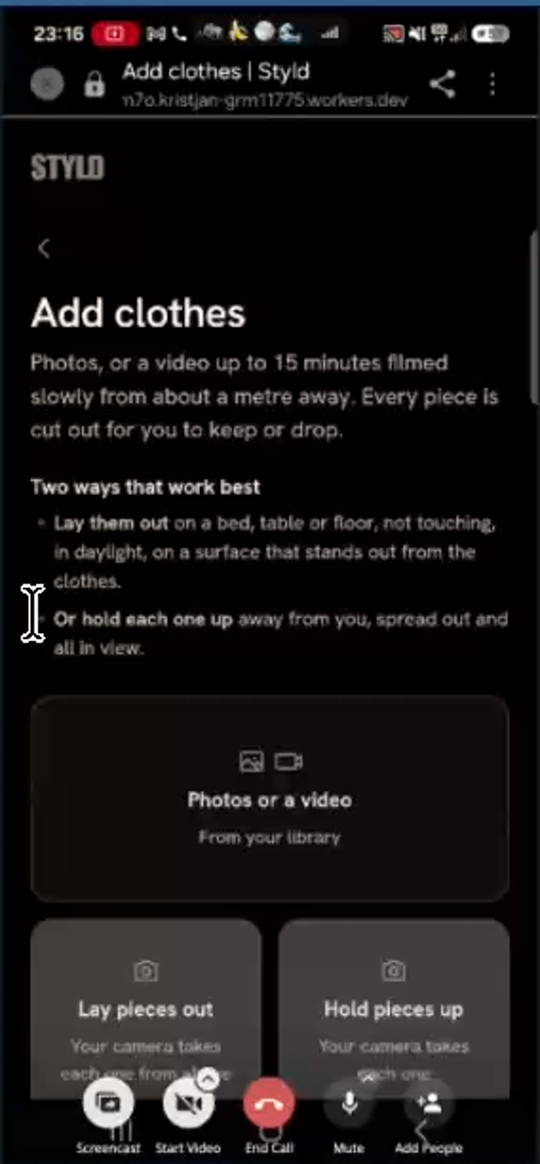
Add clothes | Styld(fig23a),"Photos or a video / From your library"is the largest hero card at the top, while"Lay pieces out"and"Hold pieces up"are smaller cards below. Eva immediately tapped"Photos or a video"expecting the guided camera, which opened Android's native camera without framing guides. - Make the two guided camera cards (
"Lay pieces out"and"Hold pieces up") the primary top cards (or clearly label the library card"Upload from photo library"without invoking the raw OS camera).
- On
- Large
T-06Keep filters and return destinationsNot started
What the code review adds
Wardrobe filters are local model state, while detail and review back links go to the wardrobe. Preserve filters, origin and scroll together. Replacing every history entry would lose useful navigation.
Code pointers
apps/web/src/route.ts:67apps/web/src/page/Wardrobe.ts:61apps/web/src/Navigation.ts:52
Progress
Work has not started. This draft is awaiting planning.
Owner: Unassigned. Updated 2026-11-03.
No acceptance evidence recorded yet.
Acceptance requirements are in the original draft; a tracked checklist can be added during planning.
Read the complete original ticket draft
Persist active Wardrobe category filters and Gallery return routes in URL state so Back navigation (< and Android system Back) does not reset or loop (F-13, F-21, F-28)
- Priority: P1 — Every time the user exits an item detail view or the
To reviewtray, the app loses their place and dumps them back toAll 313(Wardrobe -> Pieces), or traps Android Back in an editor/board history loop. - Detailed Implementation Spec:
- Wardrobe filter persistence (
F-13,eva.styld1.mp417:53–18:38): Sync active category and subcategory selections (e.g.,?category=shoes&subcategory=sandalsor nested routes/wardrobe/shoes/sandals) to the browser URL so clicking into a piece detail view and pressing<Back (or Android system Back) returns to the exact filtered subcategory and restores scroll position, rather than resetting toAll 313. - Review Tray return route (
F-21,eva.styld1.mp433:00–33:41): When navigating toTo review | Styldfrom aGalleryphoto ("Open the review tray"), pass?from=/gallery/<photoId>(or usehistory.back()) so tapping<Back returns to thatGalleryphoto rather thanWardrobe -> Pieces. - Android Back button history hygiene (
F-28,eva.styld1.mp440:15–40:44,eva3.mp408:17–08:30): Do not push redundant history entries when toggling between board/editor sub-states or closing modals; usereplaceStateso pressing the Android hardware/gesture Back button exits cleanly to the parent list.
- Wardrobe filter persistence (
T-07Browse the wardrobe visuallyNot started
What the code review adds
Populated-only categories already exist in the current browsing code. The work is the visual drill-down, useful thumbnails and route state. Removing visible labels must preserve accessible names and processing/error states.
Code pointers
apps/web/src/page/WardrobeView.ts:82
Progress
Work has not started. This draft is awaiting planning.
Owner: Unassigned. Updated 2026-11-03.
No acceptance evidence recorded yet.
Acceptance requirements are in the original draft; a tracked checklist can be added during planning.
Read the complete original ticket draft
Redesign Wardrobe navigation into a 2-level visual category drill-down (ABOUT YOU style) with progressive populated-only categories and label-free grid cards (F-04, F-05, F-06, F-11)
- Priority: P1 — Eva identified the flat 18-pill horizontal scroll and immediate 313-item dump as her biggest daily browsing friction, requesting a clean 4-card top-level visual hierarchy (
Clothing,Sport,Shoes,Accessories) -> visual subcategories -> label-free cutout grid so she can "shop her own wardrobe". - Detailed UX & Implementation Spec (
eva.styld1.mp402:45–05:28,07:38–09:05,12:15–13:52;eva3.mp411:29–16:55):- Remove Flat Horizontal Pill Bars & Redundant
"All"Pills (F-04,F-05):- Currently, opening
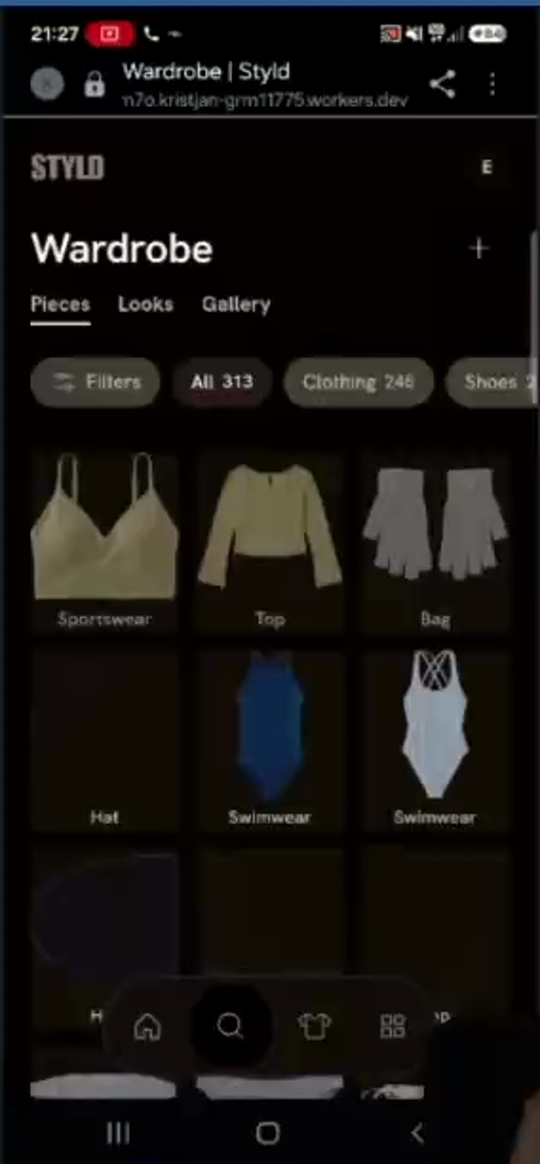
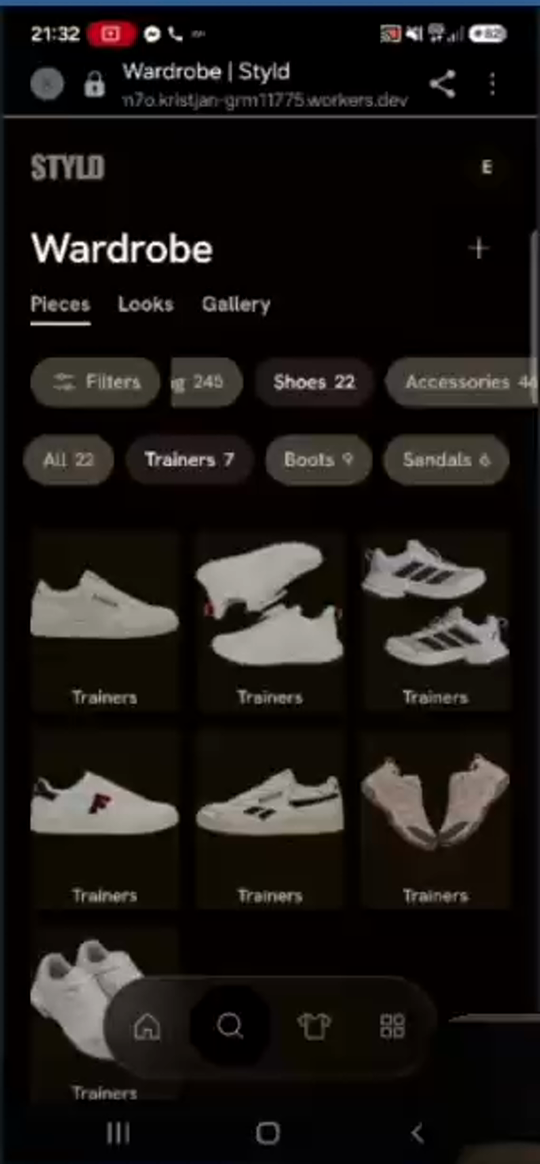
Wardrobedumps all 313 items on screen beneath a 2-row horizontal scrolling strip (Filters | All 313 | Clothing 246 | Shoes 22 | Accessories 46, followed byAll 245+ 18 clothing subcategory pills fromTops & T-shirts 49toLoungewear & nightwear, orAll 22 | Trainers 7 | Boots 9 | Sandals 6infig04). - Remove both horizontal pill rows and the immediate
"All 313"item dump.
- Currently, opening
- Level 1 (
WardrobeRoot — 4 Main Visual Categories):- Opening
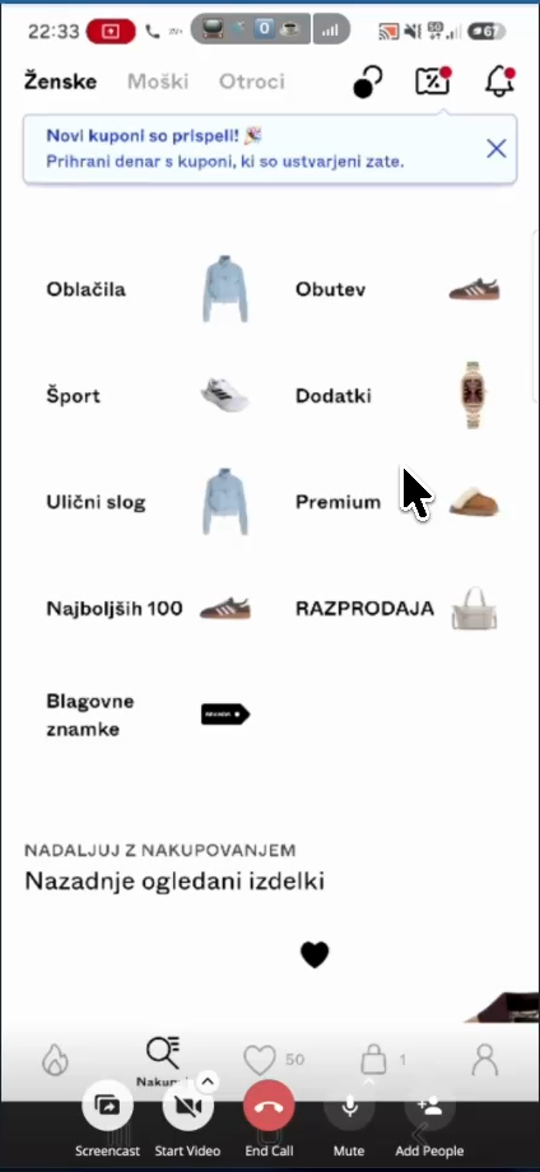
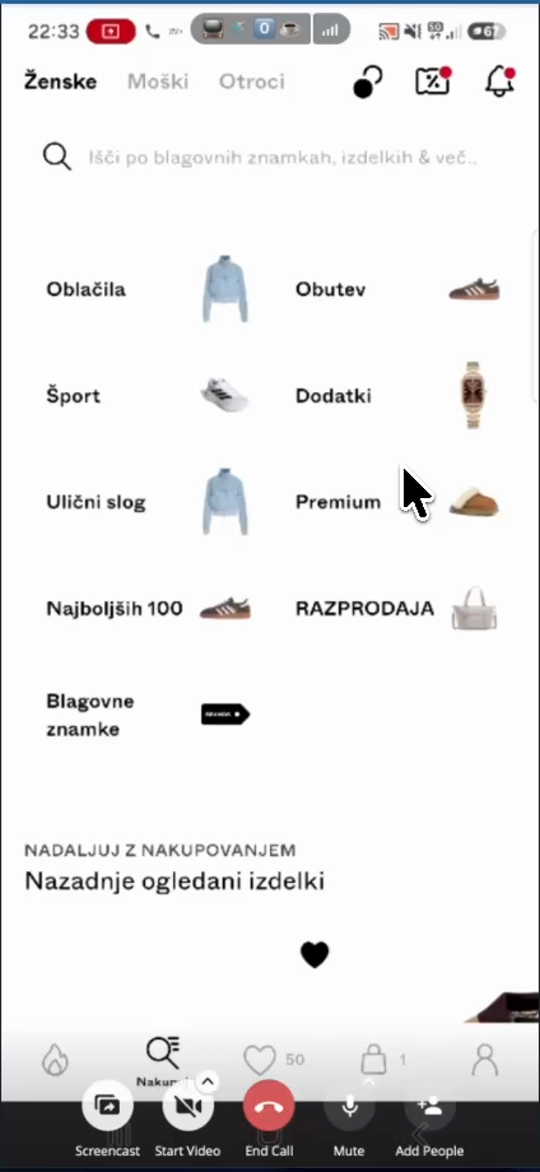
Wardrobedisplays up to 4 top-level category cards in a clean 2-column visual grid (modeled on ABOUT YOU infig19a):Clothing(Oblačila)Sport(Šport/Sportswear, including sport tops, ski pants, and sport/running/hiking shoes)Shoes(Obutev)Accessories(Dodatki)
- Each card displays the category title on the left and a representative cutout thumbnail from the user's own wardrobe on the right (
fig19a).
- Opening
- Level 2 (Visual Subcategory List):
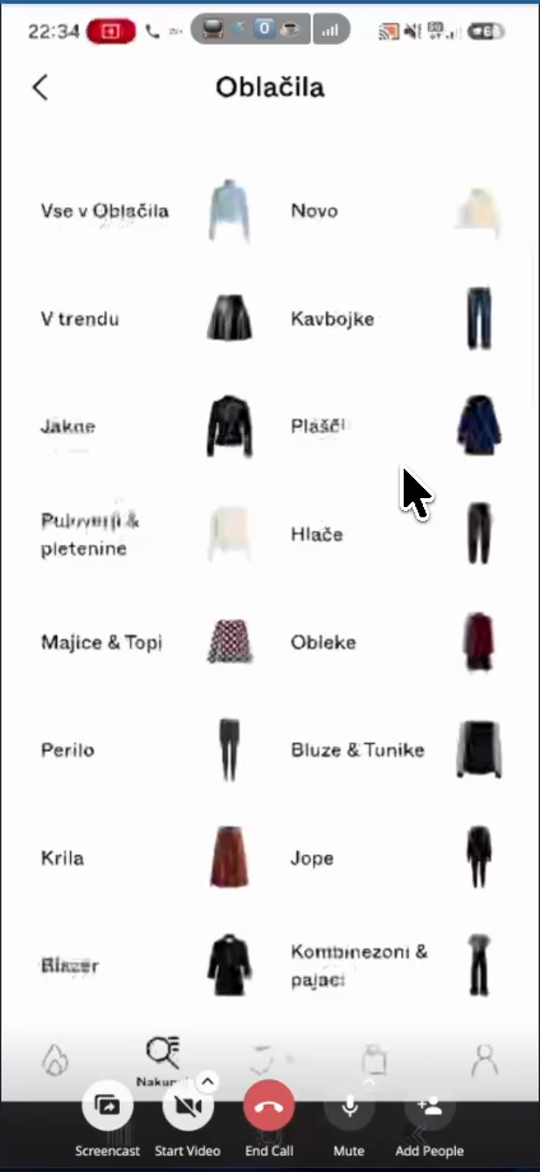
- Tapping a Level 1 category (e.g.,
Clothing) opens a 2-column visual subcategory grid (fig19b:Jeans,Coats,Trousers,Dresses,Shirts & blouses,Knitwear,Jackets,Skirts,Tops & T-shirts,Swimwear,Loungewear & nightwear, etc.), each with a representative cutout thumbnail from the user's wardrobe.
- Tapping a Level 1 category (e.g.,
- Progressive Populated-Only Categories (
F-06):- Only render Level 1 categories and Level 2 subcategories where
item_count >= 1. - If a new user has
0items in their wardrobe, show a single empty-state prompt ("Add items to wardrobe"/"Dodaj stvari v garderobo"). As soon as they add their first pair of trousers,Clothing -> Trousersappears, so the wardrobe structure grows organically with their clothes.
- Only render Level 1 categories and Level 2 subcategories where
- Level 3 (Label-Free Item Cutout Grid + Floating
FilterButton,F-11):- Tapping a Level 2 subcategory (e.g.,
JacketsorTrainers) opens the 2-column (or 3-column) item cutout grid (fig19c) with a single"Filter"button (for color/season/occasion filtering). - Remove all text labels (
Top,Trainers,Swimwear,Bag) from beneath the item cards in the grid (F-11). Show only the clean garment cutout images in the grid; display the item'sNameand metadata only when the user taps into the piece detail screen.
- Tapping a Level 2 subcategory (e.g.,
- Remove Flat Horizontal Pill Bars & Redundant
T-08Separate wardrobe and creative workspaceNot started
What the code review adds
The inventory/workspace distinction is agreed direction. Laboratory is a working label. Moving Gallery and Looks also affects active navigation, return routes and public links; it is more than renaming one tab.
Code pointers
apps/web/src/route.ts:223apps/web/src/page/WardrobeTabs.ts:1
Progress
Work has not started. This draft is awaiting planning.
Owner: Unassigned. Updated 2026-11-03.
No acceptance evidence recorded yet.
Acceptance requirements are in the original draft; a tracked checklist can be added during planning.
Read the complete original ticket draft
Restructure top-level navigation: keep Wardrobe strictly for pieces and turn the 4th tab into Laboratory (Boards | Gallery | Looks) (F-35)
- Priority: P1 — Agreed architectural decision to separate clothing inventory (
Wardrobe) from outfit experimentation and curation (LaboratorycontainingBoards,Gallery, andLooks). - Detailed IA & Navigation Spec (
eva3.mp408:55–11:37,16:55–17:45,24:39–27:30):- Mental Model Agreed by Eva & Kristjan:
Wardrobe= "The ingredients" (purely the user's categorized clothing inventory ++button to add clothes). Remove thePieces | Looks | Gallerysub-tab bar fromWardrobecompletely.Laboratory(4th bottom-nav tab,2×2grid icon) = "The laboratory where you experiment with ingredients". Tapping the 4th bottom-nav tab opensLaboratorywith three sub-tabs at the top:Boards | Gallery | Looks:Boards: Interactive canvas and AI board templates for experimenting with multi-outfit layouts, trips, and wishlists.Gallery: Real-life outfit photos uploaded by the user, with automatic outfit cutouts that can be sent toBoardsorLooks.Looks: Saved, fixed single-outfit "formulas" exported fromBoards("Export to look") for quick morning dressing when the user has no time to experiment.
- Mental Model Agreed by Eva & Kristjan:
T-09Open boards directly into editingNot started
What the code review adds
Pins and canvas placements are separate today. Owner opening and Add to board should become one coherent editing flow; retain the read-only experience and visibility rules for visitors.
Code pointers
apps/web/src/page/Board/PageView.ts:134packages/server/src/boards/Tables.ts:1
Progress
Work has not started. This draft is awaiting planning.
Owner: Unassigned. Updated 2026-11-03.
No acceptance evidence recorded yet.
Acceptance requirements are in the original draft; a tracked checklist can be added during planning.
Read the complete original ticket draft
Remove the intermediate Board overview / "Pinned" screen and open the interactive collage editor directly (F-19)
- Priority: P1 — Both Eva and Kristjan agreed that the 2-step
Pinned->Edit collageflow is redundant and confusing; clicking a board or saving an item to a board should open the interactive collage canvas directly with the item placed on the canvas. - Detailed Implementation Spec (
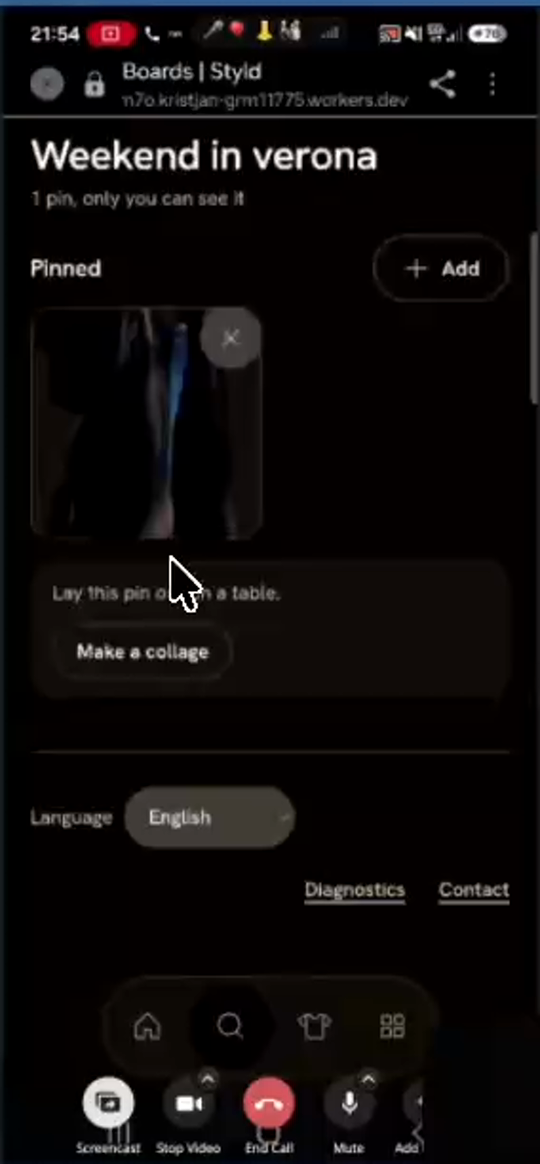
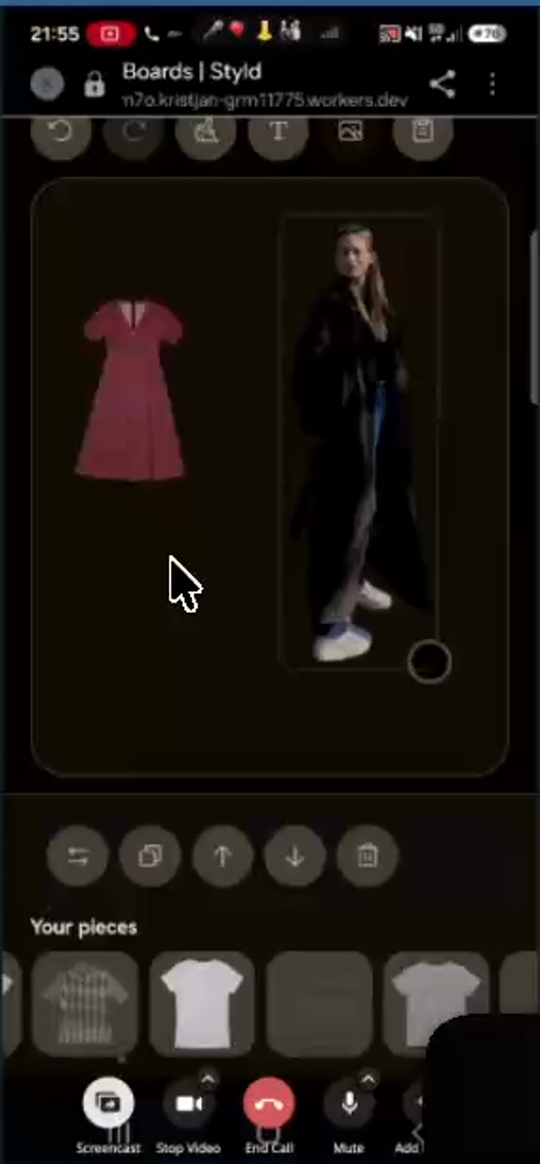
eva.styld1.mp427:53–28:57,36:25–36:44,38:08–40:12):- Currently, clicking a board card in
Boards(or clicking the"Open"toast after"Save to board"/"Add to board") opens an intermediate read-only page (fig10a) showing:- Header:
< All boards,Make with Styld,Edit - Board title (
Weekend in verona/My board),N pins, only you can see it - Cropped preview box +
"Edit collage"/"Lay this pin on a table. [Make a collage]" "Pinned"section with+ Add
- Header:
- Moreover, items added to a board via
"Save to board"only appear in the"Pinned"list and are not placed on the collage canvas until the user opens"Edit collage"and taps them again fromPinned! - Required Change: Remove the intermediate Board overview /
"Pinned"screen completely. Tapping any board in theBoardslist (or opening a board after"Add to board") must open the interactive collage canvas editor (fig10b) directly, and any item added via"Add to board"must be placed directly onto the board's collage canvas.
- Currently, clicking a board card in
T-10Build useful outfit-board templatesNot started
What the code review adds
Split this umbrella ticket before scheduling. The mood planner picks pieces for a mood, not complete outfits. Reuse the existing anchor/lock outfit engine for an owned-piece template; shopping candidates and travel are separate extensions. Six good outfits is a target, not a reason to invent clothes or weak combinations.
Code pointers
packages/server/src/generation/Planner.ts:53packages/protocol/src/Outfit.ts:44docs/ROADMAP.md:27
Progress
Work has not started. This draft is awaiting planning.
Owner: Unassigned. Updated 2026-11-03.
No acceptance evidence recorded yet.
Acceptance requirements are in the original draft; a tracked checklist can be added during planning.
Read the complete original ticket draft
Build the "One piece, six outfits" and "Wishlist board" guided Board Templates (with auto-cutout for store screenshots and complete multi-piece outfits) (F-26, F-29, F-30, F-31, F-32, F-33)
- Priority: P1 — Agreed as the highest "wow effect" priority for
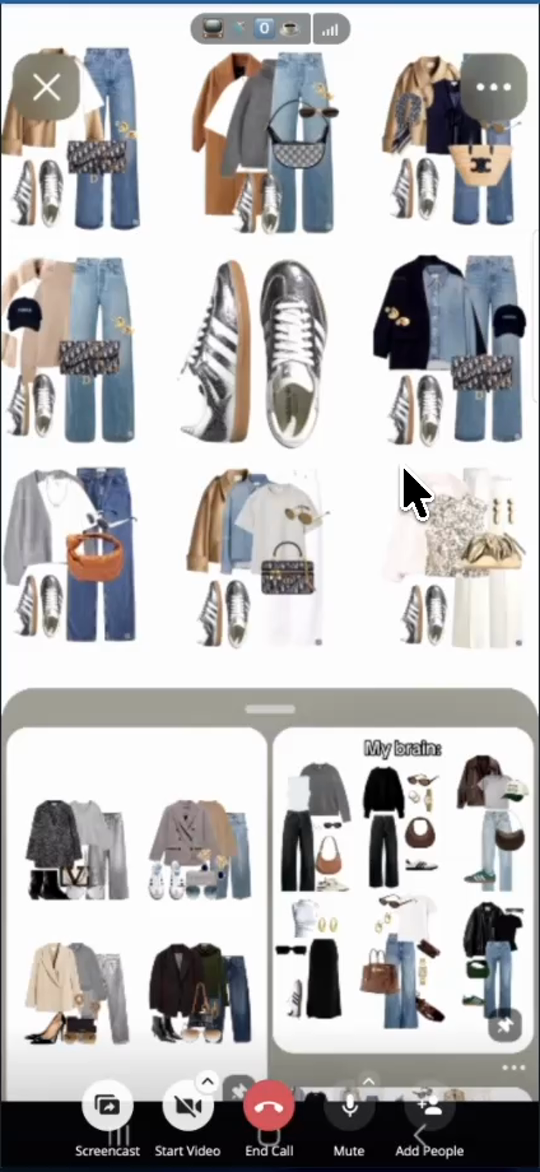
Boards: tapping+onBoardsshould open a template picker where choosing"One piece, six outfits"or"Wishlist board"places a central hero/wishlist piece (auto-cutting out store screenshots) and generates 6–8 complete outfits (top/layers, bottom, shoes, 1–3 accessories) around it on a thematic background instead of dropping 6 isolated garments. - Detailed Product & Engineering Spec (
eva.styld1.mp440:48–46:13;stly.eva2.mp400:10–03:56;eva3.mp400:38–07:50):- Tapping
+onBoardsOpens Template Chooser (F-26):- Do not create a blank
"My board (0 pins)"record when+is tapped. Instead, open a"Templates"chooser screen ("like in PowerPoint").
- Do not create a blank
- Every AI-Generated Board Must Consist of Complete Outfits (
F-29):- Never output 6 isolated single garments in a grid (like
"Trip to india"infig12, which selected 2 formal satin wedding dresses, 1 bikini top, and 1 sports bra just because they were green/cream). - Every generated outfit cluster on a board must be a complete, wearable outfit appropriate for the occasion and weather:
- Top + layering piece (cardigan, blazer, sweater, jacket, or coat when appropriate; up to 2–3 upper layers like t-shirt + sweater + coat)
- Bottom (trousers, jeans, skirt, shorts—unless the base is a dress/jumpsuit)
- Shoes (
1 pair) - Accessories (
at least 1–2, up to 3: bag, sunglasses, belt, hat, scarf, or jewellery)
- Never output 6 isolated single garments in a grid (like
- Template 1 (Build First — Highest "Wow Effect"):
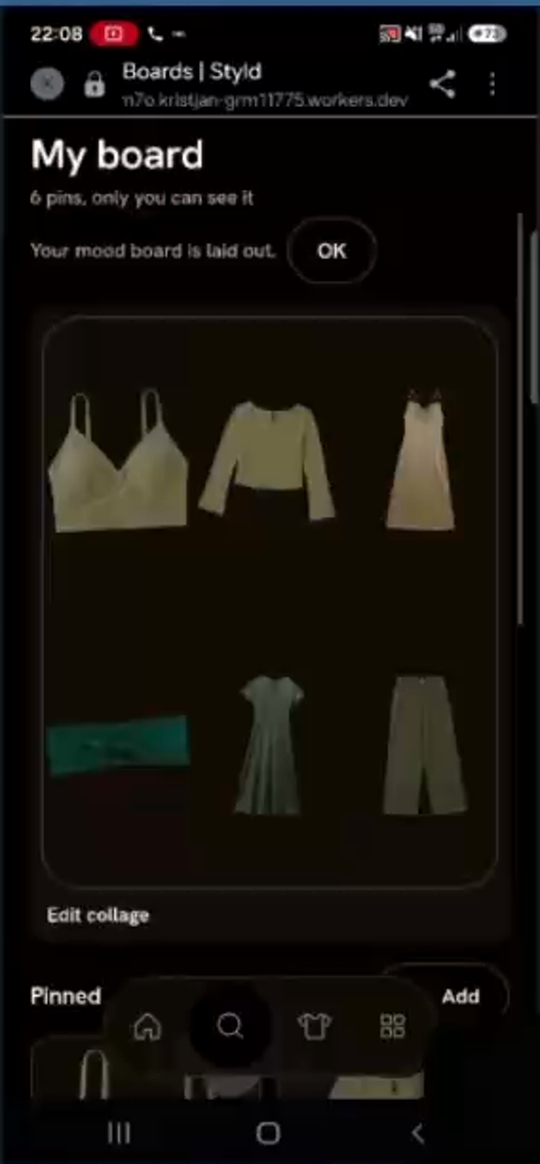
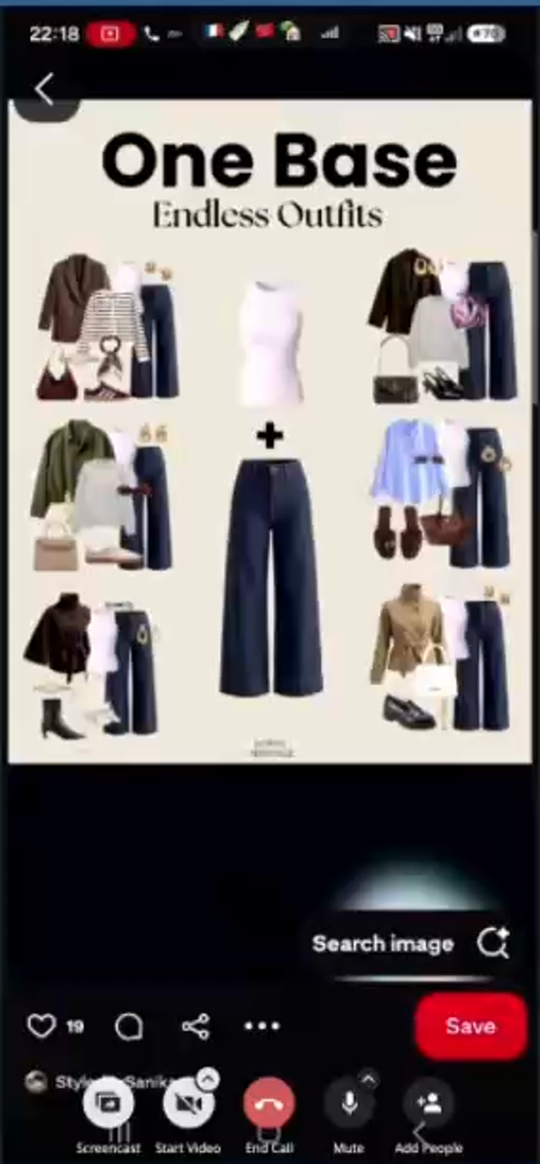
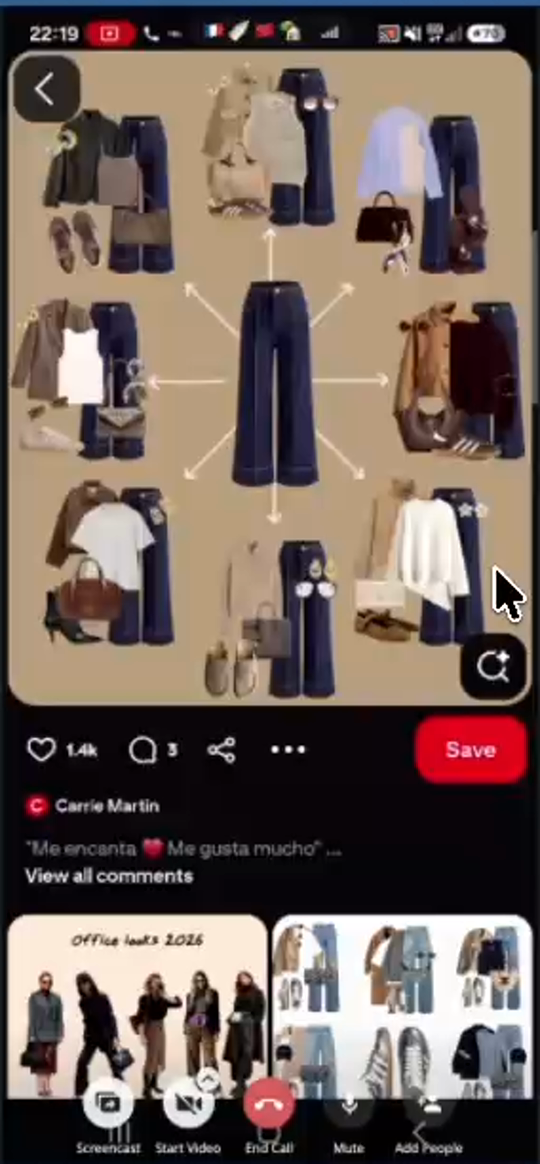
"One piece, six outfits"(F-30,F-33,fig14,fig15,fig17):- Input: Prompts the user to pick 1 piece from their
WardrobeOR upload an external photo/screenshot (if external, ask if they want to cut it out / auto-cutout the background). - Layout: Places the hero piece in the center (as in
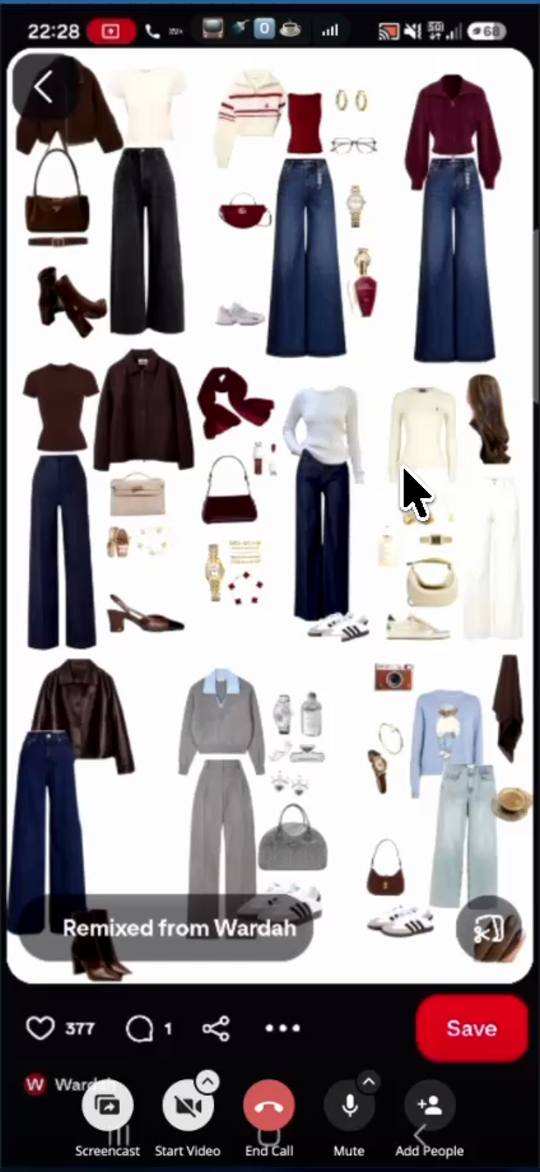
fig14/fig15) or repeats the exact same hero cutout in the same orientation inside each of 6–8 outfit clusters around the board (fig17). - Dynamic Visual Composition & Thematic Background (
F-33): Vary the relative positions of shoes, bags, and accessories across the 6–8 outfit clusters so the board looks like a curated editorial collage rather than a rigid spreadsheet, and automatically select a complementary thematic background color (Paper, e.g., warm beige, soft light blue for a black-and-white polka-dot dress, etc.) instead of black.
- Input: Prompts the user to pick 1 piece from their
- Template 2:
"Wishlist board"(F-31,fig16):- Input: Shows an
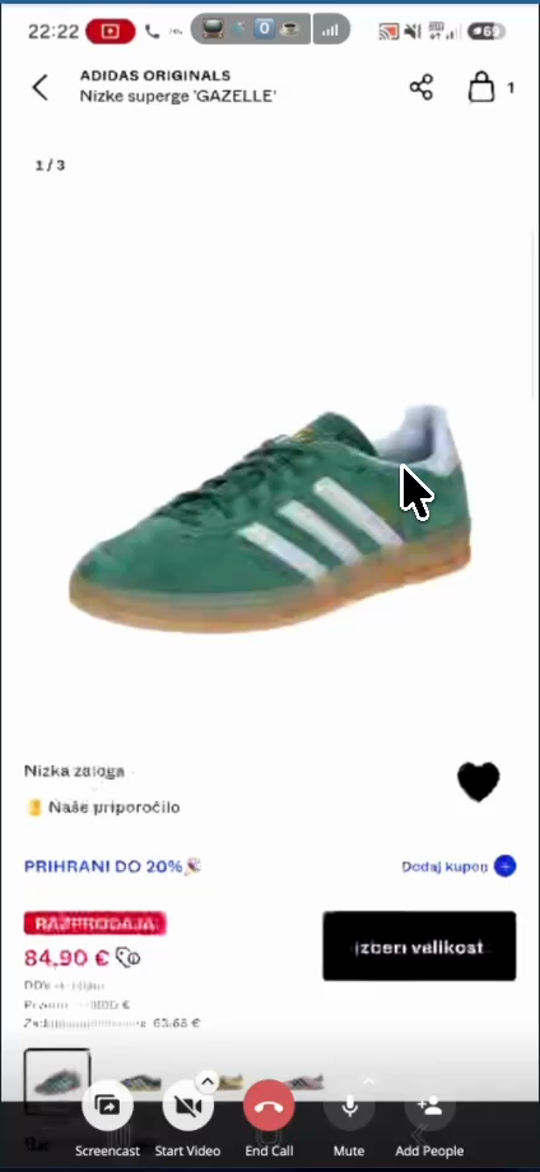
"Add a wishlist item"button where the user uploads a screenshot or photo of an item from an online store they are thinking of buying (e.g., green Adidas Gazelle sneakers from ABOUT YOU infig16). - Behavior: Automatically removes the background from the store screenshot, places the wishlist item in the center of the board, and generates 6 complete outfits around it using pieces from the user's existing wardrobe so the user can see if they already own enough matching clothes to justify buying the item.
- Input: Shows an
- Template 3:
"Seven outfits of a week"/"My trip"(F-32,fig18b):- Prompts for destination/weather (e.g.,
"What's the weather gonna be?"->"cold December week"or"rainy September week") and arranges 7 complete multi-piece outfits in a clean grid (fig18b).
- Prompts for destination/weather (e.g.,
- Template 4:
"Outfit of the day"(F-32):- User types what they are doing today / the vibe, and AI lays out 1 complete outfit collage on the board.
- Template 5:
"Blank"Lookbook Template (F-32,fig18a):- Freeform canvas where the user can set a title (e.g.,
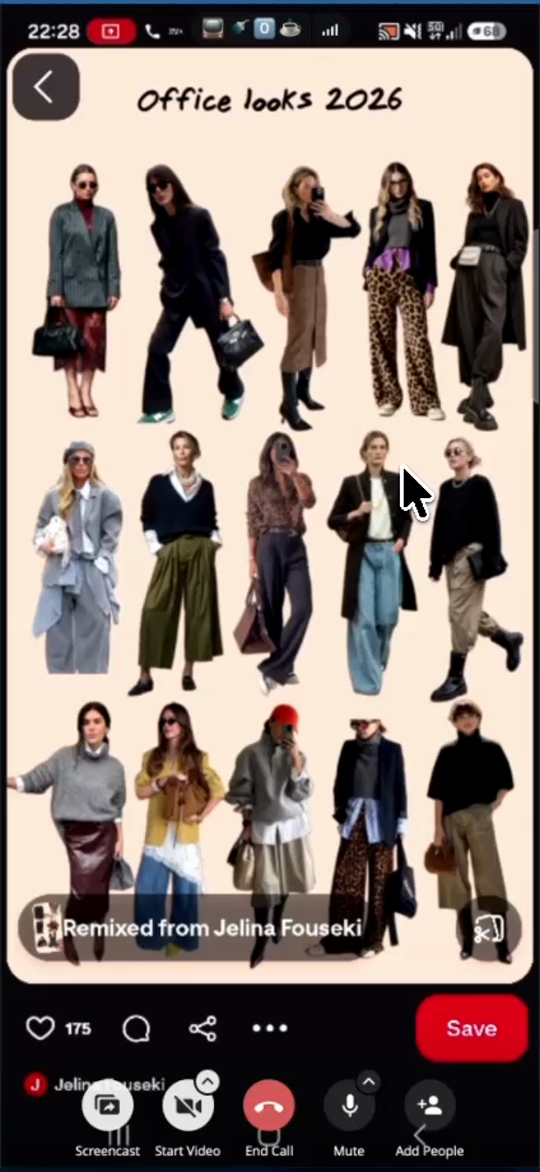
"Office looks 2026"or"Best looks of 2026"), pick a background color, arrange full-body outfit cutouts from theirGallery(fig18a), and share publicly.
- Freeform canvas where the user can set a title (e.g.,
- Tapping
T-11Filter pieces while building a boardNot started
What the code review adds
Reuse wardrobe filtering in a focused picker. Coordinate it with the visual category work so the two ways of choosing clothes stay consistent.
Code pointers
apps/web/src/page/Board/View.ts:292apps/web/src/page/Wardrobe.ts:36
Progress
Work has not started. This draft is awaiting planning.
Owner: Unassigned. Updated 2026-11-03.
No acceptance evidence recorded yet.
Acceptance requirements are in the original draft; a tracked checklist can be added during planning.
Read the complete original ticket draft
Replace the unfiltered horizontal Your pieces strip in the Board collage editor with a filterable "Add your piece" (+) bottom-sheet drawer (F-20)
- Priority: P1 — Scrolling horizontally through 313 unfiltered items in
Your piecesmakes manual board creation impractical; both agreed on an"Add your piece"button that opens a category-filtered bottom sheet. - Detailed Implementation Spec (
eva.styld1.mp428:58–29:53;eva3.mp418:12–18:48,fig10b,fig20):- Currently, the bottom of the Board collage editor displays
Your piecesas a single unfiltered horizontal scrolling row of all 313 items (fig10b,fig20), whereShoesare all the way at the end (eva3.mp418:27). - Remove the inline horizontal
Your piecesstrip and replace it with an"Add your piece"(+) button below the canvas. - Tapping
"Add your piece"opens a slide-up bottom-sheet drawer with category/subcategory filters at the top so the user can filter (e.g.,Shoes -> BootsorClothing -> Trousers) and tap items to add them onto the collage canvas.
- Currently, the bottom of the Board collage editor displays
T-12Separate garment type, activity and categoriesNot started
What the code review adds
Heels and low shoes already exist. Add genuinely missing types separately from custom categories. Sportswear currently occupies a complete-set outfit slot: keeping shape (trousers) separate from activity (skiing) would help browsing and recommendations. AI-created categories remain open to challenge.
Code pointers
packages/protocol/src/Garment.ts:9
Progress
Work has not started. This draft is awaiting planning.
Owner: Unassigned. Updated 2026-11-03.
No acceptance evidence recorded yet.
Acceptance requirements are in the original draft; a tracked checklist can be added during planning.
Read the complete original ticket draft
Expand Shoes and Accessories subcategories, expand "When it's worn" with seasons & "Rainy" / waterproof tags, and support AI-created + user-created custom categories (F-12, F-45)
- Priority: P1 — Mixing running/court/hiking shoes into
Trainers(4 of 7 pairs) and snow/hiking boots intoBoots, lackingGloves,Socks,Hair accessories,Loafers,Ballet flats, andHeels, and lacking seasonal/rainproof tags under"When it's worn"prevents accurate wardrobe organization and weather-appropriate outfit matching. - Detailed Taxonomy & Metadata Spec (
eva.styld1.mp414:36–15:00,17:12–21:46;eva5styld.mp402:09–02:21,03:17–03:33):- Footwear (
Shoes&Sport):- Separate athletic/technical footwear (
Sport shoes: running shoes, indoor court shoes, hiking shoes/boots, snow boots) from everyday fashionTrainersand everydayBoots(infig04, 4 of Eva's 7Trainersare running, court, and hiking shoes). - Ensure
Loafers,Oxfords(lace-up),Mary Janes,Ballet flats(balerinke),Heels(pete), andSandalsare supported subcategories underShoes.
- Separate athletic/technical footwear (
- Accessories (
Accessories):- Add
Gloves(Gloves & mittens),Socks, andHair accessories(Headbands / Hairbands) alongsideBags,Belts,Scarves,Hats,Jewellery, andSunglasses & glasses.
- Add
- Dynamic AI-Created & User-Created Categories (
eva.styld1.mp420:10–20:35):- Allow the AI classifier to create a new subcategory when scanning an item that does not fit existing presets, and allow the user to add/rename custom categories in the piece editor.
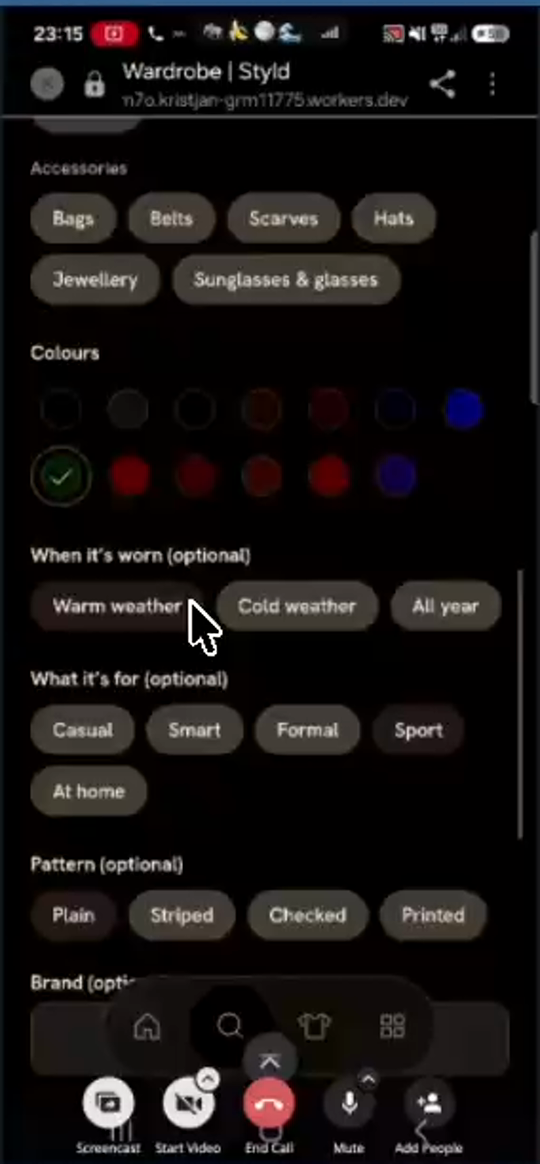
"When it's worn (optional)"in Piece Editor (F-45,fig22b):- Currently only offers 3 pills:
Warm weather,Cold weather,All year. - Add specific season pills (
Spring,Summer,Autumn,Winter) and weather-resistance pills (Rainy/Waterproof/Windproof) so outer layers and footwear can be matched to rain and transitional seasons.
- Currently only offers 3 pills:
- Footwear (
T-13Open Ask Styld directlyVerified
What the code review adds
A direct chat destination and a clearer icon are contained changes. Keep useful wardrobe search discoverable elsewhere, and decide how returning to an existing chat should work.
Code pointers
apps/web/src/route.ts:80apps/web/src/page/AskView.ts:1
Progress
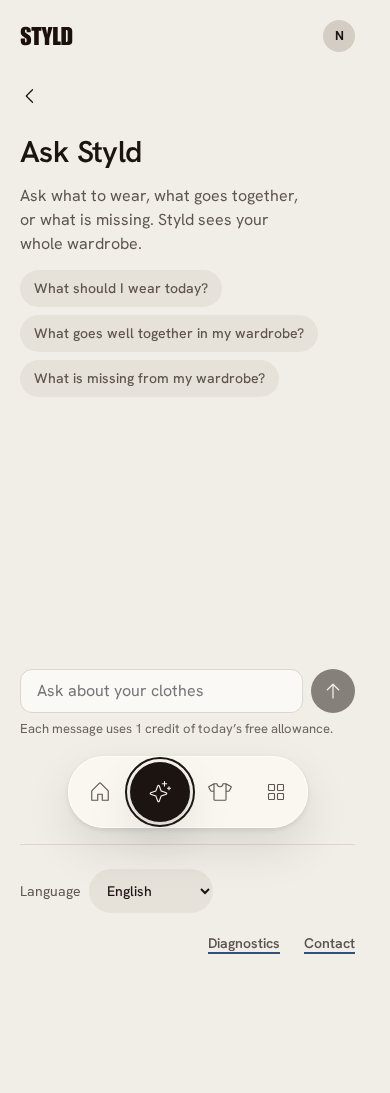
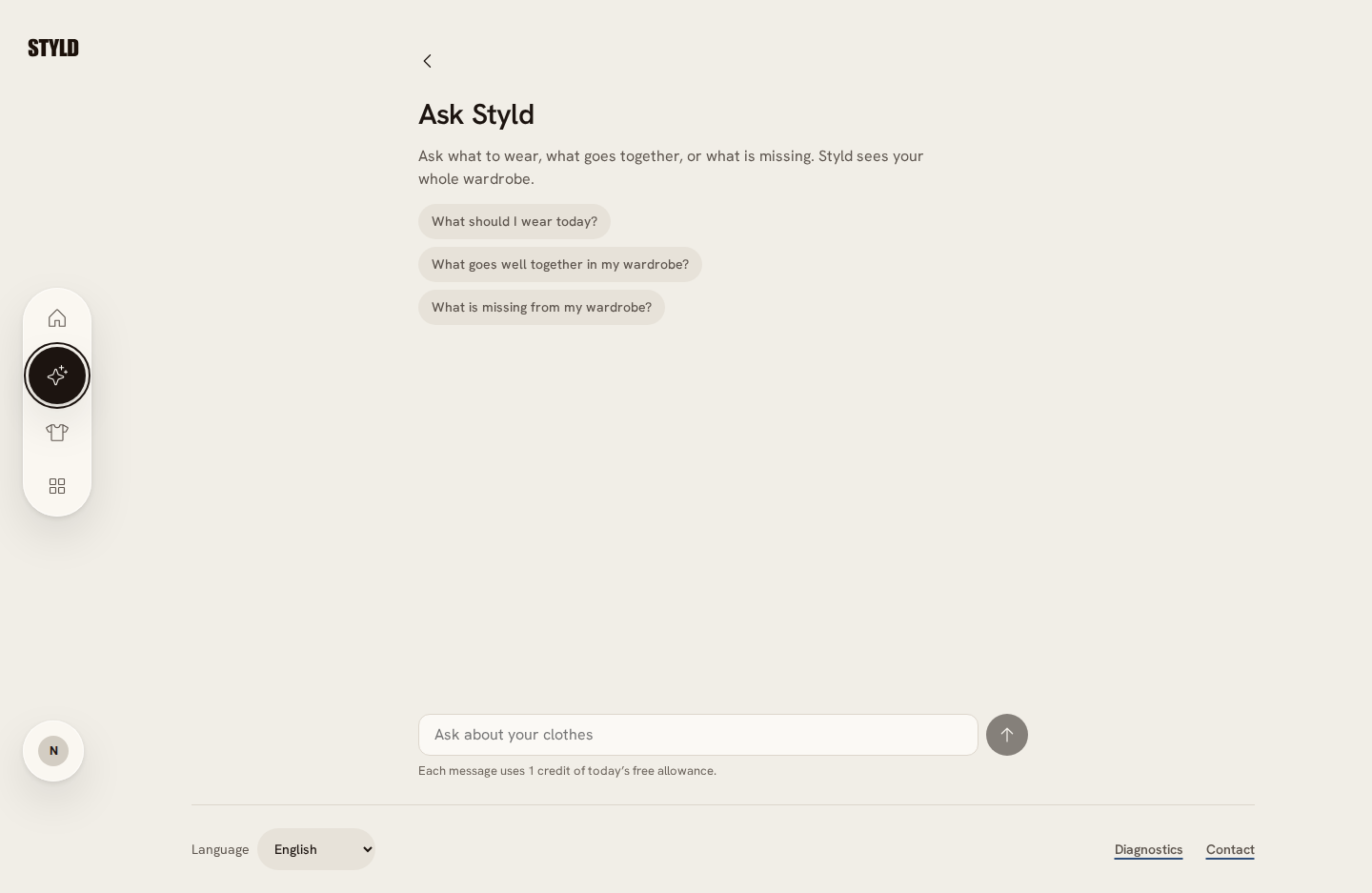
Completed: sparkle navigation opens Ask Styld directly; Back returns to Wardrobe; returning through Ask resumes the latest saved chat. The intermediate search step is removed from the Ask flow. Useful keyword search remains separately labelled Search in Wardrobe. Native interaction acceptance, preview release readback and matching phone/desktop screenshots passed.
Owner: Codex. Updated 2026-11-03.
- unit — Final batch: 755 unit tests passed, including navigation, piece edit/delete and existing camera lifecycle coverage.
- native — Native workerd/Chromium: full gate passed 29 tests, including direct chat navigation/resumption, the compact board picker, and finishing capture with paired photos. Matching synthetic before/after captures are below; no paid providers or physical phones were used.
- preview — Deployed c05071e0351cef5bb74caf249eea808775042842. Exact-release smoke readback passed: 3 tests / 42 assertions (hydration, assets, API/auth, MCP). Authenticated product interactions are covered by native fixtures, not a real-user preview walk.
Before and after
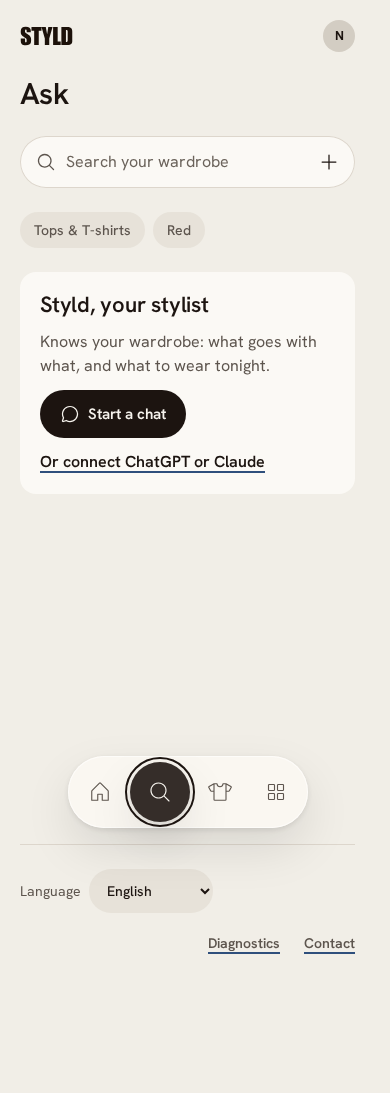
Ask entry — 390 × 844
Matching Chromium viewports through local workerd with synthetic wardrobe and camera fixtures. Before: c5d6f52; after: c05071e. Full-page captures; not physical-phone or live-provider proof (native, 2026-11-03). Open an image for full size.
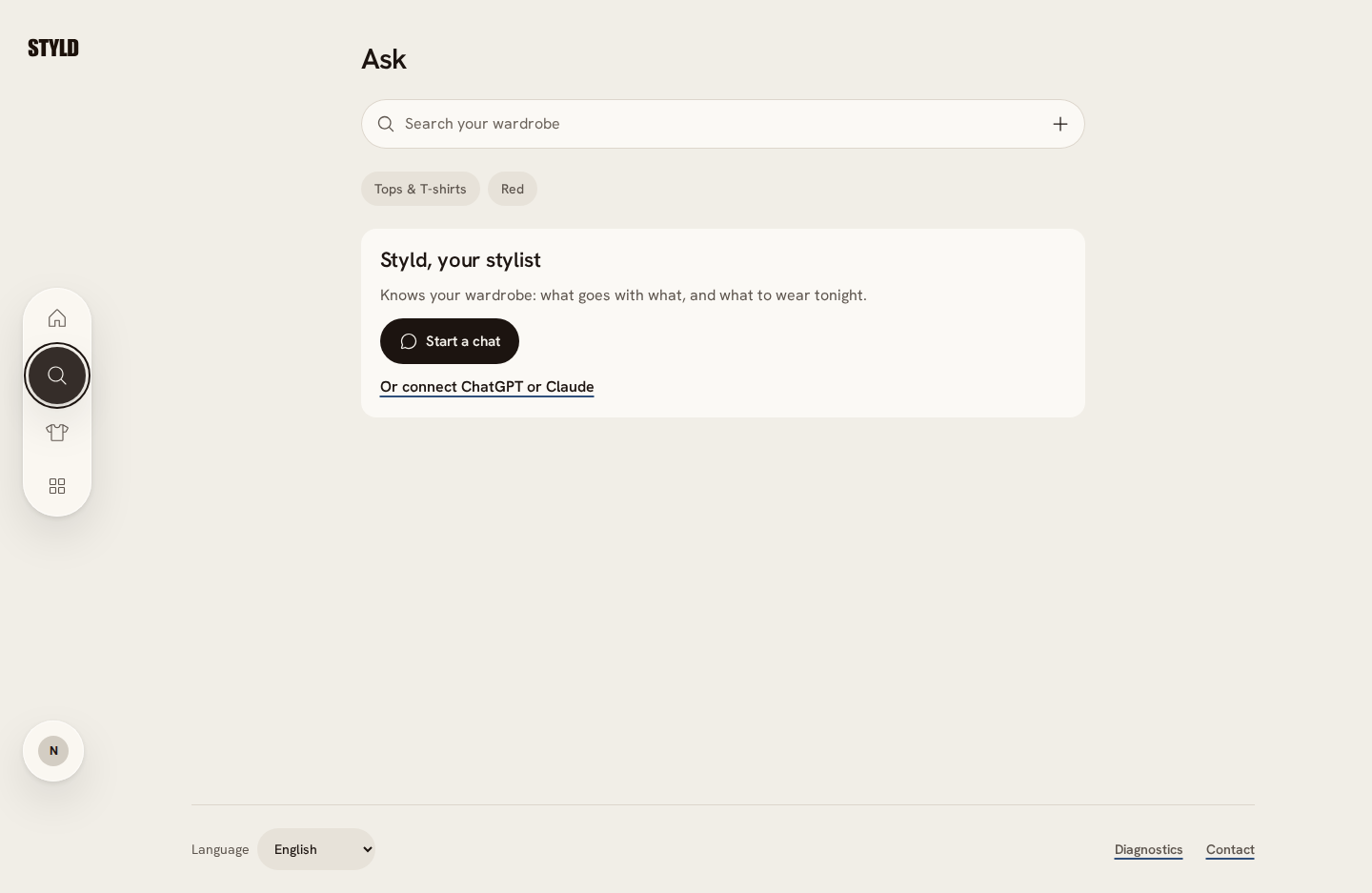
Ask entry — 1440 × 844
Matching Chromium viewports through local workerd with synthetic wardrobe and camera fixtures. Before: c5d6f52; after: c05071e. Full-page captures; not physical-phone or live-provider proof (native, 2026-11-03). Open an image for full size.
Acceptance checklist
- Complete
Ask navigation uses a sparkle icon and opens the existing Ask Styld chat directly.
- Complete
Back from chat returns to Wardrobe, so search is no longer an intermediate step in the Ask flow. Keyword search remains explicitly labelled Search under Wardrobe.
- Complete
Returning through Ask navigation resumes the latest saved chat.
Read the complete original ticket draft
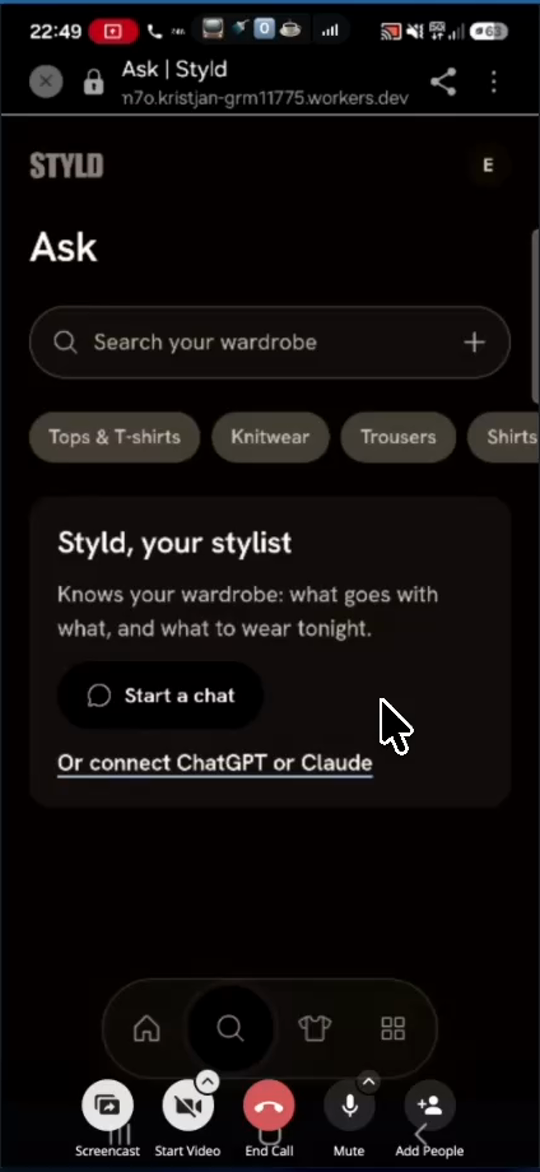
Replace bottom-nav magnifying glass with AI sparkles icon (✨), remove intermediate "Search your wardrobe" screen, and open Ask Styld chat directly (F-39)
- Priority: P1 — Agreed navigation simplification that eliminates the redundant keyword search screen (where Eva accidentally typed her AI chat prompt twice) and takes users straight to
Ask Styld. - Detailed Implementation Spec (
eva3.mp428:27–29:57,33:28–33:58):- Currently, the 2nd icon in the bottom floating navigation bar is a magnifying glass (
🔍), which opens an intermediate page (Ask | Styld,fig21a) with a"Search your wardrobe"text input, category pills, and a"Styld, your stylist -> Start a chat"card. At33:30–33:48, Eva tapped<Back fromAsk Styldand twice typed"analysis my wardrobe"into"Search your wardrobe"thinking it was the AI chat input! - Required Change:
- Replace the magnifying glass icon (
🔍) in the bottom nav bar with the AI sparkles/stars icon (✨). - Remove the intermediate
"Search your wardrobe"screen (fig21a) completely. - Tapping the
✨bottom-nav icon must open theAsk Styldchat screen (fig21c) directly.
- Replace the magnifying glass icon (
- Currently, the 2nd icon in the bottom floating navigation bar is a magnifying glass (
T-14Improve analysis and waiting timeNot started
What the code review adds
Split starter prompt, structured analysis, chat latency, Gallery processing and image loading. Category counts already reach the stylist, whose prompt requests short prose without headings. The model adapter buffers the answer before exposing a stream, so genuine streaming crosses several layers.
Code pointers
packages/server/src/stylist/Prompt.ts:13packages/server/src/stylist/Prompt.ts:89packages/server/src/ai/LanguageModel.ts:264
Progress
Work has not started. This draft is awaiting planning.
Owner: Unassigned. Updated 2026-11-03.
No acceptance evidence recorded yet.
Acceptance requirements are in the original draft; a tracked checklist can be added during planning.
Read the complete original ticket draft
Add "Analyze my wardrobe" starter pill in Ask Styld, return structured category/color/gap analysis, and reduce chat, Gallery & piece detail image loading latency (F-15, F-40, F-41, F-43)
- Priority: P1 —
Ask Styldcurrently takes 18–65 seconds to respond (and piece detail images can stall for ~12s) and gives a brief prose summary instead of the structured category counts, color breakdown, and gap/surplus analysis Eva valued in v1. - Detailed Implementation Spec (
eva3.mp430:00–30:48,34:10–36:47;eva5styld.mp400:59–01:11):"Analyze my wardrobe"Starter Prompt Pill (F-40):- On
Ask Styld, add"Analyze my wardrobe"to the default starter prompt pills alongside"What should I wear today?","What goes well together in my wardrobe?", and"What is missing from my wardrobe?".
- On
- Structured Wardrobe Analysis Output (
F-40):- When the user asks to analyze their wardrobe, do not return a generic 2-paragraph prose summary. Return a structured breakdown containing:
- Exact item counts per category and subcategory (e.g., total pieces, tops, bottoms, dresses, coats/jackets, shoes, accessories).
- Color palette breakdown (dominant colors vs. accent colors).
- Wear & style patterns.
- Specific wardrobe surpluses (
"too much of X") and wardrobe gaps ("too little of Y"/ recommended additions).
- When the user asks to analyze their wardrobe, do not return a generic 2-paragraph prose summary. Return a structured breakdown containing:
- Latency & Image Caching (
F-15,F-41,F-43):- Stream
Ask Styldresponses token-by-token so the user sees immediate output instead of waiting 18s ("What should I wear today?") to 65s ("Analysis my wardrobe") on"Styld is writing...". - Preload/reuse cached cutout URLs when navigating from the
Wardrobegrid to a piece detail page so hero images never stall on a blank box for 12 seconds (eva5styld.mp400:59–01:11).
- Stream
T-15Make piece details and editing clearerIn progress
What the code review adds
Category naming, Delete placement and moving Add the back are small improvements. Persisted image rotation is separate work affecting image versions and derived pictures. Keep read-only metadata clean.
Code pointers
apps/web/src/page/PieceView.ts:299apps/web/src/page/PieceFields.ts:1
Progress
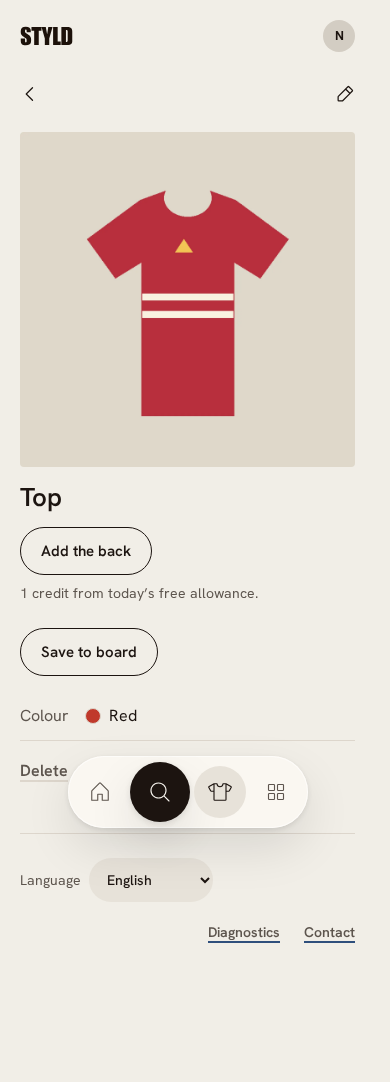
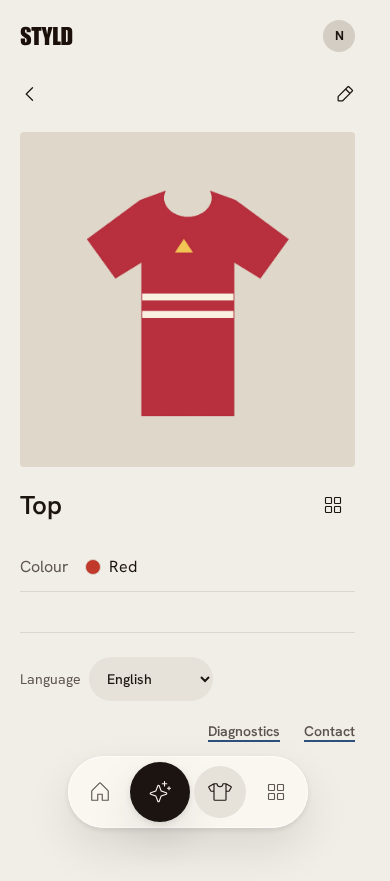
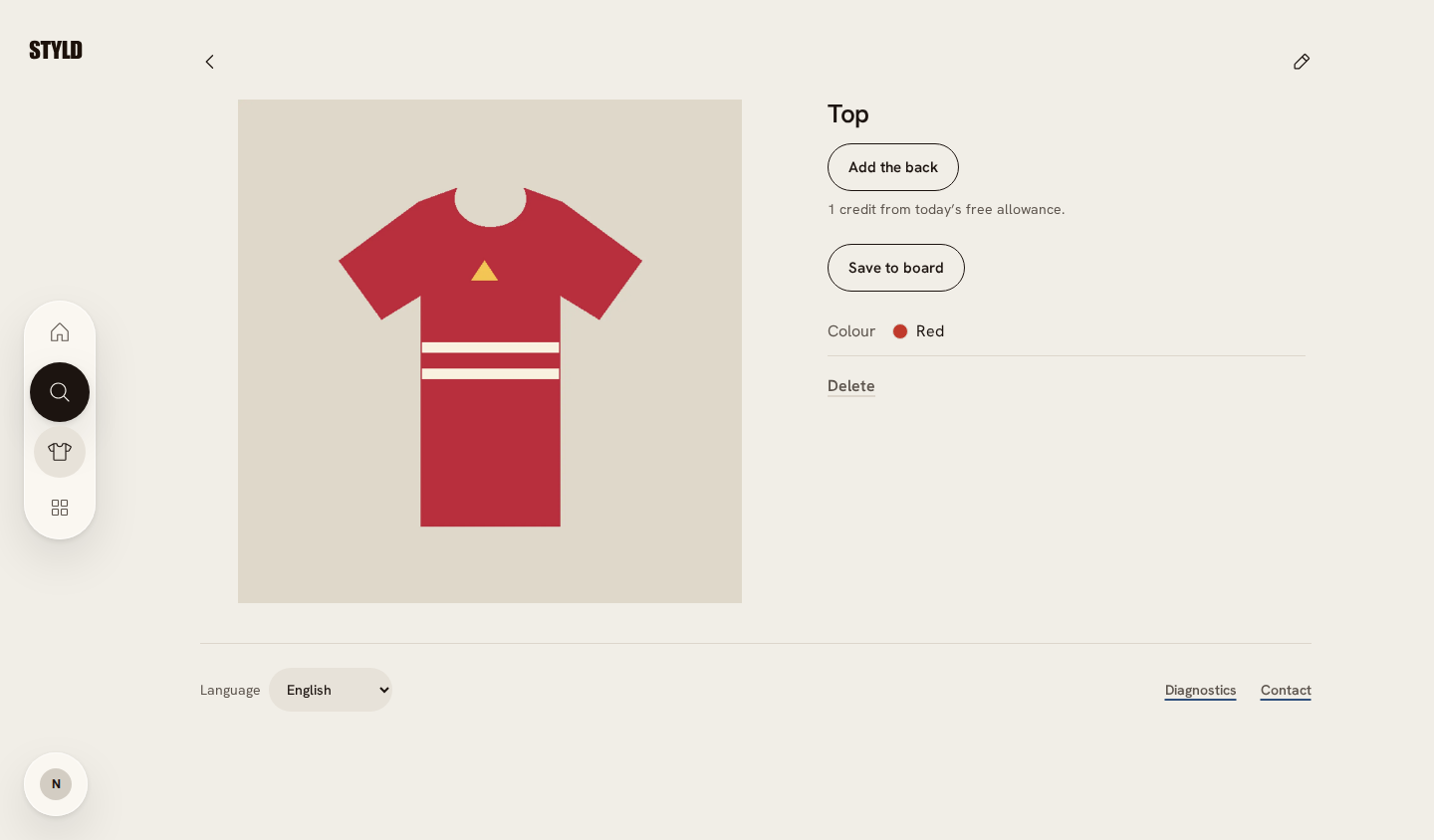
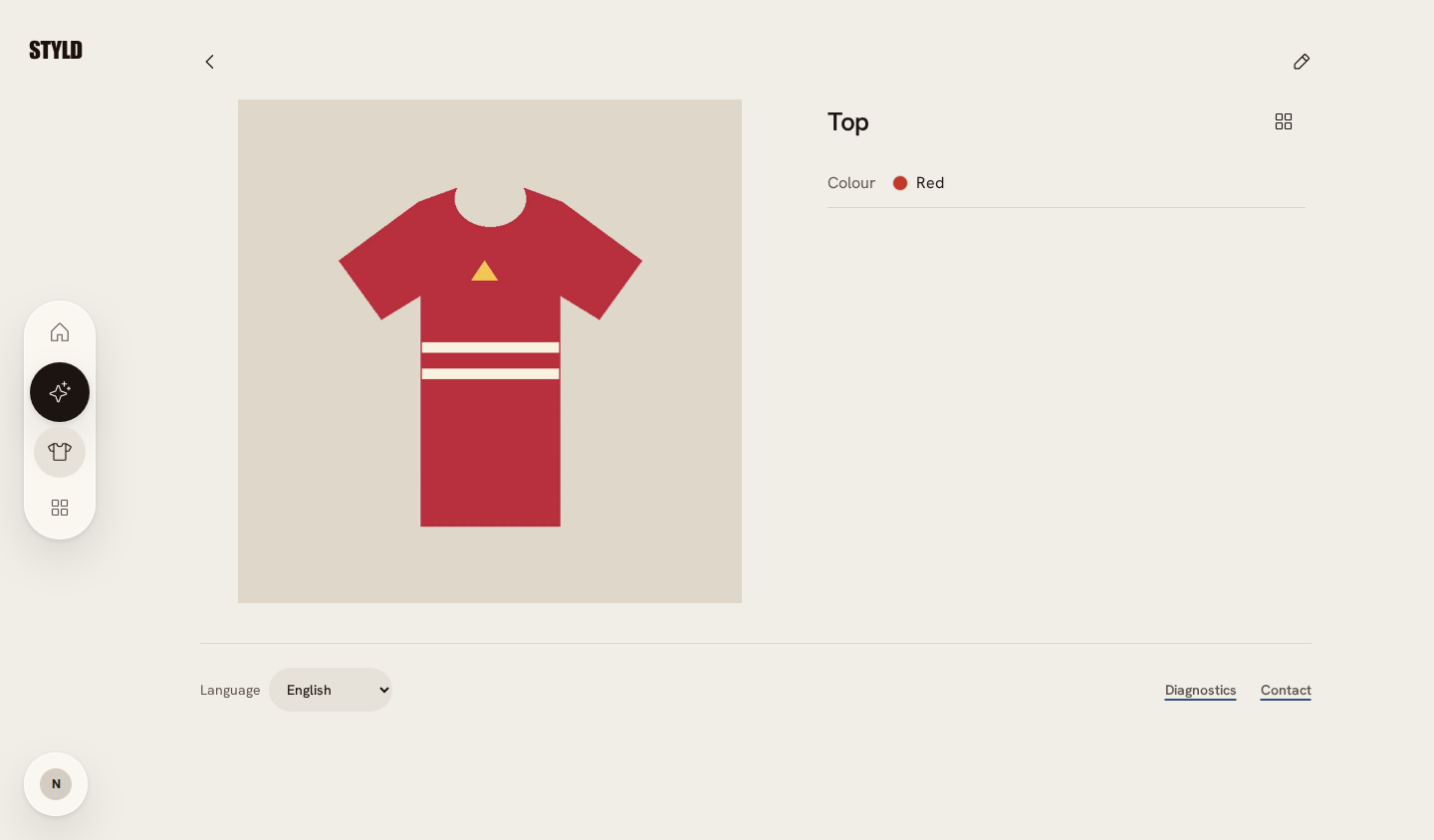
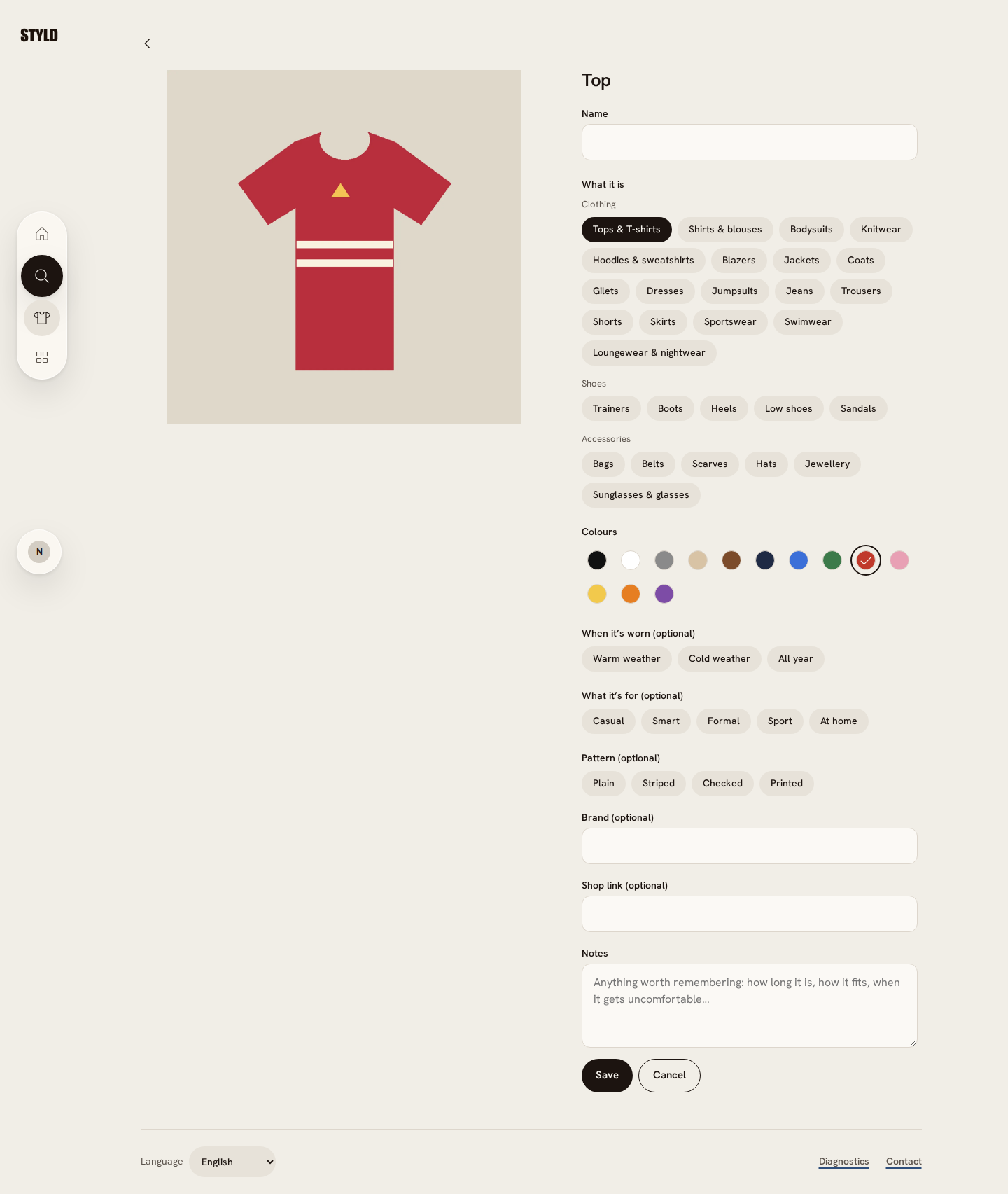
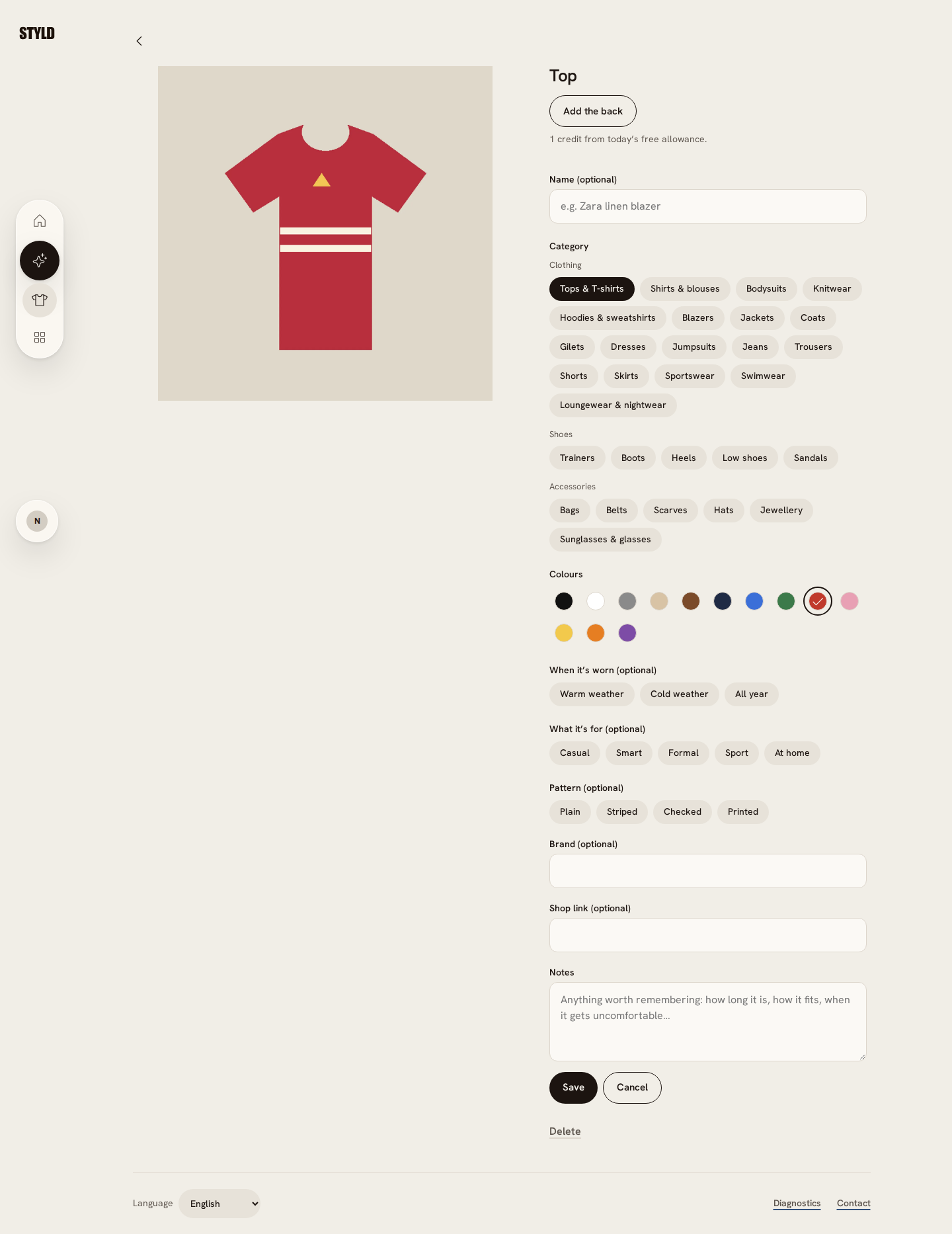
Partial delivery: back-photo actions and their credit text are above Name in Edit; a compact Add to board icon sits beside the read-only title; Name is optional with an example, Category is labelled, and Delete lives in Edit with confirmation and draft preservation. Read-only attributes stay read-only. Rotation and upside-down legacy cutouts (F-08) remain open. Dense metadata/long names still need Eva’s phone review.
Owner: Codex. Updated 2026-11-03.
- unit — Final batch: 755 unit tests passed, including navigation, piece edit/delete and existing camera lifecycle coverage.
- native — Native workerd/Chromium: full gate passed 29 tests, including direct chat navigation/resumption, the compact board picker, and finishing capture with paired photos. Matching synthetic before/after captures are below; no paid providers or physical phones were used.
- preview — Deployed c05071e0351cef5bb74caf249eea808775042842. Exact-release smoke readback passed: 3 tests / 42 assertions (hydration, assets, API/auth, MCP). Authenticated product interactions are covered by native fixtures, not a real-user preview walk.
Before and after
Piece detail — 390 × 844
Matching Chromium viewports through local workerd with synthetic wardrobe and camera fixtures. Before: c5d6f52; after: c05071e. Full-page captures; not physical-phone or live-provider proof (native, 2026-11-03). Open an image for full size.
Piece detail — 1440 × 844
Matching Chromium viewports through local workerd with synthetic wardrobe and camera fixtures. Before: c5d6f52; after: c05071e. Full-page captures; not physical-phone or live-provider proof (native, 2026-11-03). Open an image for full size.
Piece edit — 390 × 844
Matching Chromium viewports through local workerd with synthetic wardrobe and camera fixtures. Before: c5d6f52; after: c05071e. Full-page captures; not physical-phone or live-provider proof (native, 2026-11-03). Open an image for full size.


Piece edit — 1440 × 844
Matching Chromium viewports through local workerd with synthetic wardrobe and camera fixtures. Before: c5d6f52; after: c05071e. Full-page captures; not physical-phone or live-provider proof (native, 2026-11-03). Open an image for full size.
Acceptance checklist
- Complete
Read-only details keep attribute rows and the pencil Edit mode; back-photo controls and their credit text move above Name in Edit.
- Complete
A compact Add to board action beside the title opens the existing board picker.
- Complete
Name is optional with an example placeholder; Category is distinct and genuine saved names are preserved.
- Complete
Delete is available inside Edit, confirms before deleting, preserves the draft when cancelled, and cannot start during a pending save.
- Open
Provide image rotation and address upside-down legacy cutouts (F-08).
Read the complete original ticket draft
Clean up Piece Detail & Edit views: keep read-only detail view button-free, move "Add the back" to the top of Edit mode (above "Name"), rename "Save to board" to a compact side "Add to board" icon button, clarify What it is vs. Name, and add "Delete" + rotate in Edit mode (F-08, F-10, F-23, F-42, F-44)
- Priority: P2 — Resolves direct UX traps observed across Recordings 1, 3, and 4 (scrolling required to see piece metadata, typing category names into
Name, hunting forDeleteinside Edit mode) while preserving the clean read-only detail layout Eva prefers. - Detailed UI/UX Spec (
eva.styld1.mp411:11–12:15,34:23–34:59;eva3.mp440:33–41:52;eva5styld.mp400:07–03:45):- Read-Only Piece Detail View (
fig22a):- Keep read-only attributes clean without inline dropdowns (
F-44): Eva explicitly rejected turning the read-only attribute rows (Colour,When it's worn,What it's for,Pattern) into inline dropdowns ("Ne, to je ful gumbov! Meni je všeč, da ni gumbov, da je tle direkt to, kar je, in da imam gumb edit."). - Remove
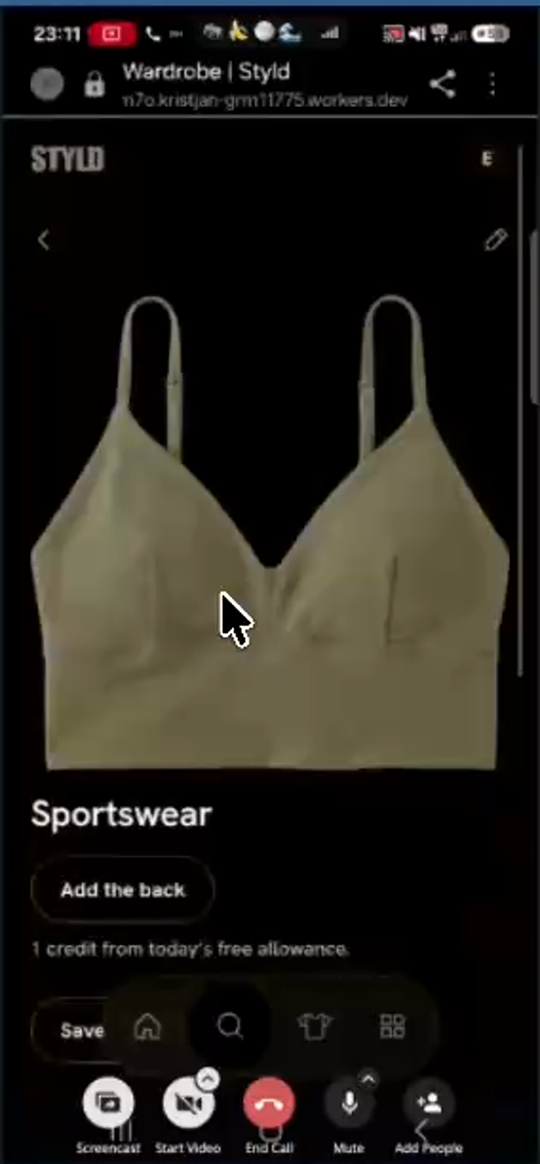
"Add the back"and"1 credit from today's free allowance."from the read-only detail view (F-42). - Replace the wide
"Save to board"pill button with a compact"Add to board"icon button (using the2×2Boards icon positioned on the side of the title row) so thatColour,When it's worn,What it's for, andPatternare all immediately visible above the fold without scrolling.
- Keep read-only attributes clean without inline dropdowns (
- Piece Edit Mode (
pencilicon,fig05b,fig22b):- Place
"Add the back"at the very top of the Edit screen, above"Name"(eva5styld.mp403:34:"čisto od zgoraj pred 'Name'-om 'Add the back'"). - Clarify
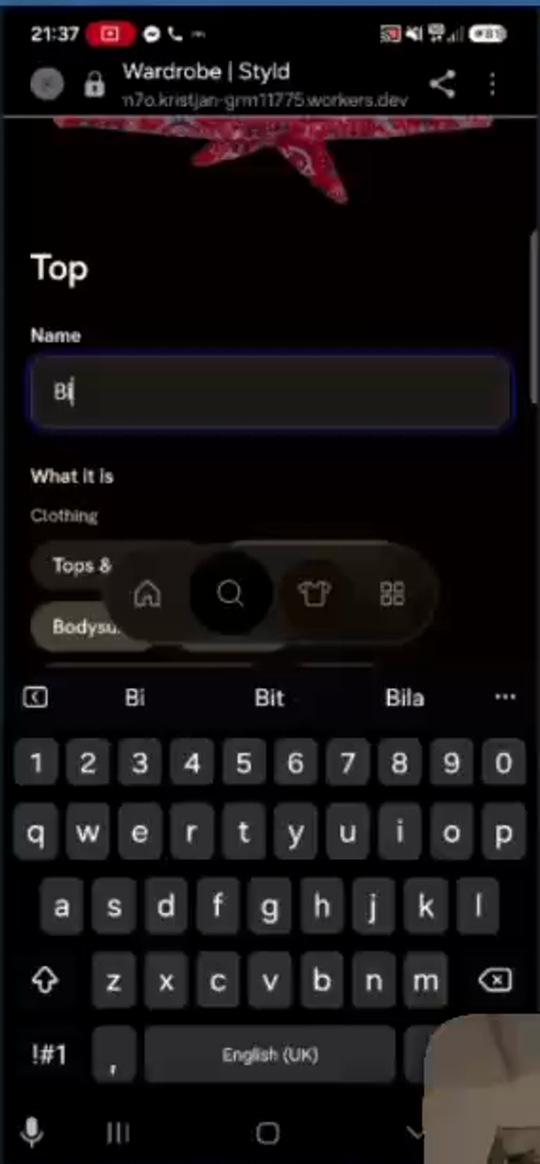
"What it is"(Category) vs."Name"(F-10,fig05b): Clearly label/style"What it is"(or place category selection prominently) and give"Name (optional)"a placeholder like"e.g. Zara linen blazer"instead of pre-filling"Name"with the category string ("Top"), which tricked Eva into typing"Bikini"into"Name"when trying to change the category. - Include
"Delete"inside the Edit screen (F-23): Add a"Delete piece"action at the bottom of the Edit form (in addition to"Save"/"Cancel") so users who tap the Edit pencil to delete an item don't hit a dead end.
- Place
- Read-Only Piece Detail View (
T-16Save one board outfit as a LookNot started
What the code review adds
Save as Look already takes pieces from the whole canvas. The missing capability is selecting one outfit group on a board containing several outfits. It should align with the template’s outfit representation.
Code pointers
apps/web/src/page/Board/Actions.ts:203
Progress
Work has not started. This draft is awaiting planning.
Owner: Unassigned. Updated 2026-11-03.
No acceptance evidence recorded yet.
Acceptance requirements are in the original draft; a tracked checklist can be added during planning.
Read the complete original ticket draft
Implement "Export to look" / "Turn into a look" to save selected items from a Board as a fixed single-outfit formula in Looks (F-38)
- Priority: P2 — Enables the agreed workflow where experimental outfits created on
Boardscan be saved as reusable, fixed single-outfit formulas inLooksfor quick morning dressing. - Detailed Implementation Spec (
eva3.mp421:30–26:38):- Definition of a
Look: ALookis strictly one fixed, finished outfit ("an outfit formula"), whereas aBoardcan hold many outfits, mood boards, or trip packing lists. - Board -> Look (
"Export to look"/"Turn into a look"): In the Board collage editor, allow the user to select a group of items (or a single outfit board) and tap"Export to look"/"Turn into a look"to save that outfit intoLaboratory -> Looks. - Look -> Board: Allow importing saved
Looksonto aBoard(e.g., when planning a week or trip) or asking AI to generate variations of a savedLook.
- Definition of a
T-17Simplify the Gallery workflowNot started
What the code review adds
The favorite heart is small. Automatic cutout, original-versus-cutout selection and inline wardrobe confirmation change asynchronous work and user choices. Avoid making duplicate creation easier before matching is dependable.
Code pointers
packages/server/src/photos/Photos.ts:415apps/web/src/page/PhotoView.ts:1
Progress
Work has not started. This draft is awaiting planning.
Owner: Unassigned. Updated 2026-11-03.
No acceptance evidence recorded yet.
Acceptance requirements are in the original draft; a tracked checklist can be added during planning.
Read the complete original ticket draft
Auto-generate outfit cutouts on Gallery photo upload, allow left/right swiping between original photo and cutout, and streamline Gallery UI (F-22, F-24, F-25)
- Priority: P2 — Removes manual clicking (
"Cut out the outfit"and multi-step Review Tray clicks), replaces the"Favourite"button with a heart icon on the photo, and lets users swipe between the original photo and cutout. - Detailed Implementation Spec (
eva.styld1.mp432:58–34:15,35:40–37:56;eva3.mp426:43–27:16):- Auto-cutout on upload (
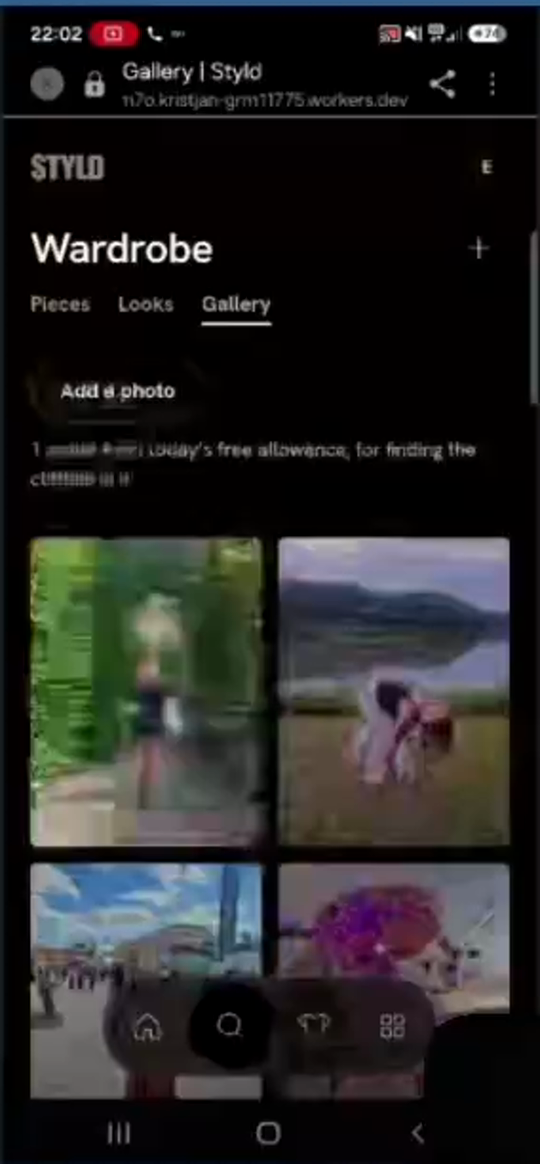
F-25): When a photo is uploaded toGallery, automatically run"Cut out the outfit"in the background alongside garment detection—remove the manual"Cut out the outfit"button (fig08a,fig09a). - Swipeable Original vs. Cutout (
F-25): On theGalleryphoto detail view, display a horizontal swipe carousel containing (1) the original full photo and (2) the isolated outfit cutout (plus left/right navigation between Gallery photos), and allow adding either the original photo or the cutout to a Board ("Add to board"). - Heart Icon for
"Favourite"(F-24): Replace the text pill button"Favourite"below the photo (fig08a) with a compact heart icon overlaid on the corner of the photo. - 1-Step
"Add to wardrobe"(F-22): When tapping"Add to wardrobe"on a detected garment inGallery, add it directly (or with a single inline confirmation) instead of forcing the user through"Waiting in your review tray"->"Open the review tray"->"Add 1 to my wardrobe".
- Auto-cutout on upload (
T-18Keep garment colours and surfaces consistentNot started
What the code review adds
The app already declares a light colour scheme. Browser-forced darkening and image blending are hypotheses to test on the affected phone; adding an app theme switcher is not needed.
Code pointers
apps/web/src/GlobalStyles.ts:49apps/web/src/page/Board/Table.styles.ts:8
Progress
Work has not started. This draft is awaiting planning.
Owner: Unassigned. Updated 2026-11-03.
No acceptance evidence recorded yet.
Acceptance requirements are in the original draft; a tracked checklist can be added during planning.
Read the complete original ticket draft
Fix dark-mode grey square card backgrounds in Wardrobe grid and enforce a cohesive default theme (F-07)
- Priority: P2 — Removes the muddy dark-grey square card backgrounds (
"te sivi kvadratki") that clash with the app background on dark-mode Android devices. - Detailed Implementation Spec (
eva.styld1.mp405:30–07:38,fig01,fig04):- On Eva's Samsung Android phone (which has OS dark mode enabled),
Wardrobegrid cards render with a muddy dark-grey/brownish square background (fig01,fig04), whereas opening the piece detail view (fig05a) renders on a pure black background. - Remove the contrasting grey square card backgrounds so item cutouts sit cleanly on a uniform background, and enforce a single cohesive app theme across all devices (no user theme switcher needed).
- On Eva's Samsung Android phone (which has OS dark mode enabled),
T-19Improve Today without a redesignNot started
What the code review adds
The outfit API already accepts locked pieces; Today currently sends none. Explain Wear this as recording the day, without promising tomorrow’s outfit exclusion unless implemented. Recheck the reported styling pill against the tested release.
Code pointers
apps/web/src/page/Today.ts:196packages/protocol/src/Outfit.ts:55
Progress
Work has not started. This draft is awaiting planning.
Owner: Unassigned. Updated 2026-11-03.
No acceptance evidence recorded yet.
Acceptance requirements are in the original draft; a tracked checklist can be added during planning.
Read the complete original ticket draft
Improve Today outfit card: keep baseline Today layout, suppress "Not tucked" on sweater-over-dress layering, allow single-piece swap/lock, and clarify "Wear this" (F-01, F-02, F-03, F-46)
- Priority: P2 — Preserves the baseline
Todaylayout (MON 2, daily outfit collage,"Wear this", shuffle button) while fixing illogical styling copy on dresses and allowing users to swap a single piece without losing the rest of a recommended outfit. - Detailed Implementation Spec (
eva.styld1.mp400:54–02:38;eva5styld.mp403:46–04:55):- Keep baseline
Today | Styldlayout (F-46): Keep theMON 2header, daily outfit collage card,"Wear this"primary button, and shuffle/try-another button as-is for launch (deferring the outfit tombola/roulette and"30 days of wearing black"community challenges to a later phase). - Suppress
"Not tucked"when layering over a dress (F-01): In the outfit styling note generator, never attach"Not tucked"/"left untucked"when a sweater/knit/top is paired over aDressorJumpsuit. - Single-piece swap / lock (
F-02): Allow the user to swap a single item in theTodayoutfit (e.g., swap just the shoes or just the sweater) while keeping the remaining items locked, rather than only offering"Try another"which replaces the entire outfit. - Clarify
"Wear this"(F-03): When the user taps"Wear this"and it toggles to"Wearing today", show a brief confirmation toast/subtitle (e.g.,"Logged for today — we won't repeat this look tomorrow").
- Keep baseline
T-20Separate sharing and Android investigationsNot started
What the code review adds
The Gallery input already uses image/*. Diagnose the picker and black-screen report on the affected device. Link sharing, image export and publishing are distinct actions; public photo-based lookbooks would extend the current private Gallery rules.
Code pointers
apps/web/src/page/PhotosView.ts:66docs/ARCHITECTURE.md:132
Progress
Work has not started. This draft is awaiting planning.
Owner: Unassigned. Updated 2026-11-03.
No acceptance evidence recorded yet.
Acceptance requirements are in the original draft; a tracked checklist can be added during planning.
Read the complete original ticket draft
Add Share button on Boards, improve Android Gallery file picker (accept="image/"), and investigate Android Chrome tab-restore black screen (F-14, F-27, F-34)
- Priority: P3 — Quality-of-life and platform polish items for sharing boards and smoother Android browser behavior.
- Detailed Implementation Spec:
- Board Share button (
F-27,eva.styld1.mp440:18–40:23): Add a native Web Share / export image button (navigator.share/ download PNG) in the Board header so users can share their collages/boards directly. - Android Gallery File Picker (
F-14,eva.styld1.mp422:00–23:09): Ensure the"Add a photo"<input type="file">usesaccept="image/*"(without restrictive MIME lists that force Android'sMy Filesraw filename list) so Android opens the visual photo gallery picker. - Android Chrome Tab-Restore Repaint (
F-34,eva3.mp414:19–14:30): Checkvisibilitychange/ canvas / WebGL / service-worker behavior when returning to the mobile Chrome tab from background apps so the viewport does not stay black for ~9 seconds.
- Board Share button (
T-21Remove remaining per-image database readsNot started
What the code review adds
Added to the source report after the first analysis. Reuse the existing signed-media mechanism and validate each media kind, expiry recovery, video ranges and image styles. Deployment assertions and timing estimates in the source ticket are not independent verification in this tracker.
Code pointers
packages/server/src/kernel/SignedMedia.ts:1docs/STATUS.md:30
Progress
Work has not started. This draft is awaiting planning.
Owner: Unassigned. Updated 2026-11-03.
No acceptance evidence recorded yet.
Acceptance requirements are in the original draft; a tracked checklist can be added during planning.
Read the complete original ticket draft
Serve every remaining owner-only picture by signed address: board images, Gallery photos and their garments, To review detections and turns (follow-up to the 2 Nov D1 overload; relates to F-43, T-14)
- Priority: P1. On 2 Nov the preview answered
"Kosov ni bilo mogoče naložiti"and showed placeholder squares: every thumbnail made the Worker read the session and a D1 row, so a wardrobe page of 300+ pictures overloaded D1. Wardrobe pieces moved to signed addresses (/cdn/media/…, releasebf8f987, live ind73475c). These still check the session and D1 per picture:GET /cdn/boards/images/:imageId/:size(packages/server/src/boards/Http.ts)GET /cdn/photos/:photoId/:sizeand/cdn/photos/:photoId/garments/:garmentId(packages/server/src/photos/Http.ts)GET /cdn/detections/:detectionId/:whichand/cdn/turns/:pieceId/:which(packages/server/src/capture/Http.ts)- MCP view thumbnails
- Detailed Implementation Spec:
- Reuse
kernel/SignedMedia.tsas is: grants over account, object, R2 key, content type, size, version and an hour-rounded expiry (+24 h), keyed fromAUTH_SECRETunderstyld-media-v1. Do not add a second signer. - Each API that returns one of these entities returns its picture addresses already signed (
imagesfields as onPiece). The web stops building them inapps/web/src/Cdn.ts(boardImage,photo,photoGarment,detection,turn), and those builders go. - The
/cdn/mediahandler serves every kind: verify the signature, read R2, transform through Images where a size is asked, then the edge Cache API, withprivate, immutable. No session and no D1. The old per-kind routes are deleted, with no redirects. - Turn videos need
Rangesupport on the signed route (the<video>element seeks). - Version changes whenever the object may have changed (a redraw, a new cut-out, a re-found photo), so a cached copy is never shown for a new picture.
- Board styles:
View.styles.tskeysmix-blend-modeoff the/cdn/media/prefix. Mark piece pictures by attribute instead, so board images keep their true colour once they share the route. - Assistants (MCP) still get no picture addresses. MCP Apps views load thumbnails through the view's own signed grant if they need them, never a session cookie.
- Reuse
- Acceptance Criteria:
- A board of 50+ pictures, a Gallery of 100+ photos and a
To reviewtray of 30+ detections load with zero D1 queries per picture in Workers Logs, and noD1 DB is overloaded. - A tampered, expired or other-account address answers 403. A deleted object answers 404.
- A redraw or new cut-out shows the new picture on the next list read, not the cached one.
- A tab left open past the expiry recovers on its next list refresh, with no broken pictures.
- Native: signed board, photo, detection and turn reads with no cookie. Preview readback of each kind.
- A board of 50+ pictures, a Gallery of 100+ photos and a
- Overhead: one HMAC-SHA256 per address when a list is answered (native Web Crypto, the key derived once per isolate). That is microseconds per address, a few milliseconds for a 300-piece wardrobe. Serving costs one HMAC verify and no D1 or session read, and repeat views come from the edge cache. It is cheaper than today on both ends.
No tickets match these filters. Change the search or choose Reset.
All findings
The observed behaviour, requested change and original evidence, linked to the tickets.
F-01"Not tucked" styling pill generated when layering a sweater over a dressNot started
Observed behaviour
When AI suggests layering a sweater/pullover over a dress on Today, it attaches the "Not tucked" pill and "left untucked" styling note.
Requested behaviour
Suppress "Not tucked" / "tucked" styling tags when a top/knitwear piece is layered over a dress or jumpsuit.
Quotes and recording timestamps
eva.styld1.mp4 00:54–01:28
Eva (
01:02):"Glede na to, da je pulover čez obleko, ga zelo težko zatakneš... mogoče je tle mišljeno, da oblečeš pulover čez oblekco, kar je dejansko ful dobra ideja"[Screen: Today outfit shows white sweater + floral dress with note "Wear it with the white top left untucked over the black dress" and pill "Not tucked".]
Progress
Awaiting planning and verification.
No acceptance evidence recorded yet.
F-02Swap or lock individual pieces on Today outfit suggestion instead of regenerating entire lookNot started
Observed behaviour
Today only offers "Try another", which replaces every item in the suggested outfit at once.
Requested behaviour
Allow locking/keeping specific pieces or swapping a single piece (e.g., just shoes or just top) within a Today outfit recommendation.
Quotes and recording timestamps
eva.styld1.mp4 01:28–02:12
Eva (
01:28–01:55):"Mogoče na tej točki bi jaz želela imeti opcijo, da bi lahko zamenjala samo čevlje, ali pa samo pulover... da obdržim obleko pa pulover, pa zamenjam čevlje."[Screen: Tapping the sweater opens item detail; tapping "Try another" regenerates the whole outfit.]
Progress
Awaiting planning and verification.
No acceptance evidence recorded yet.
F-03Unclear purpose of "Wear this" / "Wearing today" button on TodayNot started
Observed behaviour
Tapping "Wear this" toggles the button label to "Wearing today" without explaining what it does, and launching the app immediately shows a single random outfit card on Today.
Requested behaviour
Clarify what "Wear this" does (logs wear history and prevents repeating the same outfit tomorrow) and revisit the Today home page layout so it feels more intentional.
Quotes and recording timestamps
eva.styld1.mp4 02:23–02:38; eva3.mp4 28:16–28:27
Eva (
eva.styld1.mp402:24):"Kaj pomeni ta Wear this? A to si jaz samo označim ali gre to kam naprej?"/ Eva (eva3.mp428:16):"Jaz bi videla rada, da mogoče prvo stran ni tako, da ti vrže kar en outfit."
Progress
Awaiting planning and verification.
No acceptance evidence recorded yet.
F-04Redundant secondary "All" filter pills (All 245, All 22) in WardrobeNot started
Observed behaviour
Selecting a top-level category (Clothing 246, Shoes 22, Accessories 46) spawns a second row of pills starting with another "All <count>" pill selected by default.
Requested behaviour
Remove the redundant secondary "All" pill (superseded by the broader decision to replace horizontal pills with a visual category drill-down in F-05).
Quotes and recording timestamps
eva.styld1.mp4 02:45–03:20, 05:20–05:28
Eva (
02:46):"Zdaj ko grem na Clothing, mi spet vrže All... zakaj rabim še enkrat All? Če sem že na All 313, pa kliknem Clothing, zakaj mi spet pokaže All 245?"/ Eva (05:25):"spet All izredno nepomemben"
Progress
Awaiting planning and verification.
No acceptance evidence recorded yet.
F-05Replace flat horizontal category pills in Wardrobe with a 2-level visual category drill-down (ABOUT YOU style)Not started
Observed behaviour
Opening Wardrobe immediately shows all 313 pieces under a flat horizontal scrolling strip of 18+ subcategory pills (Tops & T-shirts, Shirts & blouses, ..., Loungewear & nightwear).
Requested behaviour
Replace the horizontal pill bar and immediate All 313 dump with an e-commerce-style visual category hierarchy: Level 1 shows 4 main category cards with a representative item thumbnail (Clothing, Sport, Shoes, Accessories); tapping a main category opens Level 2 visual subcategory cards with item thumbnails; tapping a subcategory opens the 2-column item grid with a floating Filter button.
Quotes and recording timestamps
eva.styld1.mp4 03:20–05:15, 07:38–09:05, 21:44–21:46, 25:57–26:15; eva3.mp4 11:29–16:55
Eva (
eva3.mp411:46–12:15):"Takoj ko jaz odprem moj Wardrobe, bi jaz rada imela tole. Takole: da se mi naredi Oblačila, pa se mi da en kos oblačila, Šport, Obutev, Dodatki. Štiri kategorije bi rada imela. In potem, ko jaz kliknem na Oblačila, se mi pojavijo nove kategorije... In potem, ko jaz kliknem na Jakne, se mi šele pojavijo kosi!"
Progress
Awaiting planning and verification.
No acceptance evidence recorded yet.
F-06Only display populated categories in Wardrobe (progressive disclosure as wardrobe grows)Not started
Observed behaviour
Empty categories can appear in pickers or filter bars without progressive empty-state onboarding.
Requested behaviour
Only render categories and subcategories in Wardrobe for which the user has at least 1 piece; show an "Add items to wardrobe" empty state when 0 pieces exist.
Quotes and recording timestamps
eva3.mp4 12:16–12:40
Kristjan (
12:16):"In ti bi imela samo tiste kategorije — jaz prikažem — za katere imaš cunje. Če bo recimo nekdo, ki ne bo imel nič cunj... bo samo napisalo 'Dodaj stvari v garderobo'. In potem, ko bo dodal recimo prve hlače, se mu bo pokazala kategorija 'Hlače'"/ Eva (12:38):"Ja!"
Progress
Awaiting planning and verification.
No acceptance evidence recorded yet.
F-07Dark-grey square card backgrounds in dark mode ("te sivi kvadratki") and single-theme preferenceNot started
Observed behaviour
On Android with OS dark mode enabled, wardrobe grid cards render as dark-grey squares against a black page background, whereas the item detail view has a pure black background.
Requested behaviour
Remove the muddy grey square card backgrounds in the grid and use a single consistent app theme (preferably clean/light) across devices rather than building a theme switcher.
Quotes and recording timestamps
eva.styld1.mp4 05:30–07:38
Kristjan (
05:31):"A to je tak sivo ozadje za čevljem? To ni dobro, a?"/ Eva (07:07–07:28):"Jaz mislim, da bi bilo čisto kul, če si ne rabi noben nastavljat... če bi bilo eno, ker imaš potem tudi slog aplikacije isti. Samo te sivi kvadratki, če grejo stran, bo top."
Progress
Awaiting planning and verification.
No acceptance evidence recorded yet.
F-08Legacy imported item cutouts flipped 180° upside down (bikini tops and dress)Not started
Observed behaviour
Several items imported from the previous app version (bikini tops and a red mini dress) are stored flipped 180° upside down, which also caused the AI to misclassify the upside-down red dress as a Bodysuit.
Requested behaviour
Fix/re-orient upside-down item images and provide a rotation control in the item Edit screen so users can rotate misoriented cutouts.
Quotes and recording timestamps
eva.styld1.mp4 09:05–09:38, 16:23–16:57
Eva (
09:06):"Vse sem isto obrnjeno slikala in kar nekatere modrce mi je okoli obrnilo"/ Eva (16:49):"Drugače glej, tole tudi Bodysuit je oblekica, ki mi jo je narobe obrnil"[Screen: White bikini top at 09:21 and red sleeveless dress under Bodysuits at 16:26 are upside down.]
Progress
Awaiting planning and verification.
No acceptance evidence recorded yet.
F-09Widespread AI garment categorization errors across Tops & T-shirts, Trousers, Bodysuits, Bags, Hats, and ShoesNot started
Observed behaviour
Out of 49 items in Tops & T-shirts, 10 (~20%) were misclassified (4 bikini pieces, 5 sportswear tops, 1 scarf); red ski pants were in Trousers; striped pajama pants were in Trousers; an upside-down dress was in Bodysuits; a lapel pin was in Hats; and at least 8 non-bag items (3 pairs of gloves/mittens, 3 headbands, 1 hood-hat with mittens, 1 pair of Nike socks) were dumped into Bags. Primarily black Sorel snow boots were also tagged as "black and beige boots".
Requested behaviour
Audit and re-run the AI categorization pipeline (and color detection), stop using Bags or Tops & T-shirts as fallback buckets, and properly classify swimwear, sportswear, loungewear/pajamas, scarves, gloves, socks, and hair accessories.
Quotes and recording timestamps
eva.styld1.mp4 09:43–12:15, 14:28–20:37; eva3.mp4 30:58–33:25
Eva (
eva.styld1.mp415:40–16:13):"če greva samo po topih, ko imam 48 topov, od tega je 1, 2, 3... trije so modrci v bistvu, eno je šal, pa 1, 2, 3, 4, 5 — pet jih moram prestavit pod športne stvari"/ Eva (19:45–20:00):"pod Accessories: okej, Bags — evo, obroč mi je isto vrglo pod Bags, mojo kapo z rokavicami je isto vrglo pod Bags, nogavice mi je vrglo pod Bags, trak za lase mi je vrglo pod Bags"/ Eva (eva3.mp431:30):"In tudi predlagal mi je pižamo. To je spodnji del pižame."
Progress
Awaiting planning and verification.
No acceptance evidence recorded yet.
F-10Edit piece screen: users confuse the Name text input with the What it is category selectorVerified
Observed behaviour
On the Edit piece form, Name is the first field at the top (defaulting to generic category names like "Top"), while What it is (category pills) sits below, causing Eva to edit Name when trying to change the category.
Requested behaviour
Make category selection (What it is) visually distinct and unmistakable from Name on the Edit form.
Quotes and recording timestamps
eva.styld1.mp4 11:11–12:15
Eva (
11:40):"Ne morem spremenit kategorije! Na Bikini lahko samo ime spremenim."[Screen: At 11:18–11:27 Eva types "Bikini" into the "Name" input and clicks Save; the item stays in Tops & T-shirts with title "Bikini" until Kristjan tells her to scroll down to "What it is -> Swimwear" at 11:45–12:07.]
Progress
Optional Name/example and explicit Category labels are implemented; genuine saved names are preserved. Scene checks and matched screenshots passed. Preview release readback passed. Eva’s physical-phone usability feedback is still welcome.
- native — Batch c05071e: 755 unit and 29 native tests passed. See linked ticket for scope and matching before/after screenshots.
- preview — Deployed c05071e0351cef5bb74caf249eea808775042842. Exact-release smoke readback passed: 3 tests / 42 assertions (hydration, assets, API/auth, MCP). Authenticated product interactions are covered by native fixtures, not a real-user preview walk.
F-11Hide item name/category text labels below thumbnails in the Wardrobe gridNot started
Observed behaviour
Every card in the Wardrobe grid displays a text label underneath the cutout image (Top, Swimwear, Bag, Bikini).
Requested behaviour
Remove text labels from underneath item cards in the Wardrobe grid (show only the clean item cutout thumbnails) and display the item Name only on the piece detail view.
Quotes and recording timestamps
eva.styld1.mp4 12:15–13:52
Eva (
12:24,13:15):"Ta ime cunje ful nima smisla... Jaz mogoče tudi ne bi, da se mi ime pokaže, ampak bi raje videla, da se mi ime pokaže pol ko kliknem... ko si v garderobi vidiš samo slikico pa nič drugega."
Progress
Awaiting planning and verification.
No acceptance evidence recorded yet.
F-12Expand footwear & accessories taxonomy + support AI-created and user-created custom categoriesNot started
Observed behaviour
Shoes only shows Trainers, Boots, Sandals (mixing running/court/hiking shoes into Trainers and snow/hiking boots into Boots, and lacking Loafers, Oxfords, Mary Janes, Ballet flats, Heels). Accessories lacks Gloves, Socks, and Hair accessories / Headbands. Users cannot add custom categories.
Requested behaviour
(1) Expand base categories (Sport shoes, Snow/Hiking boots, Loafers, Oxfords, Mary Janes, Ballet flats, Heels; Gloves, Socks, Hair accessories), (2) allow the AI to create a new subcategory when scanning an item that doesn't fit presets, and (3) allow users to create/edit custom categories.
Quotes and recording timestamps
eva.styld1.mp4 14:36–15:00, 17:12–17:55, 18:40–21:46
Eva (
19:02–19:42):"Vsaj te superge bi si jaz ločila, da imam športne čevlje vsaj pod 'Sport shoes'... 4 pari od teh superg, ki so tukaj navedeni, so vsi: eni so za tečt, eni so za dvoranske športe, eni so pa pohodniški"/ Kristjan (20:10–20:35):"eno je razširit mogoče te osnovne kategorije, pa AI-ju dat mogoče malo svobode, da se sam odloči, ko skenira nekaj novega, pa če ni ta prave kategorije, da jo pač ustvari, in pa da še uporabniku dovolim, da si naredi svoje kategorije."
Progress
Awaiting planning and verification.
No acceptance evidence recorded yet.
F-13Back navigation (<) from piece detail resets active Wardrobe category filter to All 313Not started
Observed behaviour
Filtering Wardrobe (e.g., Shoes -> Sandals), opening an item detail view, and tapping < Back resets Wardrobe to All 313 instead of returning to Shoes -> Sandals.
Requested behaviour
Persist active category/subcategory filter state in URL search params (or route path) so back navigation preserves the active filter and scroll position.
Quotes and recording timestamps
eva.styld1.mp4 17:53–18:38
Eva (
17:56–18:08):"tudi to me moti, da ko jaz grem ven iz nekega čevlja — glej, če grem na Sandals — me pol namesto da bi me vrglo nazaj na čevlje, me vrže nazaj na vse cunje!"/ Kristjan (18:10–18:37):"ko ti izbereš ta nek filter, se mora ta izbran filter zapisat v URL, in potem ko se premikaš nazaj, mora to v URL-ju ostat."
Progress
Awaiting planning and verification.
No acceptance evidence recorded yet.
F-14Android file picker on "Add a photo" in Gallery offers My Files (raw filenames) instead of opening photo gallery directlyNot started
Observed behaviour
Tapping "Add a photo" on Android Chrome triggers Choose an action: Camera | My Files | Files; picking My Files shows unpreviewable raw filenames (20261102_153423.jpg).
Requested behaviour
Configure the HTML <input type="file" accept="image/*"> attributes so Android opens the visual photo picker / gallery directly when possible.
Quotes and recording timestamps
eva.styld1.mp4 22:00–23:09
Eva (
22:13–22:31):"A je tle kakšna možnost, da jaz ne bi dobila takega, ker da bi dobila direkt iz galerije? Ker tle recimo zdaj jaz vidim samo po imenu..."/ Kristjan (22:58):"Bom vprašal Clauda, zakaj to tako naredi."
Progress
Awaiting planning and verification.
No acceptance evidence recorded yet.
F-15Slow "Finding the clothes..." processing on Gallery photo uploads (~33s–45s)Not started
Observed behaviour
Uploading a photo to Gallery stays in "Finding the clothes..." for 33 to 64 seconds.
Requested behaviour
Optimize the Gallery garment detection / cutout pipeline to reduce wait times and run cutout + detection together automatically.
Quotes and recording timestamps
eva.styld1.mp4 23:34–24:08, 24:53–25:00, 31:47–32:51
Kristjan (
24:53):"Kar dolgo časa tole melje, se mi zdi."[Screen: Photo 1 takes ~33s (23:35–24:08) and Photo 4 takes ~64s (31:47–32:51) in "Finding the clothes...".]
Progress
Awaiting planning and verification.
No acceptance evidence recorded yet.
F-16Gallery "What you're wearing" fails to detect worn pieces and fails to match items already in the user's wardrobeNot started
Observed behaviour
Across multiple uploaded photos where Eva is wearing items already in her wardrobe (coat, pullover, shirt, shoes, brown bag, black sandals, patterned dress), Styld detects only 1–2 items and marks every single one as "Not in your wardrobe yet" instead of matching existing pieces.
Requested behaviour
Improve multi-garment extraction and wardrobe similarity matching so existing wardrobe items are automatically linked (or suggested as top matches) rather than defaulting to "Not in your wardrobe yet".
Quotes and recording timestamps
eva.styld1.mp4 24:08–24:22, 30:15–30:33, 31:26–33:00, 34:16–34:21, 35:18–35:35
Eva (
24:15):"Vse je v garderobi: čevlji, pulover in majica [in plašč]."/ Eva (32:41):"tle so in torbica, in čevlji, in oblekica je noter."/ Eva (34:16):"Zdaj je to dodalo v mojo garderobo. Ampak to je že v moji garderobi, Kristjan! To ni v redu"
Progress
Awaiting planning and verification.
No acceptance evidence recorded yet.
F-17Dark/black items render as white/light-grey inverted cutouts in Gallery and Board Your pieces stripNot started
Observed behaviour
In Gallery (2 Nov), Eva's dark brown suede coat is cut out as a white/light-grey ghost silhouette (and even the linked wardrobe thumbnail next to Coat renders white/grey, while the actual wardrobe piece in Coats 8 is dark brown). In the Board editor's Your pieces strip (29:54), dark/black garments also appear inverted/white.
Requested behaviour
Fix the image cutout/rendering pipeline and dark-mode CSS filters so dark brown and black garments retain their true dark colors and are never inverted to white/grey.
Quotes and recording timestamps
eva.styld1.mp4 24:08–26:45, 29:54–30:06
Kristjan (
25:18):"Kaj je tole, nekaj čudnega je tole ven izrezal, zakaj je bele barve?"/ Eva (25:49):"Po obliki ga vidim, da je to ta plašč, samo ne vem, zakaj je take barve."/ Eva (29:54):"Aja, mogoče mi črne stvari pobarva na belo, da jih kao boljše [vidiš]"
Progress
Awaiting planning and verification.
No acceptance evidence recorded yet.
F-18Gallery "What you're wearing" detects random background bystanders instead of the user in the foregroundNot started
Observed behaviour
In two separate photos (carnival photo at 27:08 and Oktoberfest photo at 30:36), the AI ignores Eva in the foreground and extracts the clothes of random people in the background (a man's black shirt/pants; an older man's lilac shirt with suspenders + white lederhosen and a background woman's dirndl).
Requested behaviour
Anchor "What you're wearing" person/garment detection strictly on the primary foreground subject (the user) and ignore background bystanders.
Quotes and recording timestamps
eva.styld1.mp4 27:08–27:43, 30:36–31:06
Eva (
27:13):"Tle pa sploh ni zaznal mene, ampak je zaznal tega tipa od zadaj! In je zaznal majico in hlače!"/ Eva (30:43–30:55):"Zaznal je tega starega dedka ... pa zaznal je to punco za mano!"/ Kristjan (30:53):"Ampak moje punce pa ni zaznal!"
Progress
Awaiting planning and verification.
No acceptance evidence recorded yet.
F-19Remove the intermediate Board overview screen (Pinned list + Make with Styld header) and open the interactive collage editor directlyNot started
Observed behaviour
Opening a board (or clicking "Open" after "Save to board") lands on a read-only intermediate screen with a cropped preview, "Make with Styld", "Edit", "Edit collage", and a "Pinned" grid below; saved items only appear in "Pinned" and must be manually tapped again inside "Edit collage" to appear on the canvas.
Requested behaviour
Eliminate the intermediate Board overview / "Pinned" screen; opening a board (or saving an item to a board) should open the interactive collage canvas directly with added items placed directly on the canvas.
Quotes and recording timestamps
eva.styld1.mp4 27:53–28:57, 36:25–36:44, 38:08–40:12
Kristjan (
28:42):"on je kar dva koraka naredil... Tukaj v bistvu Board je že ta kolaž, mora biti, a ne."/ Eva (39:44–40:09):"Pol ne rabim tega, mene lahko vrže direktno na ono, ne rabim tega! ... Bi bilo pa kul, da me direkt vrže na editing."/ Kristjan (40:11):"Exactly."
Progress
Awaiting planning and verification.
No acceptance evidence recorded yet.
F-20Replace unfiltered horizontal Your pieces strip in Board collage editor with a filterable Add your piece (+) bottom-sheet drawerNot started
Observed behaviour
At the bottom of the Board collage editor, Your pieces displays all 313 wardrobe items in a single unfiltered horizontal scrolling row.
Requested behaviour
Replace the inline Your pieces horizontal strip with an "Add your piece" (+) button that opens a bottom-sheet drawer with category filters so users can quickly filter and tap items onto the canvas.
Quotes and recording timestamps
eva.styld1.mp4 28:58–29:53; eva3.mp4 18:12–18:48
Eva (
eva.styld1.mp429:03):"Tudi tlele spet v 'Your pieces', sorry ampak mi je ful smotano, da moram jaz tle zdaj čez vse svoje stvari it. Tle tudi rabim filtre..."/ Kristjan (29:12–29:41):"da bi kliknila recimo tukajle gumb 'Add your piece', pa bi se ti od spodaj tak slider gor pripeljal, pa bi imela na vrhu filtre"/ Eva:"Ja."
Progress
Awaiting planning and verification.
No acceptance evidence recorded yet.
F-21Back button (<) in To review (Open the review tray) resets navigation to Wardrobe -> Pieces instead of returning to GalleryNot started
Observed behaviour
Tapping < Back from To review | Styld after opening it from a Gallery photo detail view sends the user to Wardrobe -> Pieces instead of returning to the Gallery photo.
Requested behaviour
Preserve the return URL/route when navigating to To review so pressing < Back returns to the originating Gallery photo.
Quotes and recording timestamps
eva.styld1.mp4 33:00–33:41
Eva (
33:25):"takoj ko grem nazaj, me vrže čisto na začetek"/ Kristjan (33:31):"Spet mora, ohraniti si mora, če si bila v galeriji pa greš nazaj, da je spet nazaj v galeriji. To mora tako, da se v link shrani"
Progress
Awaiting planning and verification.
No acceptance evidence recorded yet.
F-22Adding a detected piece from a Gallery photo to Wardrobe requires too many clicks via the Review TrayNot started
Observed behaviour
Tapping "Add to wardrobe" on a detected garment in Gallery puts it in "Waiting in your review tray", requiring 2 additional screens/clicks to actually add it.
Requested behaviour
Streamline "Add to wardrobe" from Gallery so it adds directly (or with a single inline confirmation) without routing through a separate Review Tray screen.
Quotes and recording timestamps
eva.styld1.mp4 32:58–34:15
Kristjan (
34:10):"Tukaj se mi zdi, da je preveč klikanja, to bi moglo kar vse biti ..."[Screen: Tapping "Add to wardrobe" changes status to "Waiting in your review tray" -> user must tap "Open the review tray" -> tap "Add 1 to my wardrobe".]
Progress
Awaiting planning and verification.
No acceptance evidence recorded yet.
F-23"Delete" piece action is missing from the Edit piece screen (pencil icon)Verified
Observed behaviour
Users who tap the top-right Edit pencil icon to delete a piece only find "Save" and "Cancel" at the bottom of the edit form; "Delete" is hidden at the bottom of the read-only view.
Requested behaviour
Include "Delete" inside the Edit piece view (as well as or instead of the read-only view) so users entering Edit mode to remove an item can find it immediately.
Quotes and recording timestamps
eva.styld1.mp4 34:23–34:59
Eva (
34:25–34:56):"Deletat? ... Edit ... Ja, saj grem dol. ... Kje? ... Delete, tle! To je Delete this item, aha."[Screen: Eva twice opens Edit mode and scrolls to the bottom looking for Delete, where only Save and Cancel exist; Delete is only visible on the read-only detail view.]
Progress
Delete is inside Edit, asks for confirmation and preserves the draft on Cancel. It is disabled and guarded during a save. Scene/story checks passed; preview release readback passed.
- native — Batch c05071e: 755 unit and 29 native tests passed. See linked ticket for scope and matching before/after screenshots.
- preview — Deployed c05071e0351cef5bb74caf249eea808775042842. Exact-release smoke readback passed: 3 tests / 42 assertions (hydration, assets, API/auth, MCP). Authenticated product interactions are covered by native fixtures, not a real-user preview walk.
F-24Reduce button clutter on Gallery photo detail; make "Favourite" a heart icon overlaid on the photoNot started
Observed behaviour
Gallery photo detail displays 5 action buttons below the photo ("Wear it again", "Cut out the outfit", "Favourite", "Delete photo", "Save to board").
Requested behaviour
Replace the "Favourite" text pill button with a heart icon overlaid directly on the photo to reduce button clutter.
Quotes and recording timestamps
eva.styld1.mp4 35:40–35:56
Kristjan (
35:40):"tukaj se mi zdi, da je malo preveč gumbov. Tale 'Favourite' gumb bi lahko mogoče bil samo srček na sami sliki recimo, a ne?"/ Eva (35:50):"Ja."
Progress
Awaiting planning and verification.
No acceptance evidence recorded yet.
F-25Auto-generate outfit cutout on Gallery photos and allow swiping left/right between original photo and cutoutNot started
Observed behaviour
Users must manually click "Cut out the outfit", and once cut out, the board only receives the cutout ("The outfit is cut out; a board gets it on its own").
Requested behaviour
Automatically cut out the user's outfit when a photo is added to Gallery; let the user swipe left/right between the full original photo and the isolated outfit cutout (and between Gallery photos), and allow adding either version to a Board.
Quotes and recording timestamps
eva.styld1.mp4 35:57–37:56; eva3.mp4 26:43–27:16
Kristjan (
eva.styld1.mp435:57,37:46):"Pa ta 'Cut out the outfit', to bi lahko kar avtomatsko naredilo ... Pač levo pa desno in pol imaš originalno sliko pa cut-out, in potem bi lahko vsaka od teh bila 'Add to board'."/ Eva (37:44):"Da bi lahko tle se premikala med slikami, to bi bilo dobro, ja."
Progress
Awaiting planning and verification.
No acceptance evidence recorded yet.
F-26Tapping + on Boards immediately creates blank "My board" records instead of opening a Board Template chooserNot started
Observed behaviour
Tapping + on the Boards screen immediately creates an empty board named "My board" (leaving multiple empty "My board (0 pins)" cards in the list) and requires clicking "Make with Styld" inside it.
Requested behaviour
Tapping + on Boards should open a template selection screen (Templates) directly instead of creating an empty "My board" first.
Quotes and recording timestamps
eva.styld1.mp4 38:24–38:58, 42:28–43:00
Eva (
38:49):"da ko jaz kliknem na 'Boards', ta plusek meni da 'Make with Styld' template, ne da rabim pol še dvakrat klikniti."/ Eva (42:28):"ko jaz stopim na 'Boards', bi kliknila na plus, in na plusu se bi mi prikazalo, tako kakor v PowerPointu, 'Templates'"
Progress
Awaiting planning and verification.
No acceptance evidence recorded yet.
F-27Add a Share button on the Board / collage viewNot started
Observed behaviour
The board view header (< All boards, Make with Styld, Edit) has no direct Share button.
Requested behaviour
Add a clear Share button on the board view so users can share their boards/collages.
Quotes and recording timestamps
eva.styld1.mp4 40:18–40:23
Kristjan (
40:18):"Pa potem tukajle bi tudi moral biti nek gumb za sharat."/ Eva (40:24):"Ja"
Progress
Awaiting planning and verification.
No acceptance evidence recorded yet.
F-28Android system Back button loops through intermediate board/editor history statesNot started
Observed behaviour
Pressing the Android hardware/gesture Back button cycles repeatedly back and forth between the collage editor, board overview, and modals instead of cleanly exiting to the parent list.
Requested behaviour
Fix browser history management (use replaceState for editor/modal sub-states and remove the intermediate board screen) so the Android system Back button exits cleanly.
Quotes and recording timestamps
eva.styld1.mp4 37:16–37:21, 40:15–40:44; eva3.mp4 08:17–08:30
Eva (
eva.styld1.mp440:24):"tukaj bi moral biti en gumb, da me ne vrže nazaj na... Glej, zdaj moram jaz vse..."/ Kristjan (eva3.mp408:24):"saj gumb obstaja, saj mora delati, no, če je gumb na Androidu, je na Androidu."
Progress
Awaiting planning and verification.
No acceptance evidence recorded yet.
F-29"Make with Styld" mood board AI selects inappropriate items (satin wedding dresses, bikini top, sports bra for "Trip to India") and dumps 6 isolated pieces instead of complete outfitsNot started
Observed behaviour
Prompting "Trip to india" in Make with Styld -> A mood board simply placed 6 isolated green/cream items in a 2×3 grid on a dark background—including 2 formal satin wedding dresses, 1 bikini top, and 1 sports bra—matched purely by color rather than occasion or outfit structure.
Requested behaviour
AI board generation must assemble complete multi-piece outfits (top/layering, bottom, shoes, 1–3 accessories) appropriate for the requested occasion/weather, rather than dropping 6 isolated garments onto a grid.
Quotes and recording timestamps
eva.styld1.mp4 41:34–42:29; stly.eva2.mp4 03:12–03:34; eva3.mp4 02:21–02:42, 07:24–07:52
Eva (
eva.styld1.mp442:09):"...pač navadne zbralo cunje iz moje garderobe. By the way, dve od teh sta satenaste obleke, ki nimata kaj delat v Indiji. To so fancy obleke za, pač, poroke in tako. In nekaj je moj modrc iz kopalk. In nekaj je moj športni modrc."/ Eva (stly.eva2.mp403:12):"če se mi pokažejo samo takole kosi — kaj bom s tem? To mi nič ne pomaga, ne. Kar jaz rabim, je dejanske outfite"
Progress
Awaiting planning and verification.
No acceptance evidence recorded yet.
F-30Board Template 1: "One piece, six outfits" (hero piece in center surrounded by 6–8 complete outfits + auto-cutout for store screenshots)Not started
Observed behaviour
No guided "One piece, six outfits" template exists.
Requested behaviour
Build the "One piece, six outfits" template first (highest "wow effect"): user picks 1 hero item from their wardrobe OR uploads a store screenshot (which is automatically cut out); the hero piece is placed in the center (and repeated identically inside each outfit cluster), surrounded by 6–8 complete outfits from their wardrobe (each with top/layering, bottom, shoes, and 1–3 accessories).
Quotes and recording timestamps
eva.styld1.mp4 43:00–43:12; stly.eva2.mp4 01:36–03:56; eva3.mp4 00:38–06:27
Eva (
eva3.mp400:52–02:21):"ko jaz pač zberem ta board, me vpraša, kateri kos mojih oblačil oziroma sliko hočem... Če bi sliko iz interneta vnesla, me vpraša, če hočem cutout... Če pa je iz moje garderobe, pa že ta obrezano stvar da takole na sredino... In potem okoli tega sestavi outfite. In sicer vsak outfit mora imeti čevlje, vsaj en dodatek — po možnosti dva vsaj — am, potem pa kos, ki ga izbereva, nek jopič, neko majico oziroma nek zgornji del... in spodnji del."
Progress
Awaiting planning and verification.
No acceptance evidence recorded yet.
F-31Board Template 2: "Wishlist board" (prospective purchase in center surrounded by matching wardrobe outfits)Not started
Observed behaviour
Users cannot test a prospective store purchase against their existing wardrobe on a dedicated Wishlist board.
Requested behaviour
Add a "Wishlist board" template ("Add a wishlist item"): user uploads a screenshot/photo of an item they are considering buying (e.g., Adidas Gazelle sneakers from ABOUT YOU), AI automatically cuts out the background, places it in the center, and builds matching outfits around it using pieces from the user's existing wardrobe.
Quotes and recording timestamps
eva.styld1.mp4 43:55–46:13; eva3.mp4 01:21–01:50
Eva (
eva.styld1.mp445:09–46:05):"namesto da je 'A mood board', 'A sticker', da jaz tle dobim 'A wishlist board', kliknem na njega... in potem se mi pokaže ikonica 'Add a wishlist item'. Jaz dodam sliko česarkoli pač hočem, in ta izdelek se avtomatsko prikaže na sredini. In potem se okoli njega lahko razvrstijo stvari iz moje garderobe, ki AI misli, da bi šle zraven... da vidim, če ga bom res uporabljala"
Progress
Awaiting planning and verification.
No acceptance evidence recorded yet.
F-32Additional Board Templates: "Seven outfits of a week" / "My trip", "Outfit of the day", and "Blank" lookbook templateNot started
Observed behaviour
Make with Styld only offers freeform A mood board and A sticker.
Requested behaviour
Provide structured templates for: (1) "Seven outfits of a week" / "My trip / My getaway" (prompts for weather/destination and generates 7 complete multi-piece outfits in a grid), (2) "Outfit of the day" / "Make a look", and (3) a "Blank" template for custom lookbooks (e.g., full-body cutout grids like "Office looks 2026" / "Best looks of 2026" for sharing).
Quotes and recording timestamps
eva.styld1.mp4 43:12–43:43; stly.eva2.mp4 00:43–02:05; eva3.mp4 06:28–07:35
Eva (
stly.eva2.mp400:43–01:55):"jaz rečem 'seven days worth of outfits'... in tukaj me vpraša: 'What's the weather gonna be?' In jaz rečem, ne vem, 'cold December week'... In on na to temo pripravi sedem outfitov... 'Outfit of the day', pa da mu noter napiševa, pa da on vrže kose za tisti dan."/ Eva (eva3.mp406:28–07:10):"Pol en template bi jaz pustila prazen... da lahko recimo nekdo naredi tole: 'Office looks 2026'... Mu daš naslov, izbereš barvo in potem lahko daš cutoute sebe v različnih outfitih... in ga pol javno objavi."
Progress
Awaiting planning and verification.
No acceptance evidence recorded yet.
F-33Dynamic item arrangement & thematic background colors on AI-generated BoardsNot started
Observed behaviour
Generated boards use a static dark/black background and uniform grid placement.
Requested behaviour
Vary the relative positioning of shoes and accessories across outfit clusters on generated boards so the layout feels dynamic and curated, and automatically pick a complementary thematic canvas background color (Paper) instead of defaulting to black.
Quotes and recording timestamps
eva3.mp4 03:38–05:22
Eva (
03:44–05:15):"Ne rabi biti vedno isto, še boljše bi bilo, če je vsakič dinamično... In v tem bi mogoče ga prosila, da mi... da tematsko ozadje. Ne, da vsakič vrže neko drugo ozadje za moodboard. Ne rabi biti vedno bež... če bi jaz zbrala neko pikčasto črno-belo obleko, bi mi lahko dal svetlo modro ozadje"
Progress
Awaiting planning and verification.
No acceptance evidence recorded yet.
F-34Black viewport when switching back to Android Chrome Wardrobe | Styld tab from another appNot started
Observed behaviour
Returning to the Chrome tab hosting Wardrobe | Styld after switching to native shopping apps rendered a black screen for ~9 seconds.
Requested behaviour
Investigate and fix mobile Chrome background tab restoration / repaint so returning to the app does not show a black screen.
Quotes and recording timestamps
eva3.mp4 14:19–14:30
[Screen: At 14:20–14:29, after switching from H&M / ABOUT YOU back to Chrome on Android, the Wardrobe | Styld page renders a solid black viewport below the Chrome address bar for ~9 seconds.]
Progress
Awaiting planning and verification.
No acceptance evidence recorded yet.
F-35Restructure top-level IA: keep Wardrobe strictly for clothing inventory and rename Boards tab to Laboratory (Boards | Gallery | Looks)Not started
Observed behaviour
Wardrobe has three sub-tabs (Pieces | Looks | Gallery), while the 4th bottom nav tab is Boards.
Requested behaviour
Remove the Pieces | Looks | Gallery sub-tab bar from Wardrobe so Wardrobe is purely the user's categorized clothing inventory ("ingredients"). Turn the 4th bottom-nav tab into Laboratory (Laboratorij), housing Boards, Gallery, and Looks.
Quotes and recording timestamps
eva3.mp4 08:55–11:37, 16:55–17:45, 24:39–24:55
Eva (
10:11):"Boards je laboratorij, kjer jaz eksperimentiram s stvarmi. Moja garderoba je pa kot neke sestavine, ki jih jaz dajem v laboratorij."/ Eva (17:00–17:20):"Jaz bi dala Wardrobe, Laboratorij... ko grem na Boards, ne, tle se mi potem lahko odpre Laboratorij in potem namesto da bi imela tule Boards, se mi odprejo Boards, Gallery, Looks."/ Kristjan (17:27):"Mhm, bravo, ja."
Progress
Awaiting planning and verification.
No acceptance evidence recorded yet.
F-36Layer up / down (↑ / ↓) z-index buttons in Board collage editor do not work and default z-order is inconsistentNot started
Observed behaviour
In the Board collage editor, clicking the Move Layer Up (↑) and Move Layer Down (↓) toolbar buttons does nothing (trousers stay stuck behind the top, white sneakers render on top of everything, black boots render underneath everything).
Requested behaviour
Fix z-index layer ordering on the collage canvas so items can be brought to front / sent to back reliably.
Quotes and recording timestamps
eva3.mp4 18:55–21:18
Eva (
19:26–19:33):"Ja, klikam, nič se ne zgodi... Ta dva gumba ne delata. Tudi to bi bilo fajn, da jih lahko dam čez."/ Kristjan (20:55):"OK, bo Claude pogruntal, kaj se je tukaj zamučkalo. Hočeva imeti torej kontrolo, da lahko dava bring to front pa bring to back"
Progress
Awaiting planning and verification.
No acceptance evidence recorded yet.
F-37Combine the two layer up/down (↑ / ↓) buttons into a single front/back toggle button in the collage editorNot started
Observed behaviour
The collage editor object toolbar has two separate buttons for layer ordering (↑ and ↓).
Requested behaviour
Combine the two layer arrow buttons into a single front/back toggle/cycle button (matching the combined left-right flip button).
Quotes and recording timestamps
eva3.mp4 19:39–20:08, 21:06–21:17
Eva (
19:39–20:05,21:06):"lahko namesto da sta dve puščici, ena za gor, ena za dol, daš v isti gumb, isto kakor je tle za obrnit... da ga lahko klikam, pa daje odzadaj, odspredaj, odzadaj, odspredaj... Z enim gumbom."
Progress
Awaiting planning and verification.
No acceptance evidence recorded yet.
F-38"Export to look" / "Turn into a look": save selected items from a Board as a fixed single-outfit formula in LooksNot started
Observed behaviour
The collage editor has + Save as a look for the whole board, and Looks in Wardrobe only shows a "Go to Boards" button when empty.
Requested behaviour
Define a Look strictly as a saved, fixed single-outfit formula. Allow selecting specific items (or an outfit cluster) on a Board and clicking "Export to look" / "Turn into a look" to save it to Looks (inside Laboratory), and allow pulling saved Looks back onto Boards or asking AI for variations of a Look.
Quotes and recording timestamps
eva3.mp4 21:30–26:38
Eva (
21:30–22:08):"dam 'Turn into a look' in potem je to na rezervi. Ker point Looksov je, da enkrat, ko sem jaz brez idej, lahko samo grem v Lookse... jaz imam neke formule, ki sem jih že sestavila z mojimi cunjami"/ Kristjan (23:25–24:05):"bi rekla: 'OK, te štiri mi spremeni v Look.'"/ Eva (24:07,25:24):"Jaz mislim, da lahko narediva 'Export to look'... Look bi moral biti samo en [outfit]... In je fiksen."
Progress
Awaiting planning and verification.
No acceptance evidence recorded yet.
F-39Replace magnifying glass icon (🔍) with AI sparkles icon (✨) in bottom nav, remove intermediate "Search your wardrobe" screen, and open Ask Styld chat directlyVerified
Observed behaviour
The 2nd bottom nav tab uses a magnifying glass icon and opens an intermediate Ask screen with a "Search your wardrobe" keyword filter bar and a "Start a chat" button (which also caused Eva at 33:30 to type "analysis my wardrobe" into the keyword search twice by mistake).
Requested behaviour
Replace the magnifying glass icon in the bottom nav bar with the AI sparkles/stars icon, remove the intermediate "Search your wardrobe" screen, and have tapping the AI icon open the Ask Styld chat screen directly.
Quotes and recording timestamps
eva3.mp4 28:27–29:57, 33:28–33:58
Eva (
28:34–28:45,29:06):"Meni so bile one zvezdice drugače ful všeč za AI... Namesto povečevalne lupe bi jaz dala zvezdice... mislim, da je ta Search malo obsolete."/ Kristjan (29:42):"dam povečevalno steklo stran, pa dam ikono za AI, tisto zvezdico, in te tista zvezdica lahko kar takoj semle vrže, že na tale screen [Ask Styld]."/ Eva (29:56):"Tako."
Progress
Implemented and passed native acceptance: the sparkle navigation opens Ask Styld directly, Back returns to Wardrobe, and returning through Ask resumes the latest saved chat. Keyword search remains a separately labelled Wardrobe action. Preview release readback passed.
- native — Batch c05071e: 755 unit and 29 native tests passed. See linked ticket for scope and matching before/after screenshots.
- preview — Deployed c05071e0351cef5bb74caf249eea808775042842. Exact-release smoke readback passed: 3 tests / 42 assertions (hydration, assets, API/auth, MCP). Authenticated product interactions are covered by native fixtures, not a real-user preview walk.
F-40Add "Analyze my wardrobe" starter prompt pill in Ask Styld and return a structured breakdown with category counts, color palette, and gaps/surplusesNot started
Observed behaviour
Ask Styld only shows 3 starter pills ("What should I wear today?", "What goes well together in my wardrobe?", "What is missing from my wardrobe?"), and typing "Analysis my wardrobe" returns a brief 2-paragraph prose summary.
Requested behaviour
Add "Analyze my wardrobe" as a default starter prompt pill on Ask Styld, and format the response as a structured breakdown with explicit item counts per category (tops, bottoms, etc.), dominant color analysis, wear patterns, and specific wardrobe gaps (too little of X) and surpluses (too much of Y).
Quotes and recording timestamps
eva3.mp4 30:00–30:22, 35:21–36:47, 38:31–38:37
Eva (
30:00):"dodala 'Analyze my wardrobe' kot eno izmed teh osnovnih vprašanj, da lahko direkt klikneš."/ Eva (35:55–36:45):"mi je bilo zadnjič ful dobro, da je šel: imaš toliko pa toliko kosov tega, toliko pa toliko kosov tega... zdi se mi, da imaš premalo tega, zdi se mi, da imaš preveč tega... Raje vidim, da če ga vprašam za 'Analyze my wardrobe', da mi dejansko spiše: toliko imaš teh kosov, toliko imaš zgornjih kosov, toliko imaš spodnjih kosov, barvno vidim, da večinoma prevladuje ta barva"
Progress
Awaiting planning and verification.
No acceptance evidence recorded yet.
F-41Slow AI response latency in Ask Styld (~18s for outfit prompt, ~65s for wardrobe analysis)Not started
Observed behaviour
Ask Styld takes ~18 seconds to answer "What should I wear today?" and ~65 seconds (34:10–35:16) to answer "Analysis my wardrobe", showing only a "Styld is writing..." spinner.
Requested behaviour
Optimize/stream Ask Styld LLM responses so replies begin appearing much faster (matching or beating v1 latency).
Quotes and recording timestamps
eva3.mp4 30:25–30:48, 34:10–35:17, 38:31–38:37
Kristjan (
30:45):"To je čisto predolgo, a?"/ Eva (34:33):"On je bil hitrejši, se mi zdi, no."/ Kristjan (34:41):"To, to, to bom popravil, to se da popravit."
Progress
Awaiting planning and verification.
No acceptance evidence recorded yet.
F-42Piece detail view: move "Add the back" into the top of Edit mode (pencil icon, above "Name"), rename "Save to board" to "Add to board", and make it a compact side icon button so metadata is visible without scrollingReady for review
Observed behaviour
On the read-only piece detail screen, large "Add the back" (with "1 credit from today's free allowance.") and "Save to board" buttons push the item metadata (Colour, When it's worn, What it's for, Pattern) below the fold on mobile.
Requested behaviour
Move "Add the back" inside the Edit mode (pencil icon, right at the top above "Name"), rename "Save to board" to "Add to board" as a compact side icon button (using the 2×2 Boards icon), so all item metadata is immediately visible above the fold without scrolling.
Quotes and recording timestamps
eva3.mp4 40:33–41:52; eva5styld.mp4 00:07–00:48, 03:34–03:45
Eva (
eva3.mp440:44–41:43):"jaz bi dala ne 'Save to a board', ampak 'Add to board'... ko kliknem na svinčnik, bi jaz dala 'Add the back'... mogoče, da je samo ikonica za boarde."/ Eva (eva5styld.mp400:20–00:45,03:34):"'Save to board' bova spremenila v 'Add to board', bova zmanjšala v neko ikonico, ki jo lahko na strani kliknem... In 'Add the back' bova dodala tukaj gor, kjer je svinčnik, se pravi v ta urejevalnik... čisto od zgoraj pred 'Name'-om 'Add the back'."
Progress
Back-photo actions/cost moved to Edit; compact Add to board is beside the title and its native board-saving journey passed. Matched screenshots show the shorter detail page. Dense metadata, long names and pending picture states still need a phone review before claiming all metadata always fits above the fold.
- native — Batch c05071e: 755 unit and 29 native tests passed. See linked ticket for scope and matching before/after screenshots.
- preview — Deployed c05071e0351cef5bb74caf249eea808775042842. Exact-release smoke readback passed: 3 tests / 42 assertions (hydration, assets, API/auth, MCP). Authenticated product interactions are covered by native fixtures, not a real-user preview walk.
F-43Slow piece detail hero image loading (~12s blank placeholder on "Sportswear")Not started
Observed behaviour
Navigating from the Wardrobe grid to the "Sportswear" piece detail view left the hero image area blank for ~12 seconds before rendering.
Requested behaviour
Preload/cache piece cutout images from the Wardrobe grid so piece detail views render immediately without multi-second blank placeholders.
Quotes and recording timestamps
eva5styld.mp4 00:59–01:11
Kristjan (
00:59):"Kaj pa to zdaj ne naloada? What the fuck? A je zaštekalo ali je... Aha, okej."[Screen: Tapping "Sportswear" at 00:59 shows an empty dark placeholder box for ~12 seconds until 01:11 when the olive bralette cutout loads.]
Progress
Awaiting planning and verification.
No acceptance evidence recorded yet.
F-44Keep read-only piece detail view clean without inline attribute dropdowns; preserve dedicated pencil Edit modeVerified
Observed behaviour
Piece detail view displays read-only attribute rows (Colour, When it's worn, What it's for, Pattern) and uses the top-right pencil icon to open the full edit form.
Requested behaviour
Do not replace the pencil Edit mode with inline attribute dropdowns on the piece detail page; keep the read-only detail view clean and button-free.
Quotes and recording timestamps
eva5styld.mp4 01:12–03:07
Kristjan (
02:47):"jaz bi lahko naredil, da lahko ti klikneš na tale 'Plain' in ti pokaže dropdown z vsemi opcijami in lahko že kar tukaj mu spremeniš."/ Eva (02:57):"Ne, to je ful gumbov! Meni je všeč to. Meni je všeč, da ni gumbov, da je tle direkt to, kar je, in da imam gumb edit."/ Kristjan (03:04):"Okej, okej, okej, ti zaupam."
Progress
Read-only attribute rows and the pencil Edit mode are preserved. Scene checks and before/after screenshots passed; preview release readback passed.
- native — Batch c05071e: 755 unit and 29 native tests passed. See linked ticket for scope and matching before/after screenshots.
- preview — Deployed c05071e0351cef5bb74caf249eea808775042842. Exact-release smoke readback passed: 3 tests / 42 assertions (hydration, assets, API/auth, MCP). Authenticated product interactions are covered by native fixtures, not a real-user preview walk.
F-45Expand "When it's worn" options in piece editor with four seasons (Summer, Autumn, etc.) and weather resistance (Rainy / waterproof / windproof)Not started
Observed behaviour
"When it's worn (optional)" in the piece editor only offers three pills: "Warm weather", "Cold weather", and "All year".
Requested behaviour
Add specific season pills (Summer, Autumn, Winter, Spring) and weather protection tags (Rainy / waterproof / windproof) under "When it's worn".
Quotes and recording timestamps
eva5styld.mp4 02:09–02:21, 03:17–03:33
Eva (
02:09,03:17):"tle bi jaz mogoče pri vremenu dodala še 'Summer', 'Autumn', am, da lahko označim letni čas, ne samo 'Warm weather', 'Cold weather'... Jaz bi samo pri vremenu dodala še letne čase, pa 'Rainy', se pravi, da je waterproof, a veš, ali pa windproof."
Progress
Awaiting planning and verification.
No acceptance evidence recorded yet.
F-46Keep Today | Styld baseline layout (MON 2, daily outfit collage, "Wear this", shuffle button) as-is for now; defer tombola and community challengesNot started
Observed behaviour
Today | Styld displays the day header (MON 2), an outfit collage card, a "Wear this" button, and an outfit shuffle button next to it.
Requested behaviour
Retain the current baseline Today page layout as-is for launch; defer the outfit tombola/roulette and community challenges (e.g., "30 days of wearing black") to a later portal phase.
Quotes and recording timestamps
eva5styld.mp4 03:46–04:55
Eva (
04:32–04:53):"Zdajle, ko je to čisto osnova, jaz mislim, da bi bilo čisto kul, da ti pokaže 'Monday', am, pa outfit, 'Wear this', pa tale, ki menjava outfite, mi je čisto kul. To, to mi je perfektno, kar imaš zdaj, tako da to ne bi ful spreminjala. Zaenkrat sem srečna s tem, bova pol popravljala."
Progress
Awaiting planning and verification.
No acceptance evidence recorded yet.
F-47On Add clothes | Styld, user taps large "Photos or a video" card expecting the guided framing camera ("Lay pieces out" / "Hold pieces up")Verified
Observed behaviour
On Add clothes | Styld, "Photos or a video / From your library" is the largest primary card at the top; tapping it on Android offers the native OS Camera (which has no framing overlay or Front/Back guide), while the guided modes ("Lay pieces out" and "Hold pieces up") are smaller side-by-side cards below.
Requested behaviour
Clarify the card hierarchy and labels on Add clothes | Styld so users who want to scan garments with the guided camera immediately choose "Lay pieces out" or "Hold pieces up" instead of "Photos or a video".
Quotes and recording timestamps
eva5styld.mp4 05:04–05:29
Eva (
05:04):"'Photos and videos', pa bova kamero dala... Kje je zdaj un kvadratek? A jaz moram zdaj slikat?"/ Kristjan (05:16):"Ne, ne, pojdi nazaj... Ti imaš tukajle, ti imaš 'Lay pieces out' ali pa 'Hold the pieces'."
Progress
Guided camera choices precede Upload from library, with the library card smaller on phones. Native browser screenshots passed; preview release readback passed. The OS still controls which file-picker choices it offers.
- native — Batch c05071e: 755 unit and 29 native tests passed. See linked ticket for scope and matching before/after screenshots.
- preview — Deployed c05071e0351cef5bb74caf249eea808775042842. Exact-release smoke readback passed: 3 tests / 42 assertions (hydration, assets, API/auth, MCP). Authenticated product interactions are covered by native fixtures, not a real-user preview walk.
F-48Guided "Hold pieces up" and "Lay pieces out" Front/Back scanner fails to attach Back photo to Front piece—auto-captures prematurely, saves Front and Back as separate "Top" pieces in Wardrobe, and captures black frames when phone rests on bedNot started
Observed behaviour
Across 4 consecutive tests (2 in "Hold pieces up" and 2 in "Lay pieces out"): (1) auto-capture fires within ~1–3s before the user can flip the garment, saving the front photo twice (Front and Back slots showing the identical front image); (2) when Front and Back photos are captured in sequence, To review | Styld and Add N to my wardrobe create two separate standalone "Top" items in Wardrobe (each still showing "Add the back") instead of attaching the back image to the front piece; and (3) setting the phone down on the bed while flipping the garment causes the pitch-black camera feed to trigger "Looking..." and auto-capture black frames, which both consume the Front/Back state slot and get segmented in To review as solid-black "Trousers" / "Top" (Needs a better look).
Requested behaviour
Fix the guided Front/Back capture pipeline end-to-end: (1) pair each captured Back photo with its preceding Front piece in To review and Wardrobe instead of creating a second standalone piece; (2) suppress "Looking..." / auto-capture when the camera frame is dark/covered/occluded or no garment is in view; and (3) require a clear transition/cooldown between Front and Back captures so the same side is never captured twice.
Quotes and recording timestamps
eva5styld.mp4 05:38–06:19, 07:53–11:18, 13:03–15:35
Eva (
08:12,09:06):"čeprav je tam napisal 'Back and front', mi je dodal kot dva posebna kosa... Tle 'Front'... glej, isto je zaznal, vidiš! Ni zaznal backa kot back... Zato ker tako hitro slika, da on zavzame, preden jaz obrnem, to vzame kot že slikano!"/ Eva (11:00):"namesto da bi bil 'Front' in 'Back', mi dodaja kot dva različna!"/ Kristjan (14:56):"Tukaj se je pa nov problem zgodil. In sicer, am, mislim, da je zaznal kot črno barvo eno sliko."/ Eva (15:10–15:31):"'Top', čeprav mi je [pisalo] 'Back', ne slika backa! Vidiš? Če jaz to shranim, 'Add 3 to my wardrobe', mi bo shranilo vse tri kot posebne kose! ... Tako da ta funkcija ne deluje."
Progress
Awaiting planning and verification.
No acceptance evidence recorded yet.
F-49Increase auto-capture delay in "Hold pieces up" / "Lay pieces out" and display a large central "3, 2, 1" numeric countdown overlay once stillness is detectedNot started
Observed behaviour
Stillness auto-capture is indicated only by a small circular progress ring around the bottom shutter button over ~3 seconds, which is impossible to see from across the room while holding/flipping clothes.
Requested behaviour
Give the user more time to position/flip the garment, and once stillness is detected, display a large, high-contrast "3, 2, 1" numeric countdown in the center of the screen ("like in a video game before you start") before firing the shutter.
Quotes and recording timestamps
eva5styld.mp4 05:51–05:56, 11:25–12:28
Eva (
11:25,12:03):"jaz bi rabila več časa... in da preden slika, naredi: 'ena, dva, tri'... Jaz bi to na večji naredila, ker ko jaz slikam, nimam toliko cajta gledat v ekran, a veš, ker obračam kose in to."/ Kristjan (12:09):"da reče: okej, aha, zaznal sem, da si pri miru, in potem odšteva '3, 2, 1', in bi se prav te cifre na ekranu pojavile."/ Eva (12:20):"Ja, ja, no, saj to sem mislila, a veš, da je tako kakor v igrici, preden začneš!"
Progress
Awaiting planning and verification.
No acceptance evidence recorded yet.
F-50In "Hold pieces up", the bottom-left "Done" button is not obvious; user tries tapping the top-right "6 taken" badge to finish while camera auto-captures her face ("7 taken")In progress
Observed behaviour
The top-right "6 taken" pill looks like the primary review/finish button, whereas the actual "Done" button is a small thumbnail/checkmark in the bottom-left corner; leaning in to find it triggers an accidental photo of the user's face.
Requested behaviour
Make the finish/review CTA unmistakable (e.g., make the "N taken" pill tappable to finish or make "Done" more prominent) and prevent auto-capture from firing on a person's face when no garment is held up.
Quotes and recording timestamps
eva5styld.mp4 06:13–06:21
Eva (
06:13):"Zdaj pa dam '6 taken', kako dam?"/ Kristjan (06:16):"Tam imaš gumb 'Done' levo dol."[Screen: While Eva leans in to tap "6 taken" at top right, "Looking..." triggers on her face and captures a 7th photo ("7 taken") at 06:18 before she taps "Done" at 06:20.]
Progress
Taken count and prominent Finish both close capture through the existing lifecycle. Native acceptance verifies paired photos reach review. Recognition/face suppression is unchanged and remains open.
- native — Batch c05071e: 755 unit and 29 native tests passed. See linked ticket for scope and matching before/after screenshots.
- preview — Deployed c05071e0351cef5bb74caf249eea808775042842. Exact-release smoke readback passed: 3 tests / 42 assertions (hydration, assets, API/auth, MCP). Authenticated product interactions are covered by native fixtures, not a real-user preview walk.
F-51In "Hold pieces up", To review | Styld background segmentation extracts the user's worn clothes and background closet coats (14 pieces found from 3 held-up garments) and shifts cards slowly as "Finding pieces..." resolvesNot started
Observed behaviour
When using "Hold pieces up", the segmentation model extracts the clothes the user is wearing on their body and coats hanging in the closet behind them (14 pieces found from 3 held-up items; 5 pieces found from 1 held-up item), while "Finding pieces..." placeholder cards sit at the top for 35–90s and shift the layout as they resolve.
Requested behaviour
Isolate only the held-up foreground garment in "Hold pieces up" mode (ignoring the holder's body clothing and background closet items) and stabilize/accelerate progressive card rendering on To review | Styld.
Quotes and recording timestamps
eva5styld.mp4 06:21–08:07, 10:17–10:56
Eva (
06:34,08:01):"Aha, našlo je moje cunje, kar pač sem imela na sebi oblečeno... zato ker opazil je moje plašče"/ Kristjan (06:48):"Aha, tukaj tale tam rabi nekaj cajta. Tole moraš še malo boljše naredit... samo traja, da se pojavijo."[Screen: On "To review | Styld", the count climbs from 3 -> 6 -> 8 -> 9 -> 12 -> 14 pieces found over 90 seconds, filling the grid with 9+ dark cutouts of Eva's worn black outfit and background closet coats labeled "Trousers / Coat / Jeans / Shorts — Needs a better look".]
Progress
Awaiting planning and verification.
No acceptance evidence recorded yet.
No findings match these filters. Change the search or choose Reset.
Screenshot evidence
All 35 original captures. Before/after comparisons for implemented changes are inside each ticket. Open an image at full size, or follow its ticket links.
Captions come from the source report and may describe a nearby moment rather than the exact frame.
Progress updates
Shared updates appear here when this document is republished. There are no browser-only status edits.
Deployed batch c05071e to the isolated preview and passed exact-release readback (3 tests, 42 assertions). Closed T-13 and verified F-10, F-23, F-39, F-44 and F-47. T-15/T-05 remain partial; F-42 awaits dense-metadata phone review and F-50 retains recognition work. Nine before/after pairs are attached to the tickets.
T-13 T-15 T-05 F-10 F-23 F-39 F-44 F-47Added explicit batch acceptance checklists without changing the original ticket drafts. T-13 removes search from the Ask flow while keeping keyword search separately in Wardrobe. T-15 and T-05 retain rotation, countdown and recognition follow-ups. Every completed ticket now requires before/after image pairs.
T-13 T-15 T-05Imported all 51 findings, 21 ticket drafts and 35 screenshots. Recorded the code-review notes and agreed direction. Implementation and planning have not started.